Security through obscurity means relying on secrecy, such as a hidden address, instead of a real lock.
This guide is for anyone who has been told "nobody will find it" about a system, file or web page. You do not need to be technical to be affected: if your business shares files or runs a website, it is worth knowing whether hiding is doing the job of a lock.
In short
- Hiding something is not the same as locking it. Secrets like hidden addresses tend to leak over time.
- A long-standing security rule says a system should stay safe even if attackers know how it works. Only the key should need to stay secret.
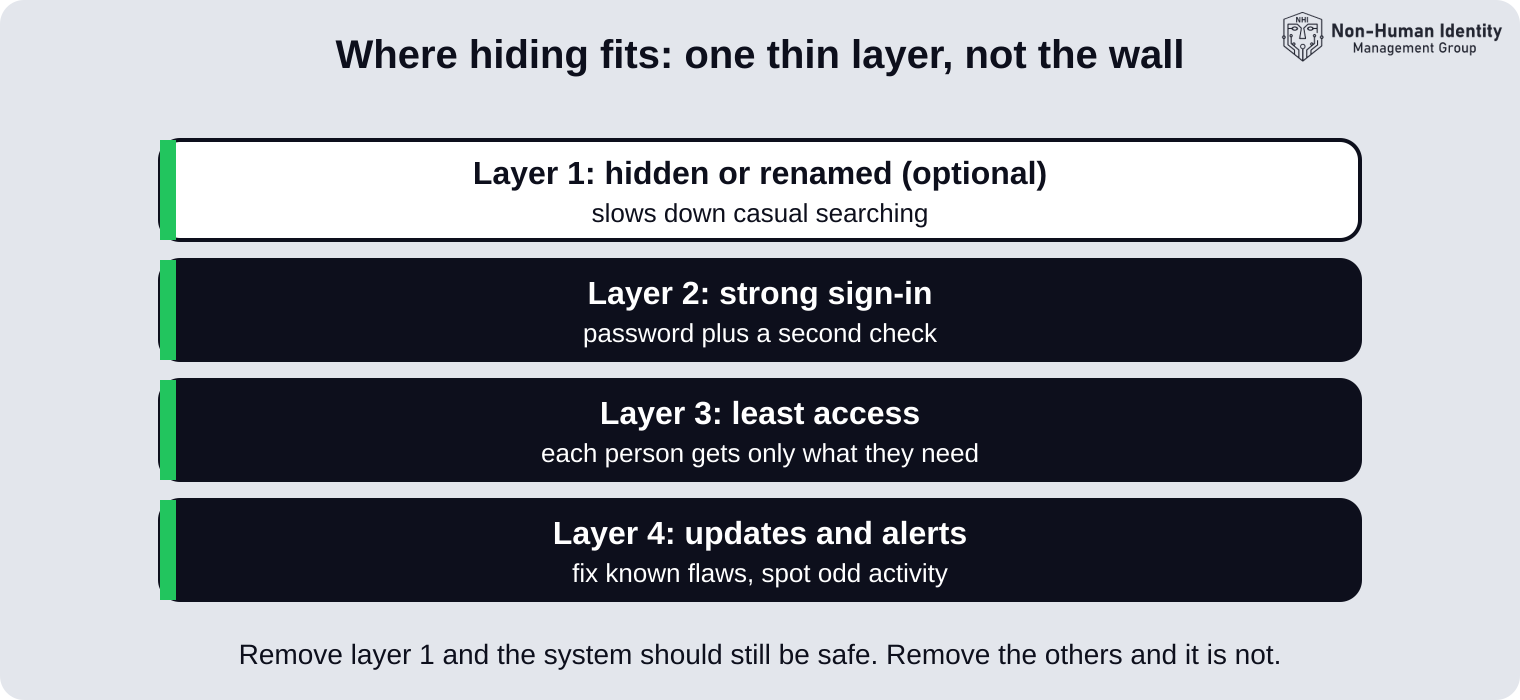
- Hiding can be a small extra layer, on top of real locks such as passwords and a second sign-in check.
- Ask one question: if the secret got out tomorrow, what would still protect us?
What you will learn
- Explain what security through obscurity means in one sentence.
- Spot places where hiding is standing in for a real lock.
- Check that each hidden thing also has a proper lock behind it.
- Ask your supplier the right question about "secret" settings.
- Hiding (obscurity)
- keeping something unknown or hard to find, rather than locked.
- Layers of protection (defence in depth)
- using several separate safeguards, so one failing does not expose everything.
What is security through obscurity?
Think of leaving your bike behind the shed instead of locking it. Nobody walking past can see it, so it feels safe. But anyone who looks behind the shed can ride it away.
Security through obscurity works the same way. A system is "protected" because people do not know where it is or how it works. Examples are a web page at a long, odd address with no password, or a file named to look boring.
The opposite idea is old. In 1883 a writer named Auguste Kerckhoffs set out rules for military codes. One said a system should not need to be secret, and could fall into enemy hands without harm.[1] Today this is called Kerckhoffs' principle: only the key should need to stay secret, not the design.
Where the comparison stops working: a bike behind a shed can only be found by someone standing there. A hidden web address can be found from anywhere, and it can be copied, forwarded or shared in seconds.
Why does it matter?
Secrets leak. A link gets forwarded, a former worker remembers it, or a search tool finds it. When the only protection was the secret, nothing is left once it is out.
If you run a small office
What could happen: client files sit behind a "secret" sharing link, and the link ends up in the wrong inbox.
Check this: make sure shared folders need a sign-in, not just the link.
If you buy software or IT services
What could happen: a supplier says their product is safe because "nobody knows how it works", and you have no way to check.
Check this: ask what protects your data if the design became public.
If you have Wi-Fi at home
What could happen: you hide your network name and think that keeps people out.
Check this: use a strong Wi-Fi password and modern security settings instead. Apple advises against hidden networks for this reason.[3]
Next: Encryption for Beginners
What does it look like?
Here is a made-up "Am I relying on hiding?" check for a small business.
Example only. All values are made up.
Am I relying on hiding?               Yes / No
Admin page at a secret address,
  e.g. example.com/zz-admin-0000, no sign-in   (1)
Shared folder open to "anyone with the link"   (2)
Hidden Wi-Fi name, weak or no password         (3)
Spare login written in a file called
  "old_notes_FAKE.txt"                         (4)
Each item above also has a real lock?  ______  (5)
- The odd address is the only thing between a stranger and the admin page.
- Anyone who gets the link can open the folder.
- Hiding the name does not hide the network from scanning tools.
- In a real file, this line would contain a working username and password.
- The key question. Every "Yes" above also needs a sign-in or other proper lock.
Why this is risky: each item depends on nobody finding out. That is hard to keep true for long.
The safer way: keep hiding if you like, but add a sign-in, a second check and limited access behind each one.
How does it work?
- Something is hidden. An address, a file name, a setting or the way a product works is kept quiet, so that outsiders do not know it is there.
- Hiding buys a little time. A casual visitor may not find it, and that can cut down on random visits from strangers.
- The secret spreads. People share links, staff move on, and tools scan for hidden things. Hidden Wi-Fi names, for example, can still be detected.[3]
- Without a lock, access is open. Once someone knows the secret, there is nothing else in the way to stop them getting in.
- With a lock, hiding is just a bonus. A US government server guide puts it plainly: security should not depend on keeping the design secret.[2]
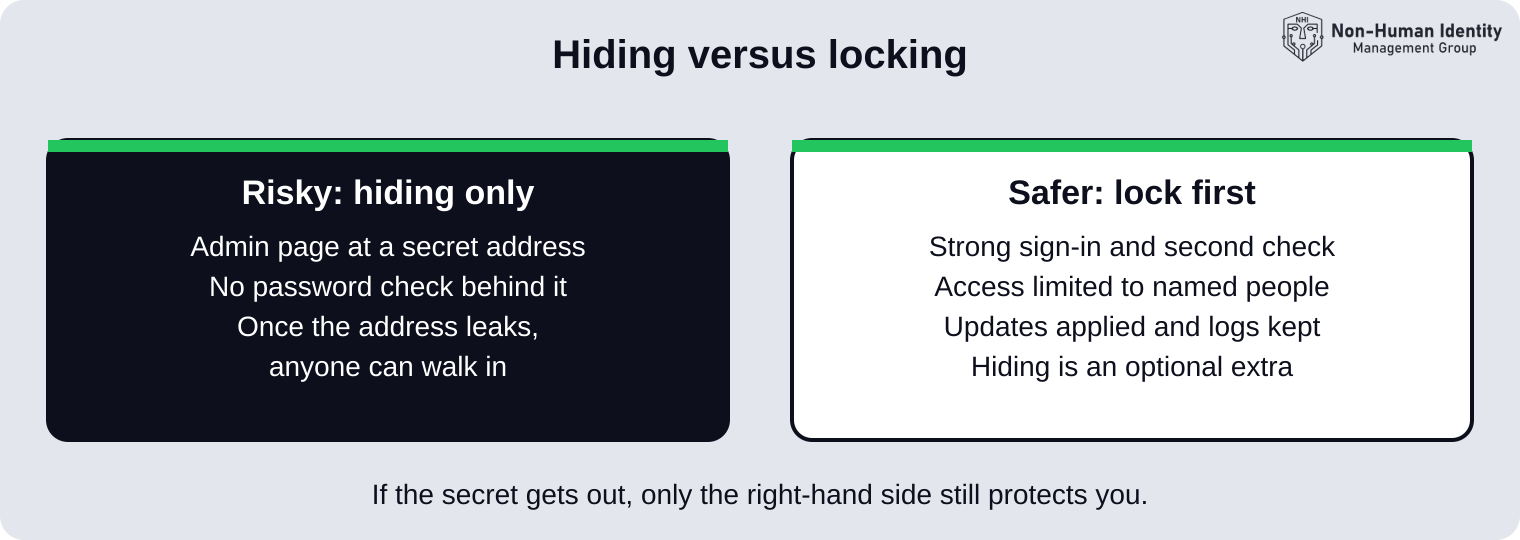
So is hiding ever useful? Yes, as one thin layer among many. Using several separate safeguards is called defence in depth. The test is simple: take the hiding away, and the system should still be safe.
Product makers carry part of this too. The US cyber agency CISA asks software makers to build security in from the start and to ship products that are safe with little setup.[4]
A worked example
This story is made up to show how it can happen.
Yusra Wright manages a small bookkeeping office. Clients upload receipts and bank statements to a web page her IT helper set up years ago.
The page has no password. Instead, it sits at a long, random-looking address. "Nobody will ever guess it," the helper had said.
One day a client tells Yusra she forwarded the link to her husband and her accountant friend, "so they could help". Yusra realises the address has now been shared beyond her clients. She has no idea how many times.
She asks herself the key question: if this address got out, what would still protect the files? The honest answer is nothing.
Yusra asks her IT helper to change the setup that week. Each client now gets their own account with a password and a second sign-in check. Each client can see only their own folder. Old files are moved to a locked archive.
The helper keeps the odd address too, as a small extra. But now, if someone finds it, they reach a sign-in page, not the files.
The helper also checks the old page's records. In the records available to him, he sees only visits from known clients. Yusra still asks for advice on whether she needs to tell anyone, because the files held personal details.
What made the difference: Yusra stopped asking "will anyone find it?" and started asking "what happens when they do?"
Myths and mistakes
| What people think | What is true |
|---|---|
| If nobody knows the address, it is safe. | Addresses get shared, saved and found. Put a sign-in behind it. |
| Hiding my Wi-Fi name keeps people out. | Hidden networks can still be detected. A strong password and modern security setting do the real work.[3] |
| Hiding is always bad. | Hiding can be a useful extra layer. It is a problem only when it is the only layer. |
| Keeping our product design secret makes it safer. | Good designs rely on a secret key, not a secret design.[1] A design that others can inspect can also be tested for flaws. |
| Renaming a file to something boring protects it. | Anyone who opens it can still read it. Lock the file or move it to a protected place. |
What can I do this week?
- List anything you protect by "nobody knows it is there": links, pages, folders or files.
- For each one, ask what would protect it if the secret got out.
- Turn on sign-in, and a second check where offered, for shared folders and admin pages.
- Set a strong Wi-Fi password and the newest security setting your router offers.
- Ask your software supplier what protects your data if their design were made public.
Checklist
- No shared folder with sensitive files is open to "anyone with the link".
- Admin pages need a sign-in, not just a secret address.
- Our Wi-Fi uses a strong password and a modern security setting.
- Passwords are not stored in plain files with boring names.
- Each hidden thing has a real lock behind it.
- Our suppliers can explain what protects us beyond secrecy.
Common questions
Is security through obscurity always bad?
No. Hiding can be a helpful extra layer, for example to cut down on random visitors. It becomes a problem when it is the only thing protecting a system. If removing the secret would leave the door open, you need a real lock.
What is Kerckhoffs' principle in simple words?
A system should stay safe even if an attacker knows exactly how it works. Only the key, such as a password or encryption key, should need to stay secret. The idea dates back to an 1883 article on military codes.[1]
Should I hide my Wi-Fi network name?
Probably not. Apple advises turning hidden networks off, because hiding the name does not stop detection or secure the network. It can even reveal details about you when your devices search for it. Use a strong password and modern security instead.[3]
Is a password a kind of obscurity?
Not in the usual sense. A password is a secret key, and good systems are built so that only the key must stay secret. Obscurity means hiding the design or location instead. The difference is that a key can be changed easily if it leaks.
Where next?
Ready for the detail? Read the practitioner guide: Security by Design and by Default Guide. It goes further into building security in from the start, safe default settings, and how to judge a supplier's security claims.
Also useful:
- Defence in Depth Guide
- Encryption for Beginners
- Threat Modelling for Beginners
- Multi-Factor Authentication for Beginners
Related NHI Mgmt Group resources: Password Security for Beginners · Attack Surface Management Guide · Encryption Guide
Key terms
- Security through obscurity
- Relying on keeping a design, location or setting secret to stay safe, instead of on real controls.
- Kerckhoffs' principle
- The rule that a system should stay safe even if attackers know its design, so only the key needs protecting.
- Defence in depth
- Using several separate safeguards so that one failing does not expose everything.
- Encryption
- Scrambling data so only someone with the right key can read it.
- Secure by default
- When the safest settings are already switched on, without extra setup.
- Vulnerability
- A flaw or weakness in software, settings or design that someone could misuse.
Sources and further reading
- Auguste Kerckhoffs, "La cryptographie militaire", Journal des sciences militaires, vol. IX, January and February 1883. Text and English translation of the principles hosted by Fabien Petitcolas. https://www.petitcolas.net/kerckhoffs/, accessed 28 Nov 2026.
- SP 800-123, Guide to General Server Security, section 2.4 Server Security Principles. National Institute of Standards and Technology (NIST), July 2008. https://csrc.nist.gov/pubs/sp/800/123/final, accessed 28 Nov 2026.
- Recommended settings for Wi-Fi routers and access points (Hidden network). Apple Support. https://support.apple.com/en-us/102766, accessed 28 Nov 2026.
- Secure by Design. Cybersecurity and Infrastructure Security Agency (CISA). https://www.cisa.gov/securebydesign, accessed 28 Nov 2026.