Shadow IT is any app, device or online service used for work without the organisation knowing or managing it.
This guide is for anyone who has used a personal app for a work task, or who looks after IT in a team. You do not need to be technical: if you have ever emailed a work file to yourself or used a free sharing site, you have seen shadow IT.
In short
- Shadow IT means work tools the organisation does not know about or does not manage.
- People rarely mean harm. They usually need to get a job done and the approved tool does not help.
- The risk is that data ends up where nobody can protect it, back it up or delete it.
- The fix is to find it, offer a good approved option and make asking easy, without blame.
What you will learn
- Explain what shadow IT is and why people use it.
- Spot shadow IT in your own work.
- Check which apps hold your team's data.
- Ask for a safer approved tool without getting anyone in trouble.
- Online app (SaaS)
- software you use in a web browser and pay for, or sign up to, rather than install, called software as a service.
- Approved tool (sanctioned app)
- an app the organisation has checked, set up and agreed staff may use.
What is shadow IT?
Think of a shop where the stockroom is full. Staff start keeping boxes in their own garden sheds so they can carry on working. The shop no longer knows where its stock is, who can reach it, or whether it is locked up.
Shadow IT is the same idea for computers and data. The UK government's cyber security agency describes it as unknown or unmanaged devices and services used for business.[1]
Common examples are a personal storage account used for work files or a free file-sharing site. Another is a chat app the team set up on its own. A personal phone or laptop that holds work data counts too. Unapproved AI tools are a newer kind, often called shadow AI.[1]
Where the comparison stops working: boxes in a shed are easy to count. Data copied into an online app can be copied again and shared with a click, so it is much harder to track down.
Why does it matter?
If the organisation does not know a tool exists, it cannot protect the data inside it.
If you use apps at work
What could happen: a customer list in your personal storage account is exposed if that account is broken into.
Check this: list the apps you use for work that IT did not give you.
If you manage a team
What could happen: someone leaves and the team's files stay in their private account.
Check this: ask your team which tools they use and why the approved ones fall short.
If you look after IT
What could happen: an app connected to company email reads more data than anyone meant to share.
Check this: review which outside apps staff have connected to work accounts.
What does it look like?
Here is a made-up list of apps found on one team's work accounts.
Example only. All values are made up.
App found          Signed in with      Approved?
FakeDrive Free     personal email      no    (1)
QuickShare.example work email          no    (2)
TeamChat EXAMPLE   work email          yes
NoteBot AI FAKE    work email          no    (3)
  - can read: all mail, all files
- Work files in a personal storage account. Nobody else can see or back them up.
- A free sharing site. Links may stay open long after the job is done.
- An AI note tool that was given access to all mail and files. In a real file, this line would contain the permissions the app was given.
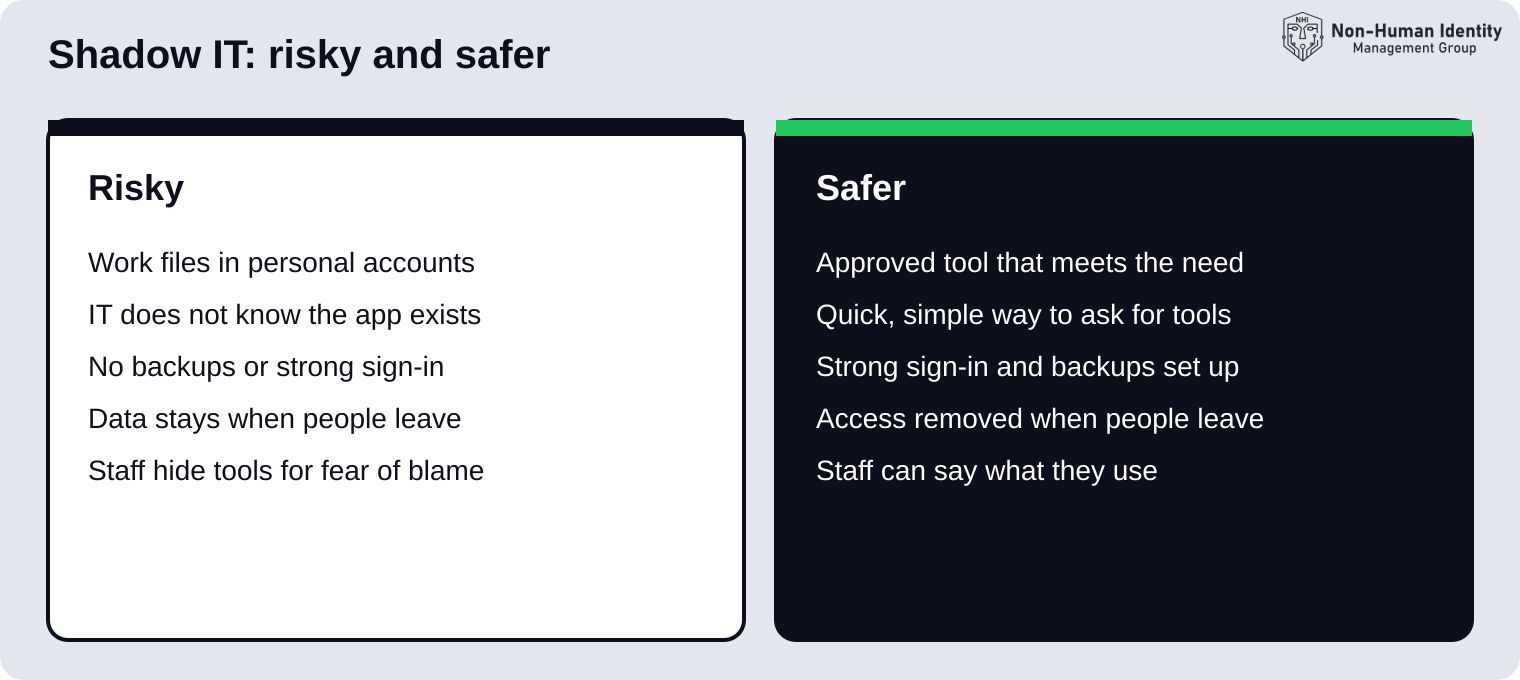
Why this is risky: the organisation does not know where this data sits. It cannot set strong sign-in rules, back it up, or remove it when someone leaves.
The safer way: move the work into approved tools. Then turn off the unused apps and remove the access they were given.
How does it work?
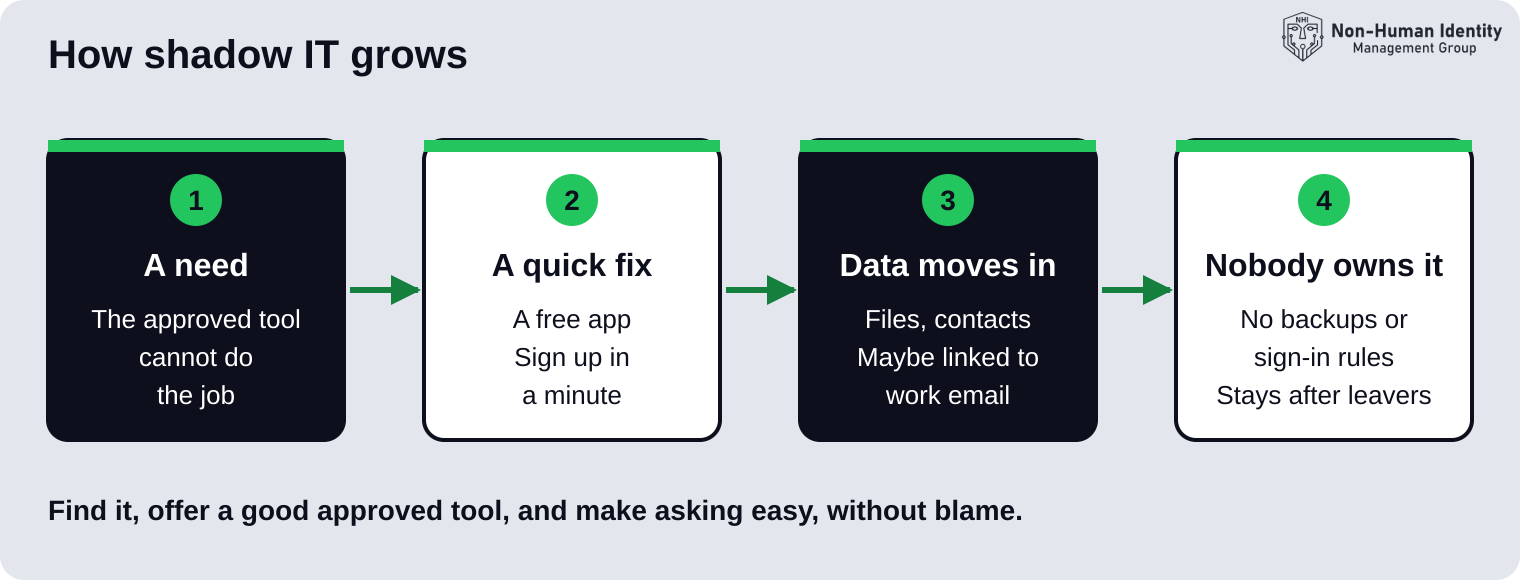
Shadow IT usually grows step by step, often with good intentions.
- A need appears. A person cannot do a task with approved tools. The UK's National Cyber Security Centre (NCSC) lists reasons such as too little storage, no approved chat or video tool, and slow request processes.[1]
- They find a quick fix. A free app takes a minute to sign up to. It often works well.
- Data moves in. Files, contacts or customer details go into the app. Sometimes the app is linked to work email or storage.
- Others join. Colleagues are invited. The tool becomes part of how the team works.
- Nobody owns it. IT does not know it exists, so it has no strong sign-in rules, backups or checks. When people leave, the data may stay behind.
A worked example
This story is made up to show how it can happen.
Sam Whitaker leads the claims team at Pinecrest Insurance. The approved file store has a size limit. Claim photos from site visits are too big for it.
So the team starts using a free online storage app. Each person signs up with a personal email. It works well, and soon hundreds of claim photos sit there.
Months later, a team member leaves. The new IT manager, Jamal Carter, runs a check of apps linked to staff accounts. He finds the storage app, and that one shared folder link is open to anyone who has it.
Jamal does not blame anyone. He sits down with Sam's team and asks why they chose the app. The answer is simple: they needed space for big photos, and asking for more took weeks.
Together they agree a plan. IT sets up an approved store with enough space and strong sign-in. The team moves the photos across in a week. Jamal closes the open link and asks the person who left to delete the copies in their account.
Jamal also adds a short form for asking for new tools, with a reply within two working days. Sam tells his team to use it.
What made the difference: Jamal fixed the need behind the app, not just the app.
Myths and mistakes
| What people think | What is true |
|---|---|
| People who use shadow IT are breaking rules on purpose. | The NCSC says shadow IT is rarely malicious. People usually just want to get their work done.[1] |
| Blocking every unapproved app solves it. | Heavy lockdowns can push people to find other workarounds. Meet the need with an approved tool instead.[1][2] |
| Punishing people will stop it. | Blame makes people hide what they use, so the risk stays hidden too.[1] |
| A free app is fine if it is popular. | Popular is not the same as approved. The question is whether the organisation can manage the data inside it. |
| Shadow IT is only about apps. | Personal phones, laptops and storage used for work count too. |
What can I do this week?
- Write down every app you use for work. Mark the ones IT did not give you.
- Move work files out of personal accounts into an approved place.
- Check the apps linked to your work account, and remove any you no longer use.
- Tell your manager or IT about a tool you need, and why.
Checklist
- I know which tools my organisation has approved.
- No work files sit in my personal accounts.
- I have checked which outside apps can reach my work email or files.
- Shared links I made are closed when the job is done.
- I know how to ask for a new tool.
- Our team can say what tools we use without fear of blame.
Common questions
Is shadow IT illegal?
Not in itself. It is usually a breach of company rules rather than the law. But if personal data ends up in an unmanaged app and leaks, the organisation may still be responsible under data protection law. That is one reason it matters.
What is the difference between shadow IT and shadow AI?
Shadow AI is a kind of shadow IT. It means AI tools, such as chatbots, used for work without approval. The risks are similar, but work data pasted into an AI tool may also be kept by the tool's provider, depending on its settings.
How do organisations find shadow IT?
They use a mix of methods. The NCSC lists asset lists, network scanners and tools that watch how staff use cloud apps.[1] Simply asking teams what they use, without blame, often finds a lot too.
Should I stop using an app if it is not approved?
Tell your manager or IT first, and say why you need it. They may approve it, set it up properly or offer another tool. Then move any work data out of your personal account, so it does not get lost.
Where next?
Ready for the detail? Read the practitioner guide: Shadow SaaS and Unsanctioned App Discovery Guide. It goes further into discovery methods, risk ranking of found apps and how to bring them under control.
Also useful:
Related NHI Mgmt Group resources: SaaS and OAuth App Governance Guide · OAuth App Approval Policy Template · Top 10 SaaS Security Risks
Key terms
- Shadow IT
- Apps, devices or online services used for work without the organisation knowing about them or managing them.
- Shadow AI
- AI tools, such as chatbots, used for work without approval from the organisation.
- Shadow data
- Copies of work data stored in places the organisation does not know about or manage.
- Software as a service (SaaS)
- Software you use online through a browser, run by a provider rather than installed on your own computer.
- OAuth app
- An outside app you allow to reach your account, such as your email or files, without giving it your password.
Sources and further reading
- Shadow IT: Managing 'unknown' assets that are being used across your organisation. National Cyber Security Centre (NCSC), 27 July 2023, reviewed 14 August 2026. https://www.ncsc.gov.uk/guidance/shadow-it, accessed 28 Nov 2026.
- 10 Steps to Cyber Security: Engagement and training. National Cyber Security Centre (NCSC). https://www.ncsc.gov.uk/collection/10-steps-to-cyber-security/the-10-steps/user-education-and-awareness, accessed 28 Nov 2026.