IT service management (ITSM) is how an IT team records, tracks and handles every request, problem and change.
This guide is for anyone new to IT work, and for staff who raise tickets. You do not need to be technical: each time you ask IT for help or new access, you are using ITSM, and the records it keeps help protect the business.
In short
- A ticket is a written record of a request or a problem, from the first message to the fix.
- The main types are faults (incidents), requests, changes and deeper problems.
- Tickets help security because they show who asked for what, who approved it and when.
- The ticket system itself holds sensitive data and powerful accounts, so it needs protecting too.
What you will learn
- Explain what ITSM and a ticket are in plain words.
- Tell an incident, a request and a change apart.
- Spot a ticket that should not be approved as it stands.
- Check what you should never paste into a ticket.
- Help request record (ticket)
- a written record of one request or problem, with every step and decision.
- IT front desk (service desk)
- the team that takes requests and reports from staff and logs them as tickets.
- Planned update (change)
- a planned edit to a system, such as new software or a new setting.
What is IT service management?
Think of a busy restaurant kitchen. Every order is written on a ticket. It goes to the right cook, and it is ticked off when the plate goes out. Nothing depends on someone remembering a shouted order.
ITSM works the same way for an IT team. Each request or problem becomes a ticket in a ticket system. The ticket records who asked, what they need, who is working on it and what was done. A widely used set of good practice for this is called ITIL.[3]
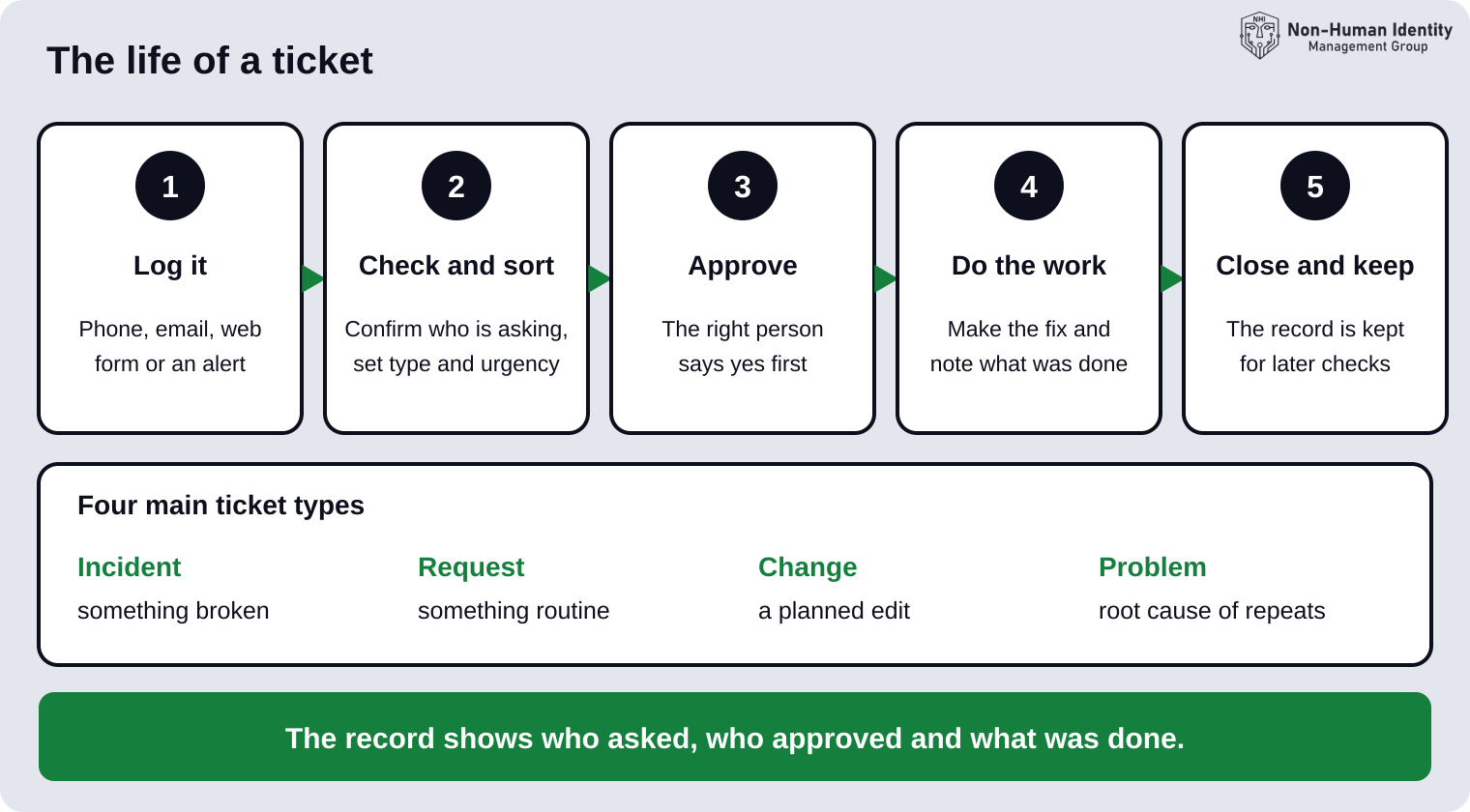
Tickets come in a few main types. An incident is something broken, such as email not working. A request is something routine, such as a new laptop or access to a folder. A change is a planned edit to a system. A problem is the root cause behind repeat incidents.[1]
Where the comparison stops working: a kitchen ticket is thrown away after dinner. IT tickets are kept, and later they become evidence of who did what.
Why does it matter?
Attackers sometimes call the service desk and pretend to be staff, to get a password reset. After attacks on UK retailers in 2025, the UK's cyber security agency told firms to review how their help desks check who is calling.[2]
If you are new to the service desk
What could happen: a caller in a hurry talks you into a reset or new access without the right checks.
Check this: follow the written checks for every caller, even when they sound senior or upset.
If you raise tickets at work
What could happen: you paste a password into a ticket, and everyone who can read it now has it.
Check this: describe the problem, but never type a password or key into a ticket.
If you manage a team
What could happen: changes made without a ticket break a system, and nobody can say who did it.
Check this: ask that every access grant and change has a ticket and an approver.
What does it look like?
Here is a made-up access request ticket, with the parts that matter for security marked.
Example only. All values are made up.
TICKET REQ-0000   Type: Access request
Raised by: [email protected]          (1)
Asks for: admin rights on the finance app (2)
Reason: "need it for month end"
Approved by: (blank)                      (3)
Notes: "my login is FAKE-pass-0000"       (4)
Status: Waiting
- Who raised it. The desk checks it really came from this person.
- Admin rights give a lot of power. Ask if less access would do.
- No approver yet. Access waits until a manager or the app's owner says yes.
- A password typed into the notes. Passwords should never go in a ticket.
Why this is risky: if the desk grants this as written, one person gets wide access with no approval. The password in the notes can now be read by anyone who opens the ticket.
The safer way: the desk confirms who asked. The manager agrees to a smaller level of access for a set time. The password is changed, because it was shared.
How does it work?
Most tickets follow much the same path from start to finish, whatever type of ticket they are.
- Log it. A person, or an automated alert, raises a ticket by phone, email or a web form.
- Check and sort. The service desk checks who is asking, sets the type and decides how urgent it is.
- Approve. Access grants and changes wait for the right person to say yes. Low-risk routine changes can be approved in advance.[4]
- Do the work. The assigned person makes the fix or change and notes what they did.
- Close and keep. The ticket is closed and kept, so the team can look back later.
Changes are sorted by risk. Routine, low-risk ones can be pre-approved. Bigger ones go through a full review. Emergency changes, such as an urgent security fix, take a faster path, but they should still be recorded and checked afterwards.[4]
The ticket system itself is powerful. It often connects to other tools through app accounts that can create users or reset passwords. These app accounts are non-human identities (NHIs), and they need owners and limits like any other account.
A worked example
Reza Wojcik has just started on the service desk at a fictional housing charity. On a Friday afternoon, a caller says she is the finance director. She is locked out, she is about to board a plane, and she needs her password and two-step login reset now.
Reza remembers the kitchen ticket. Nothing happens unless it is written down and checked. He logs a ticket first. Then he follows the desk's written checks. The caller cannot answer them, and she gets angry.
Reza does not reset anything. He stays polite and calm. He tells her he will call back on the number held in the staff records. That number reaches the real finance director, who is at her desk and was not locked out.
Reza adds the details to the ticket, marks it as a possible attack and passes it to the security contact. The ticket now shows the time, the number the caller used and what she asked for.
The security contact checks the director's account and finds no changes they cannot explain in the records available to them. They share a short warning with all staff that afternoon, so others know what to listen for. Reza's manager thanks him for sticking to the checks, even under pressure.
Myths and mistakes
| What people think | What is true |
|---|---|
| Tickets are just paperwork. | They are the record of who asked for what and who approved it. That helps after a fault or an attack. |
| A quick fix does not need a ticket. | Unrecorded changes are hard to undo and hard to explain later. |
| It is fine to paste a password so IT can help. | Ticket notes are read by many people and kept for a long time. Share passwords another way, then change them. |
| A senior person's request can skip the checks. | Attackers often pretend to be senior staff. The same checks apply to everyone.[2] |
| Emergency changes need no record. | They take a faster path, but they should still be logged and reviewed afterwards.[4] |
What can I do this week?
- Search your own past tickets for any password you pasted, and change it.
- Ask your service desk how it checks callers before a password reset.
- Check that access requests in your team have a named approver.
- Find out how to report a suspicious call or ticket.
Checklist
- Every request, fault and change is logged as a ticket.
- The desk follows written checks before any reset or access grant.
- Access grants and changes have a named approver.
- Emergency changes are logged and reviewed afterwards.
- Staff know not to put passwords or keys in tickets.
- Admin access to the ticket system is limited and reviewed.
- App accounts linked to the ticket system have an owner.
Common questions
What is the difference between an incident and a problem?
An incident is one thing going wrong, such as a printer failing today. A problem is the underlying cause when the same thing keeps going wrong. The desk fixes incidents quickly, and a problem gets deeper work so the incidents stop coming back.
Is ITSM the same as ITIL?
No. ITSM is the work of running IT services well. ITIL is one widely used set of good practice for doing that work. Many teams borrow from ITIL without following all of it, and some use other approaches.
Why does IT ask so many questions when I call?
To make sure you are really you. Attackers sometimes pretend to be staff to get a password reset. The checks protect your account, so a few extra questions are a good sign, not a lack of trust.
What should I do if I put a password in a ticket?
Change the password as soon as you can, then tell the service desk. They may be able to hide the text in the ticket. Changing the password matters most, because other people may already have read it.
Do small businesses need a ticket system?
Not always a big one. Even a shared inbox or a simple list can work. Each request just needs to be written down with who asked, who approved it and what was done. The record matters more than the tool.
Where next?
Ready for the detail? Read the practitioner guide: ITSM Platform Security. It goes further into approval workflow integrity, admin role tiers and the accounts and tokens that connect the ticket system to other tools.
Also useful:
- Incident Management vs Problem Management
- Change Advisory Boards for Beginners
- Emergency Changes for Beginners
- Help Desk Analyst for Beginners
Related NHI Mgmt Group resources: ITSM platform health check · If your ITSM platform is compromised · Password Reset Security for Beginners
Key terms
- ITSM
- The way an IT team records, tracks and handles requests, faults and changes.
- Service desk
- The team that takes requests and reports from staff and logs them as tickets.
- Incident management
- Getting a broken service working again as quickly as possible.
- Change management
- Planning, approving and recording changes to systems so they cause less disruption.
- CMDB
- A database listing an organisation's systems and how they connect, used to judge the effect of a change.
- Audit trail
- A record of who did what and when, kept so it can be checked later.
Sources and further reading
- What is IT service management (ITSM)? Atlassian. https://www.atlassian.com/itsm, accessed 28 Nov 2026. One vendor's overview of common ITSM practices.
- Incidents impacting retailers: recommendations from the NCSC. National Cyber Security Centre, 4 May 2025. https://www.ncsc.gov.uk/blog-post/incidents-impacting-retailers, accessed 28 Nov 2026.
- ITIL certifications. PeopleCert. https://www.peoplecert.org/browse-certifications/it-governance-and-service-management/ITIL-1, accessed 28 Nov 2026.
- IT change management. Atlassian. https://www.atlassian.com/itsm/change-management, accessed 28 Nov 2026. One vendor's description of change types.