A PAM specialist looks after the most powerful computer accounts, so only the right people use them.
This guide is for anyone curious about privileged access work as a job, from career changers to people already in IT. You do not need a technical background to follow it. If you run a business, it also shows why someone should own your admin accounts.
In short
- PAM stands for privileged access management: controlling the accounts that can change or switch off important systems.
- A PAM specialist finds these accounts, locks their passwords away, watches how they are used and removes access nobody needs.
- Many powerful accounts belong to software, not people, so the job covers those too.
- Common routes in are system administration, identity work and security monitoring.
What you will learn
- Explain what a PAM specialist does in one sentence.
- Describe a typical working day in the role.
- Spot the skills you already have that fit the job.
- Choose a first step if you want to try it.
- Powerful account (privileged account)
- an account that can install software, change security settings or manage other accounts.
- Locked password store (vault)
- a protected store that hands out powerful passwords only to approved people and programs.
- Borrowed access (just-in-time access)
- extra access given for one task and taken back afterwards.
What is a PAM specialist?
Think of the master key in a hotel. It opens every room, so it lives in a locked cabinet and is signed out for one job at a time. A PAM specialist runs that cabinet for a company's computer systems.
Most accounts are ordinary. They read email and open the apps a job needs. A privileged account has extra powers. It can change settings, read every file or create new users. If a criminal gets one, they can do a lot of damage.[1]
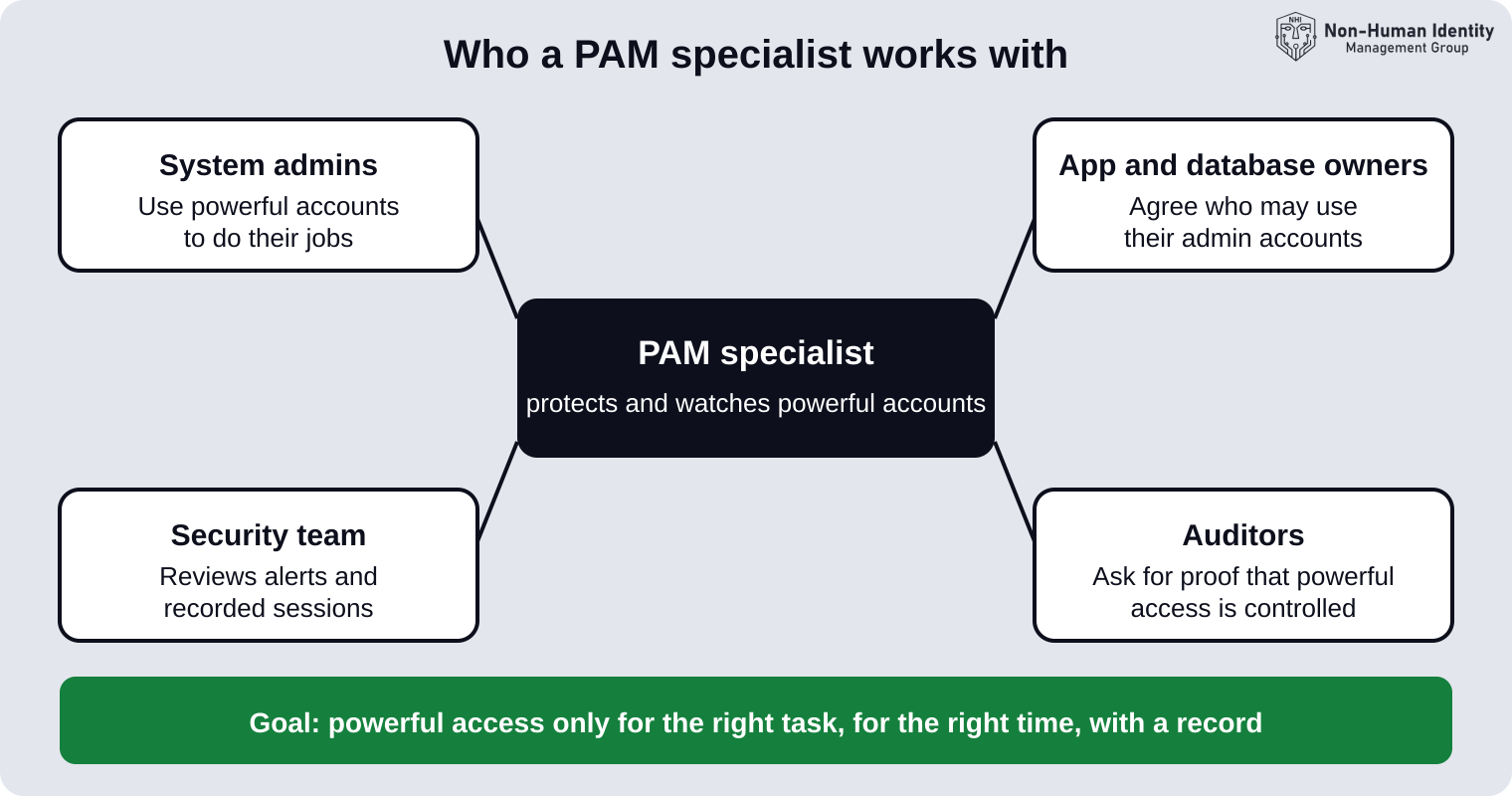
The specialist makes sure these accounts are known, protected and watched. They set up tools that keep the passwords locked away. They check who uses each account, and why.
Some powerful accounts are used by software, not people. These service accounts (accounts that programs use to log in) are easy to forget. Looking after them is a growing part of the job.
Where the comparison stops working: a hotel has one master key. A company can have thousands of powerful accounts, spread across offices, cloud services and programs. Many of them nobody has written down.
Why does it matter?
Attackers often aim for admin accounts, because one account can open many doors. Good PAM work makes those doors harder to reach and easier to watch.[2]
If you work as a system administrator
What could happen: you already handle admin accounts every day and miss that this is the core of a PAM role.
Check this: list the admin accounts you use, and note which ones you share with others.
If you are thinking about a career change
What could happen: you skip PAM because it sounds narrow, and miss a role that touches almost every system.
Check this: read about least privilege and ask yourself if careful, tidy work suits you.
If you run a business
What could happen: a shared admin password stays the same for years, and a former supplier still knows it.
Check this: ask who owns your admin accounts and when their passwords were last changed.
What does it look like?
Much of the work happens in a PAM tool. Here is a made-up request that a PAM specialist might see and check.
Example only. All values are made up.
Request:   EXAMPLE-0000
Who:       J. Sample, database team
Account:   db-admin-FAKE on db01.example.invalid   (1)
Reason:    apply monthly update, change CHG-0000   (2)
Time:      Saturday 09:00 to 11:00                 (3)
Approved:  database manager (example.com)          (4)
Session:   recorded                                (5)
- In a real screen, this line would name a powerful database account.
- The reason, linked to an agreed change, so it can be checked later.
- Access is borrowed for two hours, then taken back.
- A manager has agreed the request before access is given.
- The session is recorded, so there is a record of what was done.
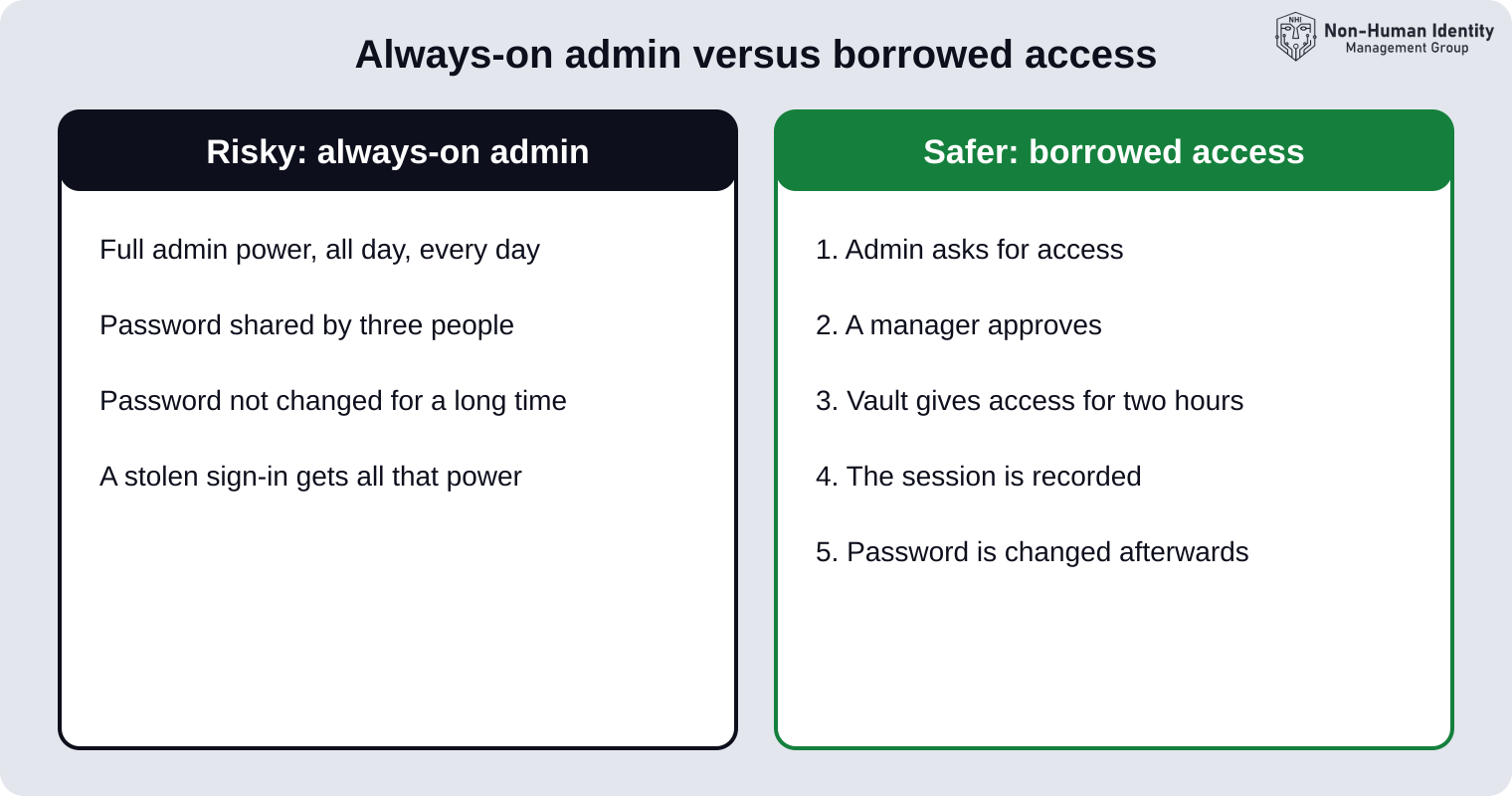
Why this is risky: without a request like this, admins often keep powerful access all the time. A stolen sign-in then gives an attacker the same power, at any hour.
The safer way: the password stays in a vault, access is given only for the task, and the tool changes the password after use. Microsoft's guidance describes approved, just-in-time requests for admin rights, given only when needed, as one way to do this.[1]
How does it work?
Most PAM work follows the life of a powerful account.
- Find the accounts. The specialist searches servers, databases, cloud services and network kit for powerful accounts, including ones used by programs.
- Lock them away. They move the passwords into a vault, so people no longer need to know them.
- Change passwords regularly. The tool changes each password on a schedule or after use. This is called password rotation. The specialist checks the change does not break the programs that rely on it.
- Give access only when needed. They replace always-on admin rights with access that is approved, time-limited and taken back. This follows least privilege, a basic idea in US government security guidance.[3]
- Watch and record. Powerful sessions go through the PAM tool, which can record them. The specialist reviews alerts and helps investigate anything odd.
Skills and tools
You do not need all of these on day one. Most people build them up over several years.
- System know-how. How Windows, Linux, databases and cloud accounts work, because PAM tools connect to all of them.
- A directory. A directory is the central list of a company's accounts. PAM work leans on it heavily.
- Some scripting. Short programs that automate repeat tasks, such as finding new admin accounts.
- Care and patience. Changing a password a program depends on can break it, so testing matters.
- Persuasion. Admins rarely like giving up always-on access. The specialist explains why, and makes the new way easy.
Employers often ask for training on the PAM product they use. A broad security or identity certification can help too. IDPro runs a vendor-neutral identity certification called CIDPRO.[4] ISC2's CISSP is a wider security certification that some PAM roles list.[5]
A worked example
Abena Owusu is a PAM specialist at Thistle Energy, a fictional energy supplier with 2,000 staff. Here is one ordinary Wednesday.
At 9am she reads the overnight report. The PAM tool changed 300 passwords. Two changes failed on an old billing server. Abena checks with the server owner and finds a program that still uses the old password. They agree a fix for Friday.
At 10am her discovery scan finds three new admin accounts in the cloud. Nobody has added them to the vault. Abena asks the cloud team who made them. Two are for a new project, so she brings them under control. The third is a test account nobody needs, so it is removed.
After lunch a database admin calls. He wants to keep his always-on admin rights. Abena remembers the hotel key cabinet: the key is still there, it just gets signed out. She shows him how to ask for access in two clicks. He agrees to try it for a month.
At 3pm the security team spots an admin session at an odd hour. Abena helps them play back the recording. It was a planned fix by the night team, with an approved request. They close the alert.
She ends the day preparing evidence for next month's audit. The auditors want to see who used powerful accounts, and who approved it.
Myths and mistakes
| What people think | What is true |
|---|---|
| PAM is just a password safe. | The vault is one part. The job also covers finding accounts, borrowed access, session records and reviews. |
| PAM only covers human admins. | Programs use powerful accounts too, and they can be the hardest to find and change. |
| Once the tool is installed, the job is done. | New systems and accounts appear every week. Discovery and clean-up carry on. |
| You need years of security work first. | Many people move across from system administration or identity roles, bringing knowledge of the systems. |
| Admins will welcome the change. | Many resist losing always-on access. Clear reasons and an easy process help. |
What can I do this week?
- Read our beginner guides on admin accounts and on borrowed access.
- Write down any admin accounts you use, and whether each one is shared.
- Look at the free study notes for an identity exam that is not tied to one product.[4]
- Ask someone in an IT team how they handle admin access at work.
Checklist
- I can explain what PAM stands for in plain words.
- I know what makes an account privileged.
- I can describe what a password vault does.
- I know why borrowed access is safer than always-on access.
- I know that programs hold powerful accounts too.
- I have picked one beginner guide or study resource to start with.
Common questions
Is a PAM specialist the same as an IAM engineer?
Not quite. An IAM engineer looks after sign-in and access for everyone. A PAM specialist focuses on the small set of powerful accounts. The skills overlap, and in smaller teams one person may do both. See What does an IAM engineer do? for that role.
Do I need to know how to code?
Not at the start. Much of the work happens in PAM tools and admin screens. Over time, simple scripting helps, because it lets you find accounts and fix repeat problems faster. Many people learn it on the job, one small script at a time.
What job titles should I search for?
Try PAM engineer, PAM analyst, PAM administrator and privileged access engineer. Some adverts use the name of one PAM product instead. Entry roles often sit inside an identity or infrastructure team. The practitioner guide lists more titles and how the role grows.
How much does a PAM specialist earn?
It varies by country, sector and experience, so we do not quote figures here. Check official sources for your country. In the US, the Bureau of Labor Statistics publishes pay data for the wider information security group of jobs.[6]
Why are software accounts part of the job?
Because many powerful accounts belong to programs. A program that moves data between systems may hold admin rights and a password that never changes. Finding these accounts and putting them in the vault is often harder than managing human admins, so it is valued work.
Where next?
Ready for the detail? Read the practitioner guide: PAM Engineer Career Guide. It goes further into the tasks employers test for, the certifications that help and how the role grows into architecture.
Also useful:
- Privileged Access Management for Beginners
- Just-in-Time Access for Beginners
- What does an IAM engineer do? A beginner's guide
- Password Manager vs PAM
- Cybersecurity Careers Guide
Related NHI Mgmt Group resources: Privileged Access Management Guide · Credential Vaulting vs Just-in-Time Elevation · IAM Engineer Career Guide
Key terms
- Privileged access management
- The rules, habits and tools that control powerful accounts.
- Privileged account
- An account with extra powers, such as installing software or changing security settings.
- Password vault
- A protected store that keeps powerful passwords and hands them out only to approved users.
- Password rotation
- Changing a password on a schedule or after use, so old copies stop working.
- Standing privilege
- Powerful access that is always on, whether or not it is being used.
- Session recording
- A record of what was done during a powerful session, kept so it can be reviewed later.
- Least privilege
- Giving each account only the access it needs for its job.
Sources and further reading
- Developing a privileged access strategy. Microsoft Learn, Microsoft. https://learn.microsoft.com/en-us/security/privileged-access-workstations/privileged-access-strategy, accessed 28 Nov 2026.
- 10 Steps to Cyber Security: Identity and access management. National Cyber Security Centre (NCSC). https://www.ncsc.gov.uk/collection/10-steps/identity-and-access-management, accessed 28 Nov 2026.
- NIST SP 800-53 Rev. 5, Security and Privacy Controls for Information Systems and Organizations (AC-6 Least Privilege). National Institute of Standards and Technology. https://csrc.nist.gov/pubs/sp/800/53/r5/upd1/final, accessed 28 Nov 2026.
- CIDPRO, Certified Identity Professional. IDPro. https://idpro.org/cidpro/, accessed 28 Nov 2026.
- CISSP, Certified Information Systems Security Professional. ISC2. https://www.isc2.org/certifications/cissp, accessed 28 Nov 2026.
- Information Security Analysts, Occupational Outlook Handbook. US Bureau of Labor Statistics. https://www.bls.gov/ooh/computer-and-information-technology/information-security-analysts.htm, accessed 28 Nov 2026.