An IAM engineer builds and runs the systems that decide who can sign in and what they can use.
This guide is for anyone curious about identity work as a job, from school leavers to people changing career. You do not need an IT background to follow it. If you manage a team, it also shows what this person does for your business.
In short
- IAM stands for identity and access management: checking who someone is and what they may use.
- An IAM engineer sets up sign-in, gives people the right access when they join and removes it when they leave.
- More and more of the job covers software accounts too, not just people.
- Common routes in are IT support, system administration and software work, plus study for an identity certification.
What you will learn
- Explain what an IAM engineer does in one sentence.
- Describe a typical working day in the role.
- Spot the skills you already have that fit the job.
- Choose a first step if you want to try it.
- Access (permissions)
- the list of apps, files and actions an account is allowed to use.
- One sign-in for many apps (single sign-on)
- a set-up where you log in once and then reach many apps.
- Joining, moving and leaving (joiner, mover, leaver)
- the three moments when someone's access should change.
What is an IAM engineer?
Think of the reception desk in a large office. It checks each visitor, hands out a badge and decides which doors that badge opens. An IAM engineer builds and looks after that desk, but for computer systems.
Every person at work has an account. Identity and access management is how a business checks who is behind each account and what it may open. The engineer sets up the systems that do this, then keeps them working.
Much of the job is about the right access at the right time. A new starter needs email on day one. Someone who changes team needs new access and should lose the old. A leaver should lose access promptly. The engineer tries to make these changes happen automatically, so nobody has to remember.
The role also covers accounts that belong to software, not people. Programs log in to other programs all day, and they need access too.[2]
Where the comparison stops working: a reception desk sees every visitor. Online, many sign-ins happen at once, from many places, so the checks have to be built into the systems themselves.
Why does it matter?
Stolen sign-ins are a common way for criminals to get into a business. Good identity work makes that harder. It also makes daily work smoother for staff.
If you are thinking about a career change
What could happen: you skip identity work because it sounds too technical, and miss a role that values people skills too.
Check this: list times you have set up accounts, reset passwords or tidied who can see shared files.
If you work in IT support
What could happen: you handle access requests every day without seeing them as a step towards an identity role.
Check this: ask your identity team if you can shadow them for an afternoon.
If you run a business or a team
What could happen: former staff keep access to systems because nobody owns the job of removing it.
Check this: ask who removes a leaver's access, and how quickly it happens.
What does it look like?
Much of the work arrives as tickets, which are short written requests. Here is a made-up one an IAM engineer might pick up.
Example only. All values are made up.
Ticket:     EXAMPLE-0000
From:       HR system (automatic)
Subject:    Mover - J. Sample, Sales to Finance     (1)
Start date: Monday
Needs:      Finance app, payroll reports (read only) (2)
Remove:     Sales customer list                     (3)
Approved:   Finance manager (example.com)           (4)
- In a real system, this line would name a person changing team.
- The new access they need. "Read only" means they can look but not change anything.
- The old access to take away. This is the step that is most often forgotten.
- A manager has agreed the change. The engineer checks that before acting.
Why this is risky: if the old access is not removed, people collect more and more access as they move around. Anyone who steals their sign-in then gets all of it.
The safer way: the engineer links the HR system to the identity system. Then a change of team adds the new access and removes the old one automatically. A common standard for passing these changes between systems is called SCIM.[3]
How does it work?
Most IAM engineering follows the life of an account, from first day to last.
- Prove who it is. The engineer sets up sign-in, often with a second check such as a code or a security key. This second check is called multi-factor authentication, or MFA.[4]
- Connect the apps. They link each app to one central sign-in service, called an identity provider, so staff log in once.[1]
- Give the right access. They build rules so a new starter gets what their job needs, and no more. This idea is called least privilege.
- Keep it up to date. They automate changes when people move or leave, and run regular checks where managers confirm who still needs what.
- Watch and fix. They read sign-in records, look into odd logins and fix problems when someone cannot get in.
Skills and tools
You do not need all of these on day one. Most people build them up over time.
- Clear thinking about access. Who needs what, and why.
- Sign-in standards. Knowing how one system trusts another's sign-in. The practitioner guide names the main standards.
- Directories. A directory is a central list of accounts, such as a company's staff list for computers.
- Some scripting. Short programs that automate repeat tasks.
- People skills. Explaining a change to a manager, and saying no politely when a request is too broad.
Some IAM engineers also look after software accounts, the keys they use and the access they hold. Microsoft's own description of its identity certification includes planning these software identities.[5] If that side appeals to you, see NHI Specialist for Beginners.
A worked example
Tomas Varga is an IAM engineer at Vltava Print, a fictional printing firm with 400 staff. Here is one ordinary Tuesday.
At 9am he checks the overnight report. Three people joined, one moved team and two left. The automatic changes ran, but one leaver still has access to an old expenses app. That app is not linked to the central sign-in yet. Tomas removes the account by hand and notes the app on his list to connect.
At 10am he meets the sales team. They are buying a new app and want staff to sign in with their work account. Tomas asks what roles the app has and who should approve access. He agrees a plan to test it with five people first.
After lunch the help desk passes him a puzzle. A manager cannot reach a report she used last week. Tomas finds she moved team, and the old access was removed as planned. He explains why and helps her ask for the right access.
At 3pm the security team flags several failed logins on one account from an unusual country. Tomas checks the records with them. The person's second check blocked the attempts. They reset the password together, just in case.
He ends the day writing a short script that will warn him when an app is not linked to central sign-in. Like a reception desk that spots a side door left open, it helps him find gaps before someone else does.
Myths and mistakes
| What people think | What is true |
|---|---|
| IAM is just resetting passwords. | Password help is a small part. The bigger job is designing and automating who gets access, and when it ends. |
| You need a computer science degree. | Many people come in from IT support, system administration or software work. Employers often value hands-on experience and certifications.[7] |
| Identity only covers people. | Software accounts need sign-ins and access too, and they can be hard to track.[2] |
| Once set up, the system runs itself. | People join, move and leave every week, and apps change. Access needs regular checks. |
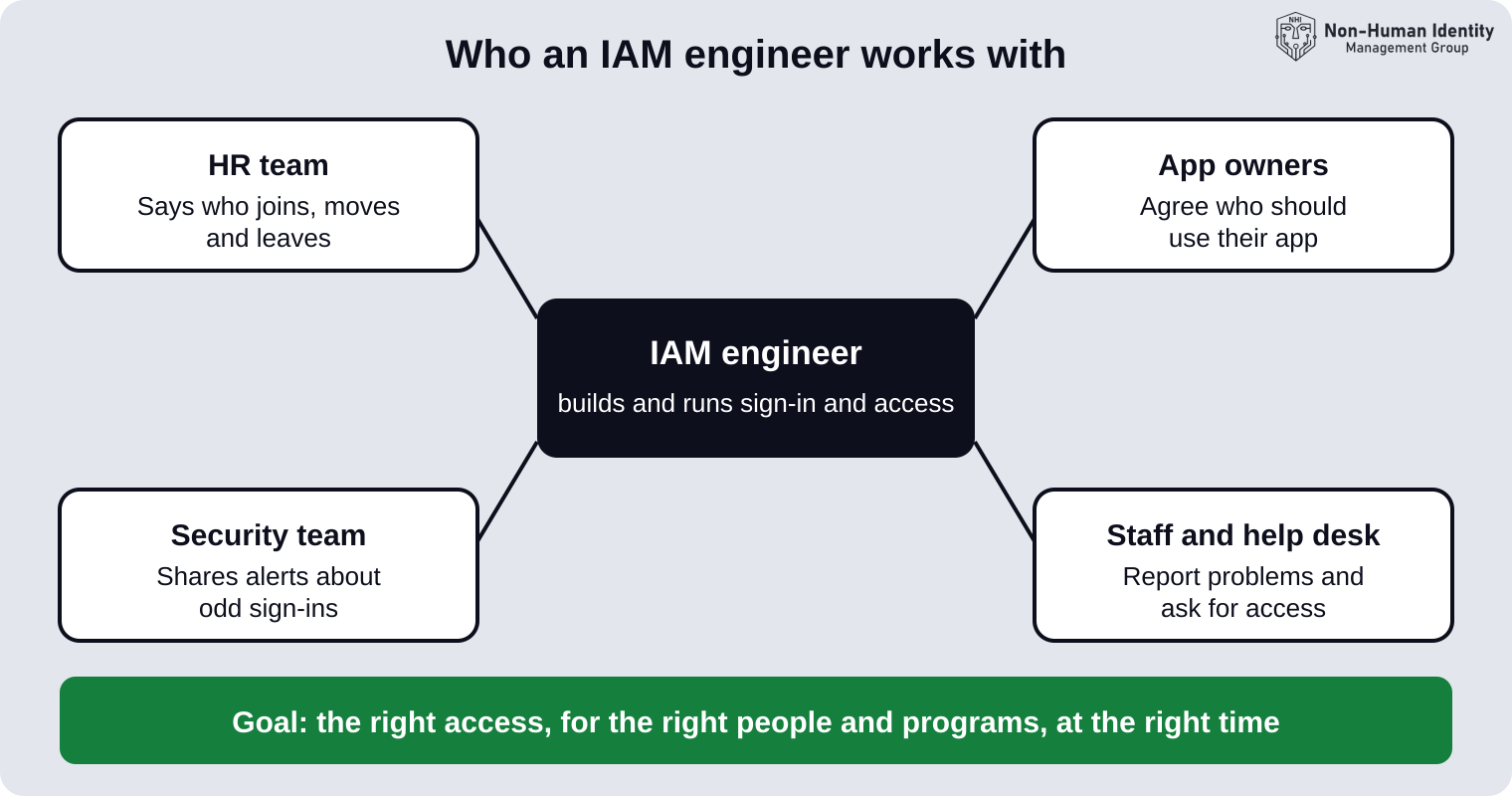
| It is a lonely, purely technical job. | The role talks to HR, managers, app owners and the security team most days. |
What can I do this week?
- Read our Identity and Access Management for Beginners guide, then the one on single sign-on.
- Write down each account you use at work or college. Note what each one can open.
- Look at the free study notes for an identity exam that is not tied to one product.[6]
- Ask someone in an IT team what a normal day looks like for them.
Checklist
- I can explain what IAM stands for in plain words.
- I know the difference between proving who you are and deciding what you may use.
- I can describe what happens to access when someone joins, moves and leaves.
- I know why least privilege matters.
- I know that software accounts need looking after too.
- I have picked one beginner guide or study resource to start with.
Common questions
Do I need to know how to code?
Not at the start. Many people begin by setting up accounts and access in admin screens. Over time, simple scripting helps a lot, because it lets you automate repeat tasks. You can learn it on the job, a little at a time, using short scripts for real problems.
How do people get into IAM?
Often from a nearby IT job. Help desk staff, system administrators and developers move across because they already handle accounts or sign-in. Others join as IAM analysts first, handling requests and reviews, then grow into engineering. The practitioner guide sets out these routes in more detail.
Which certification should I look at first?
A vendor-neutral one is a good start, because it teaches the ideas behind every product. IDPro offers one called CIDPRO.[6] Later, a certification for the product your employer uses, such as Microsoft's identity administrator exam, shows platform skill.[5]
How much does an IAM engineer earn?
It varies by country, sector and experience, so we do not quote figures here. Check official sources for your country. In the US, the Bureau of Labor Statistics publishes pay data for the wider information security group of jobs.[7]
What is the difference between an IAM analyst and an IAM engineer?
An analyst mostly runs the processes, such as handling requests and access checks. An engineer designs and builds the systems behind them. In small teams one person may do both. See IAM Analyst vs IAM Engineer vs IAM Architect for a fuller comparison.
Where next?
Ready for the detail? Read the practitioner guide: IAM Engineer Career Guide. It goes further into the sign-in standards, certifications and how the role grows into architecture and specialist work.
Also useful:
- Identity and Access Management for Beginners
- Single Sign-On for Beginners
- What does a PAM specialist do? A beginner's guide
- IAM Engineer Interview Questions
- Cybersecurity Careers Guide
Related NHI Mgmt Group resources: Identity Certifications Guide · IAM and IGA Basics · SCIM Provisioning Guide
Key terms
- Identity and access management
- The rules and tools that check who someone is and decide what they may use.
- Identity provider
- A central service that signs people in and tells other apps who they are.
- Single sign-on
- Logging in once and then reaching many apps without signing in again.
- Multi-factor authentication
- A sign-in that needs a second check, such as a code or a security key, as well as a password.
- Least privilege
- Giving each account only the access it needs for its job.
- Joiner, mover, leaver
- The three moments when a person's access should be added, changed or removed.
- SCIM
- A shared standard that lets systems create, change and remove accounts in each other automatically.
- Access review
- A regular check where managers confirm who still needs each piece of access.
Sources and further reading
- Identity fundamental concepts. Microsoft Learn, Microsoft. https://learn.microsoft.com/en-us/entra/fundamentals/identity-fundamental-concepts, accessed 28 Nov 2026.
- What are workload identities? Microsoft Learn, Microsoft. https://learn.microsoft.com/en-us/entra/workload-id/workload-identities-overview, accessed 28 Nov 2026.
- RFC 7644, System for Cross-domain Identity Management: Protocol. IETF, September 2015. https://datatracker.ietf.org/doc/html/rfc7644, accessed 28 Nov 2026.
- NIST SP 800-63-4, Digital Identity Guidelines. National Institute of Standards and Technology, July 2025. https://pages.nist.gov/800-63-4/, accessed 28 Nov 2026.
- Microsoft Certified: Identity and Access Administrator Associate (exam SC-300). Microsoft Learn, Microsoft. https://learn.microsoft.com/en-us/credentials/certifications/identity-and-access-administrator/, accessed 28 Nov 2026.
- CIDPRO, Certified Identity Professional. IDPro. https://idpro.org/cidpro/, accessed 28 Nov 2026.
- Information Security Analysts, Occupational Outlook Handbook. US Bureau of Labor Statistics. https://www.bls.gov/ooh/computer-and-information-technology/information-security-analysts.htm, accessed 28 Nov 2026.