A zero-click exploit is an attack that breaks into a device without its owner tapping or opening anything.
This guide is for anyone who has read a news story about phones hacked "without a click" and wants to know what that means. Most people are very unlikely to face one. Journalists, activists, lawyers and senior staff are more likely to, and their employers should know the basics.
In short
- A zero-click attack uses a hidden flaw in an app that handles incoming messages or calls, so the owner does not need to do anything.
- These attacks are rare and costly. They are mostly aimed at a small number of chosen people, not the public.
- Installing updates quickly is the most useful step for everyone, because updates fix the flaws these attacks use.
- People at higher risk can turn on extra protection modes on iPhone and Android, which switch off some features.
What you will learn
- Explain what "zero-click" means in one sentence.
- Spot whether you or your team are likely targets.
- Check that your phone installs security updates.
- Ask for expert help if you get an official threat warning.
- Hidden flaw (vulnerability)
- a mistake in software that an attacker can use to make it do something it should not.
- Attack tool (exploit)
- a method or piece of code built to take advantage of a flaw.
- Spy software (spyware)
- software that secretly watches a device and collects messages, photos or location.
What is a zero-click exploit?
Think of a letterbox in your front door. You do not need to open the door for post to come in. Now imagine someone posts a letter that, once it lands, can unlock the door from the inside.
Your phone has letterboxes too. Messaging apps, video calls and other services accept things sent to you and start handling them straight away. They show a preview, load a picture or ring the phone. A zero-click exploit hides an attack inside one of those incoming items. If the app has a hidden flaw, just handling the item can let the attacker in. You do not need to tap a link or open a file.
Most attacks people hear about need one click: a link, a file or a fake login page. Zero-click attacks skip that step. That is why they are rare, expensive to build and mostly used against chosen people. Apple says such attacks often cost millions of dollars, and most users will never be targeted.[3]
Where the comparison stops working: a strange letter on the mat is easy to see. A zero-click attack can leave little or nothing for the owner to notice on the screen.
Why does it matter?
When these attacks work, the attacker can often install spyware that reads messages and listens in. Apple says it has sent warnings to targeted users in over 150 countries since 2021.[3]
If you are a member of the public
What could happen: you are very unlikely to be targeted, but the same flaws can later be used more widely.
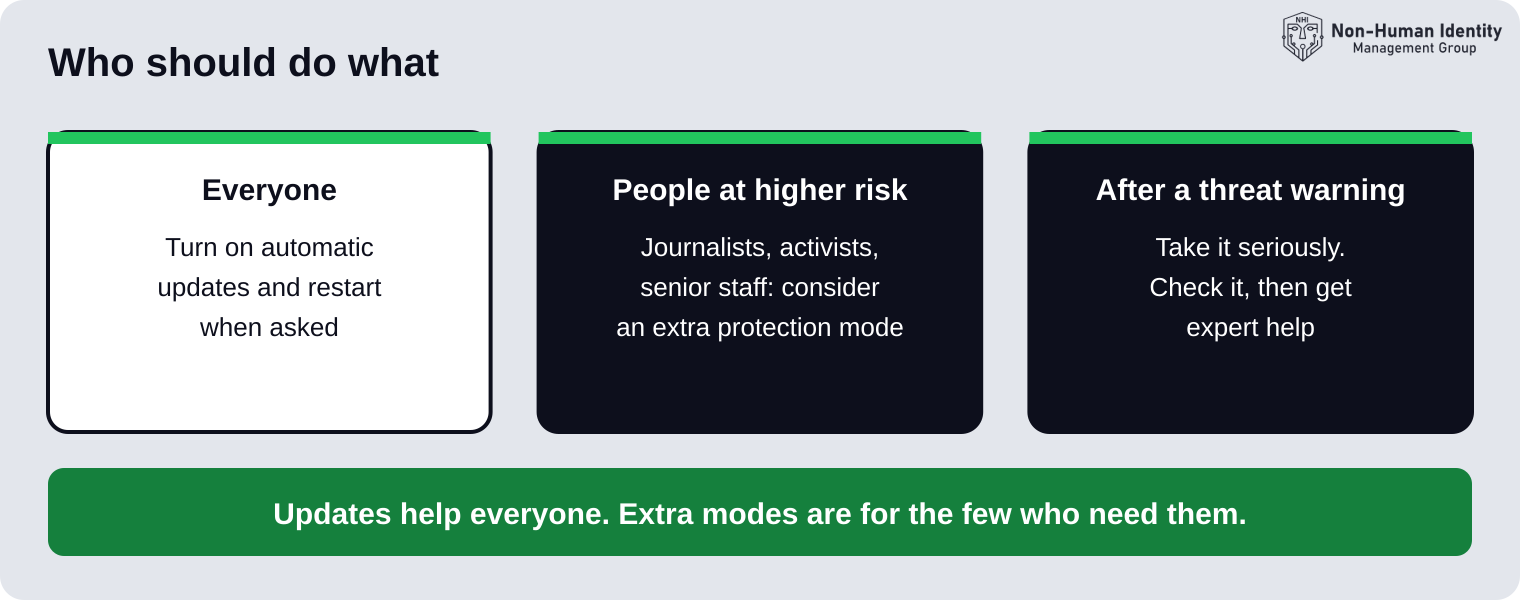
Check this: turn on automatic updates for your phone and apps.
If you are a journalist or campaigner
What could happen: your phone is silently taken over, and your sources and contacts are exposed.
Check this: consider your phone's extra protection mode, and know where to get expert help.
Next: Spyware for Beginners
If you lead an organisation
What could happen: a senior person's phone is hacked, and private plans or deals leak.
Check this: list the people whose phones would matter most, and make sure their devices are kept up to date.
What does it look like?
From the outside, often very little. This made-up card compares what an owner sees with what may be happening.
Example only. All values are made up.
WHAT THE OWNER SEES          WHAT MAY BE HAPPENING
Phone locked on the desk     A message arrives from     (1)
                             +00 0000 000000
No new chat shows up         The app handles a hidden   (2)
                             file in the background
Battery a little warmer      Spyware is installed and   (3)
                             starts sending data
Later: an official warning   The phone maker spotted    (4)
email or screen alert        signs of an attack
- In a real message, this line would contain the sender's number. The attack hides in the message itself.
- The app starts working on the item before anyone looks at it.
- Signs like a warm battery have many ordinary causes. They are not proof of an attack.
- Some phone makers send warnings to people they believe were targeted.
Why this is risky: there may be nothing for the owner to spot. Good habits about links and files do not help here.
The safer way: keep the phone updated, and use an extra protection mode if your work makes you a likely target.
How does it work?
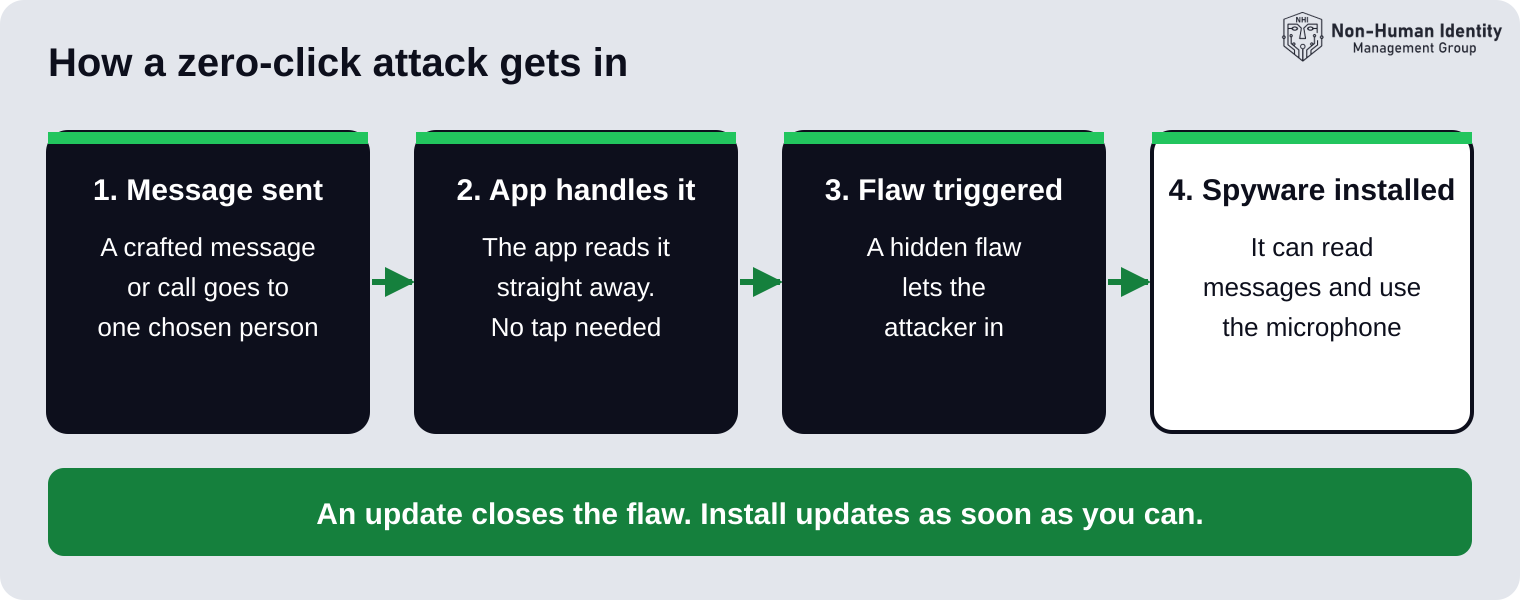
- Someone finds a hidden flaw. It is often in the part of an app that reads pictures, files or calls. A flaw the maker does not know about yet is called a zero-day.
- They build an attack tool. The tool is a specially crafted message or file that triggers the flaw.
- They send it to one chosen person. The phone receives it and the app starts handling it, with no tap needed.
- The flaw lets the attacker in. They can then install spyware, which may read messages and turn on the microphone.
- The maker fixes the flaw. Once researchers or the maker find it, an update closes that route. Phones that install the update are protected against that attack.
A well-known case was found in 2021. Researchers at the Citizen Lab, a University of Toronto research group, found an attack aimed at Apple's messaging app. It was used to put spyware on a Saudi activist's iPhone. They called it "a zero-day zero-click exploit". Apple released a fix on the day the report came out.[1]
A worked example
Petra Erikson is an investigative reporter at a small news website. She has been writing about a large public contract. Her editor, Juno Corrigan, reads about zero-click spyware and asks the team to talk it through.
Petra does not think she is important enough to be targeted. Juno points out that the people at risk are often chosen for their work, not their fame. Reporters with sensitive sources fit that pattern.
They agree three steps. First, every phone in the team gets automatic updates switched on. Petra finds her phone has been waiting to restart for an update for a week, and she installs it.
Second, Petra turns on her iPhone's Lockdown Mode. It blocks most message attachments and link previews, and it blocks some FaceTime calls from new people.[2] She notices some websites load more slowly. She decides that is a fair price for her work phone.
Third, Juno writes down what to do if anyone gets a threat warning from their phone maker. Apple's advice includes turning on Lockdown Mode and getting expert help from a digital security helpline.[3] Apple also says a real warning never asks you to click links or share passwords. So the team will check any warning by signing in to the account website directly.
Months later, nothing has happened. Petra's phone is up to date, and the team knows what to do if a warning arrives. That is a sensible outcome. These steps lower the risk. They do not remove it completely.
Myths and mistakes
| What people think | What is true |
|---|---|
| If I never click strange links, I cannot be hacked. | Zero-click attacks need no click. Updates are the main defence against them. |
| Everyone needs to worry about zero-click spyware. | These attacks are rare and costly. Most are aimed at a small number of chosen people. |
| A warm battery or slow phone means I am hacked. | Those signs have many ordinary causes. If you are worried, get expert help rather than guessing. |
| An expensive phone is safe without updates. | Any phone can have flaws. An out-of-date phone is still open to flaws that are already fixed. |
| A threat warning email should be clicked straight away. | Check it by signing in to your account directly. A real warning does not ask for your password. |
What can I do this week?
- Turn on automatic updates for your phone and its apps.
- Restart your phone if an update is waiting.
- Remove messaging apps you no longer use.
- If your work makes you a likely target, read about your phone's extra protection mode.
- Note where you would get expert help if you ever received a threat warning.
Checklist
- My phone installs security updates automatically.
- I restart my phone when an update asks me to.
- My apps update automatically too.
- I know whether my work makes me a likely target.
- If I am at higher risk, I have looked at Lockdown Mode or Advanced Protection.
- I would check a threat warning by signing in to my account directly.
- I know where to get expert help.
Common questions
Can my phone really be hacked without me doing anything?
Yes, but it is rare. It needs a hidden flaw in an app that handles incoming messages or calls, and an attack tool built for it. Such tools are costly, so they are mostly used against chosen people. Keeping your phone updated closes the flaws that are already known.
Is a zero-click exploit the same as a zero-day?
No. A zero-day is a flaw the maker did not know about when it was used. Zero-click describes how the attack reaches you: with no tap. One attack can be both, as in the 2021 case found by the Citizen Lab.
Should I turn on Lockdown Mode?
Only if your work or situation makes you a likely target. Apple describes it as an optional, extreme protection for a very small number of people. It blocks most message attachments and some web features, so some things will not work as normal.[2]
Is there something similar on Android?
Yes. Android has an optional setting called Advanced Protection. It turns on the platform's strongest protections, such as blocking apps from unknown sources and warning about links from unknown senders. Check your phone's settings to see if it is offered.[4]
What should I do if I get a threat warning?
Take it seriously, but check it first. Sign in to your phone maker's account website directly, not through a link. Then get expert help. Apple suggests a digital security helpline run by a rights group called Access Now.[3]
Where next?
Ready for the detail? Read the practitioner guide: Zero-Click Exploits Guide. It goes further into where these attacks show up, how they are detected, and how organisations harden devices for people at risk.
Also useful:
- Exploits for Beginners
- Zero Day Vulnerabilities for Beginners
- Spyware for Beginners
- Mobile Device Security Guide
Related NHI Mgmt Group resources: Zero Click AI Agent Exploits · Phone Security Update Support Periods Tracker
Key terms
- Zero-click exploit
- An attack that gets into a device without the owner clicking a link, opening a file or doing anything else.
- Exploit
- A method or piece of code that takes advantage of a weakness in software.
- Vulnerability
- A flaw or weakness in software that can be abused.
- Zero-day
- A flaw that is used before the maker has released a fix.
- Spyware
- Harmful software that secretly watches a device and collects data without the owner's consent.
- Mercenary spyware
- Spy software made by companies and sold to customers who use it against chosen people.
- Lockdown Mode
- An optional setting that switches off some features to reduce the ways a device can be attacked.
- Patch
- A software update that fixes bugs or closes security flaws.
Sources and further reading
- Marczak, B. et al. FORCEDENTRY: NSO Group iMessage Zero-Click Exploit Captured in the Wild. The Citizen Lab, University of Toronto, 13 September 2021. https://citizenlab.ca/2021/09/forcedentry-nso-group-imessage-zero-click-exploit-captured-in-the-wild/, accessed 28 Nov 2026.
- About Lockdown Mode. Apple Support. https://support.apple.com/en-us/105120, accessed 28 Nov 2026.
- About Apple threat notifications and protecting against mercenary spyware. Apple Support. https://support.apple.com/en-us/102174, accessed 28 Nov 2026.
- Improve device security with Advanced Protection for Android. Google Android Help. https://support.google.com/android/answer/16339980, accessed 28 Nov 2026.