An agent framework is a toolkit for building AI agents; an agent platform is a service that runs them.
This guide is for anyone who wants to understand how AI agents are built, without writing code. If your business buys or uses AI tools, they may be built on these products, and the set-up decides what an agent can do.
In short
- A framework is ready-made code that saves developers from building an agent from scratch.
- A platform is a hosted service that runs agents and adds shared services, such as identities and records.
- An agent can only act through the tools and access it is given, so those need the most care.
- Safety features exist in many products, but someone has to switch them on and set them up.
What you will learn
- Explain the difference between a framework and a platform.
- Spot the basic parts every agent has.
- Ask five questions before any new agent goes live.
- Agent toolkit (framework)
- ready-made code a developer uses to build an AI agent.
- Agent hosting service (platform)
- a service that runs agents and adds shared parts such as identities and records.
- Agent actions (tools)
- connections that let an agent search, send email or change records.
What are AI agent frameworks and platforms?
Think of a flat-pack furniture kit. It comes with the parts and the instructions, and you put it together yourself. Now think of a serviced flat, where the furniture, heating and repairs are already looked after.
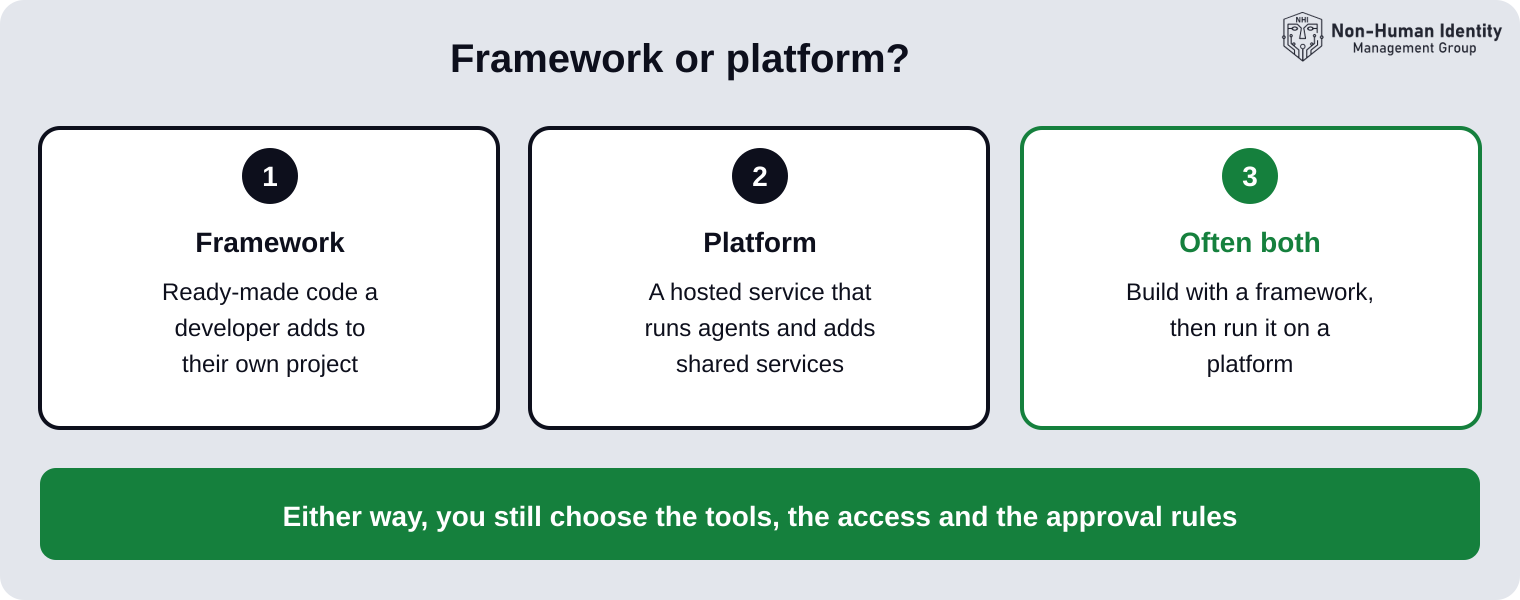
A framework is the kit. An AI agent is software that uses an AI model to decide what to do, then does it. Building one from nothing means a lot of repeated work. A framework supplies that work as a ready-made set of code, often called an SDK (software development kit).
A platform is the serviced flat. It is a hosted service that runs agents and offers shared services around them. For example, one cloud platform runs agents and gives each one an identity and memory. It also connects tools, offers a safe space to run code and keeps records.[1]
Where the comparison stops working: you rarely live in a kit and a serviced flat at once. With agents, many teams build with a framework and then run the agent on a platform.
Some well-known names, listed alphabetically: Amazon Bedrock AgentCore and Gemini Enterprise Agent Platform are platforms.[1][3] CrewAI, Google Agent Development Kit and LangGraph are frameworks.[2][4][5] The order is not a ranking.
Why does it matter?
The toolkit does not make an agent safe on its own. What matters is how it is set up: what the agent can reach, who approves its actions and what gets recorded.
If you buy AI software for your business
What could happen: a tool you buy runs an agent with wide access to your files.
Check this: ask the supplier what the agent can reach and who approves its actions.
Next: AI Agents for Beginners
If you manage a team building agents
What could happen: a test agent runs with a developer's own account and goes live that way.
Check this: give each agent its own account with narrow access from the start.
If you are new to security work
What could happen: an agent's tools connect to outside services nobody has checked.
Check this: list each agent's tools and the services they connect to.
What does it look like?
Here is a made-up summary card a team might fill in before an agent goes live.
Example only. All values are made up.
Agent:        repair-helper (example)
Built with:   EXAMPLE-FRAMEWORK            (1)
Runs on:      EXAMPLE-PLATFORM             (2)
Account:      agent-repairs-0000           (3)
Tools:        read repair emails, book visit
Needs a person: bookings over 200 GBP      (4)
Records:      every step kept for 90 days  (5)
Owner:        operations lead
- The toolkit used to build the agent.
- Where the agent runs.
- In a real file, this line would name the agent's own account, not a person's.
- The actions that wait for a person to approve.
- What is recorded, and for how long.
Why this is risky: if any line is blank, nobody has decided it. A blank account line often means the agent borrows a person's login.
The safer way: fill in every line, name an owner and review the card when the agent changes.
How does it work?
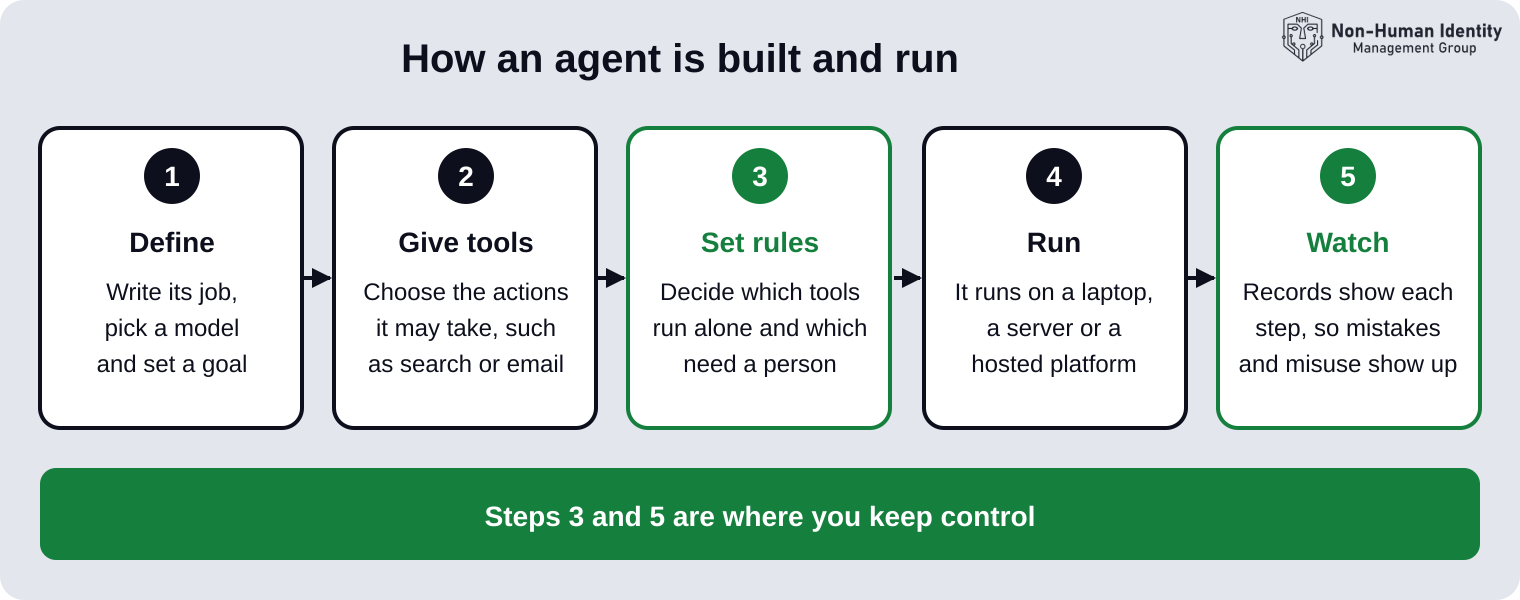
Most frameworks and platforms follow a similar life cycle, whatever names they use for each part.
- Define. A developer writes down the agent's job and picks the AI model it will use.
- Give tools. Tools are the actions the agent may take, such as searching documents or sending email. Many products can connect tools through the Model Context Protocol, an open way to plug tools into agents.[1]
- Set rules. The developer decides which tools run on their own and which need a person to approve. Google's toolkit, for example, has a tool confirmation step.[4]
- Run. The agent runs on a laptop, on a server or on a hosted platform. Platforms can give each agent its own identity and check its tool use.[3]
- Watch. Records, often called tracing, show each step, so teams can spot mistakes and misuse.[1]
Some frameworks run teams of agents, each with a role. CrewAI, for example, calls these teams "Crews".[2] More agents mean more accounts and hand-offs to control.
A worked example
Ola Mukherjee is the operations lead at a fictional letting agency with 30 staff. She wants an agent that reads tenants' repair emails, books a contractor and adds a note to the property system.
A developer, Orla Weber, builds a first version with an open-source framework in two days. The demo goes well. But the agent uses Orla's own account, which can also change rent records. Every tool runs without approval, and only the chat is recorded.
Ola thinks of the flat-pack kit. The parts are fine, but nobody has fixed the shelves to the wall yet. Before going live, she and Orla answer five questions. What account does the agent use? What can it reach? Which actions need approval? What is recorded? Who owns it?
Orla creates a separate account for the agent. It can only read repair emails, make bookings and add notes. Bookings over a set cost need Ola's approval, and tracing is switched on. They run the agent on the company's existing cloud platform, so its records sit with other systems.
A month later, a tenant's email includes text asking the agent to cancel all bookings on the street. The agent tries, but its account has no permission to cancel, and the attempt shows in the records.
The design did not make the agent smarter. It limited what a misled agent could do and made the attempt visible.
Myths and mistakes
| What people think | What is true |
|---|---|
| The framework makes the agent secure. | Frameworks offer safety features, but the developer chooses the tools, access and approval rules. |
| A framework and a platform are the same thing. | A framework is code in your project. A platform is a hosted service that runs agents. Many teams use both. |
| The agent can use my account, because it is only a test. | Tests often become live systems. Give each agent its own narrow account from the start. |
| Open source code brings no outside risk. | Frameworks pull in other code, add-ons and tool services. A leading security community lists this kind of supply risk among the top agent risks.[6] |
| Once you choose, you are locked in. | Some platforms say they run agents built with many frameworks and models, though moving still takes work.[1] |
What can I do this week?
- Ask your teams which frameworks or platforms they use and which agents are running.
- Write down an owner for each agent.
- Look for agents using a person's account or a shared key.
- Agree the five questions every new agent must answer before it goes live.
Checklist
- We know which frameworks and platforms are in use, and who owns each agent.
- Each agent has its own account, not a person's login or a shared key.
- Each agent's tools are on a written list, and anything else is blocked or asks first.
- Actions that change money, data or access need a person's approval.
- Code an agent writes or runs is run in a safe, separate space, not on a live server.
- Each step an agent takes is recorded, and the records are kept in one place.
- Framework versions, add-ons and tool services are tracked and updated like other software.
- Any extra access for an agent is approved, recorded and given an end date.
Common questions
Do I need a framework to build an agent?
No. A developer can connect to an AI model directly. Frameworks save time on repeated work and often add features such as approval steps and records. That is why many teams use one, but it is a choice, not a rule.
Should a small team use a framework or a platform?
Choose by your team's skills. A platform can handle accounts and records for you, which helps if you already use that cloud provider. A framework on its own gives more control, but your team must run and secure everything around it.
How do agents get permission to use other systems?
Through keys, tokens or an identity service on a platform. One platform, for example, offers an agent identity service that works with existing login systems.[1] Each agent should have its own narrow access, not a person's account.
Where does human approval fit?
Before risky actions. Many products let an agent pause and wait for a person before a tool runs. LangGraph, for example, lets people inspect and change what an agent is doing while it runs.[5] See Human-in-the-Loop for AI Agents for Beginners.
Do these products change often?
Yes. Names, features and prices change often in this field. Check the provider's current documentation before you rely on a feature, and review your agents' set-up when a product changes.
Where next?
Ready for the detail? Read the practitioner guide: Agent Frameworks vs Managed Agent Platforms. It goes further into the trade-offs between building with a framework and running on a managed platform, and the security controls each gives you.
Also useful:
- AI Agent Frameworks and Platforms Hub (2026)
- AI Agent Sandboxing and Code Execution Guide
- Least Privilege for AI Agent Tool Use
- AI Agents for Beginners
Related NHI Mgmt Group resources: Agentic AI Security Guide · Least Privilege and Least Agency · Agent Frameworks vs Workflow Orchestration
Key terms
- AI agent
- Software that uses an AI model to decide what to do and then takes actions within limits it has been given.
- AI agent framework
- A software toolkit that helps developers build agents, with ready-made parts for goals, memory and tool use.
- SDK
- A software development kit: a set of code and tools that helps developers use a service quickly and consistently.
- Tool calling
- When an AI model picks and uses an outside action, turning text into a real change.
- Agent orchestration
- Setting the order of steps, and which agent does what, when several agents or steps work on one task.
- Model Context Protocol
- An open way for AI agents to connect to tools and data sources.
- Sandboxing
- Running code or tools in a separate, limited space so mistakes cannot easily spread.
Sources and further reading
- What is Amazon Bedrock AgentCore? Amazon Bedrock AgentCore Developer Guide, Amazon Web Services. https://docs.aws.amazon.com/bedrock-agentcore/latest/devguide/what-is-bedrock-agentcore.html, accessed 28 Nov 2026.
- CrewAI (README). CrewAI, GitHub. https://github.com/crewAIInc/crewAI, accessed 28 Nov 2026.
- Gemini Enterprise Agent Platform overview. Google Cloud documentation, Google. https://docs.cloud.google.com/gemini-enterprise-agent-platform/overview, accessed 28 Nov 2026.
- Agent Development Kit (ADK) for Python (README). Google, GitHub. https://github.com/google/adk-python, accessed 28 Nov 2026.
- LangGraph (README). LangChain, GitHub. https://github.com/langchain-ai/langgraph, accessed 28 Nov 2026.
- OWASP Top 10 for Agentic Applications: The Benchmark for Agentic Security in the Age of Autonomous AI (ASI04 Agentic Supply Chain Vulnerabilities). OWASP GenAI Security Project, 9 December 2025. https://genai.owasp.org/2025/12/09/owasp-top-10-for-agentic-applications-the-benchmark-for-agentic-security-in-the-age-of-autonomous-ai/, accessed 28 Nov 2026.