Cyber due diligence means checking a company's security before you buy it, invest in it or merge with it.
This guide is for founders, managers and anyone new to deals. You do not need to be technical: if your business is buying another firm, or being bought, security problems can travel with the deal.
In short
- When you buy a company, you also take on its systems, its accounts and any hidden breaches.
- Cyber due diligence asks plain questions about past breaches, who runs security and where key data sits.
- Findings can change the price, the contract terms or the first 100 days after the deal.
- The deal itself needs protecting too, because deal documents attract attackers.
What you will learn
- Explain what cyber due diligence is in one sentence.
- List the basic questions a buyer should ask about security.
- Spot warning signs that need an expert to look closer.
- Check that the deal documents themselves are kept safe.
This guide explains the topic in general terms. It is not legal, financial or investment advice.
- Checking before a deal (due diligence)
- the research a buyer or investor does before agreeing to a deal.
- The company being checked (target)
- the business someone plans to buy, invest in or merge with.
- Secure shared folder (data room)
- an online space where the seller shares documents with possible buyers.
What is cyber due diligence?
Think of buying a house. Before you sign, you pay a surveyor to check the roof, the wiring and the damp. You want to know about problems before they become yours.
Cyber due diligence is the same check for a company's security. The buyer asks how the company protects its systems and data. They ask about past attacks, and who is in charge. They look at what the company's apps and accounts can reach.
It sits next to the money and legal checks that happen in every deal. It can be light for a small purchase and deep for a big one.
Where the comparison stops working: a damp wall is there to see. An attacker may already be inside a company's systems, quietly, and the seller may not know either.
Why does it matter?
A breach that started before the deal can become the buyer's problem after it. Marriott bought Starwood in 2016. A US regulator said attackers had been in Starwood's systems since around July 2014, and this was not found until September 2018.[2]
If you are buying a business
What could happen: you pay full price, then find a hidden breach, weak systems or a big clean-up bill.
Check this: ask about past breaches and who is in charge of security, in writing.
If your business is being sold
What could happen: buyers find gaps late, and the price drops or the deal stalls.
Check this: gather your security facts early, and share only what each buyer needs.
If you work in IT at either company
What could happen: the two networks get joined in a rush, and old accounts and keys come across unchecked.
Check this: make a list of every account and key before anything is connected.
What does it look like?
Here is a made-up first set of questions a small buyer might send. The questions follow the kind suggested in a UK deal guide written with the UK's cyber security agency.[1]
Example only. All values are made up.
SECURITY QUESTIONS FOR EXAMPLE TARGET LTD
1. Who is responsible for cyber security?       (1)
2. Any breaches or attacks in the last 3 years?  (2)
3. Where is customer data stored?
4. Which suppliers can reach your systems?
5. Do you have cyber insurance? Does a sale
   change it?                                    (3)
6. List of admin and app accounts attached.      (4)
- A named owner matters. "Nobody" or "the IT supplier" is a warning sign.
- Ask for dates, costs and what was fixed, not just yes or no.
- Some policies can be affected by a change of owner, so ask.
- Apps and tools log in to each other too. These are often missed.
Why this is risky: if nobody asks these questions, problems are found after the money has changed hands.
The safer way: ask early, get answers in writing and bring in an expert where answers are vague. Findings can then shape the price, the contract or the plan for after the deal.
How does it work?
A deal goes through a series of stages, and security plays a part in each one.[1]
- Get ready. Each side works out what data it will share and who may see it.
- Share safely. The seller puts documents in a data room. Access is limited, logged and removed when a bidder drops out.
- Ask and check. The buyer sends questions, reads the answers and may pay an expert to test what matters most.
- Agree terms. Findings can feed into the price, promises in the contract or a list of fixes.
- Join up carefully. After the deal, systems are connected in steps, often under a first 100 days plan.
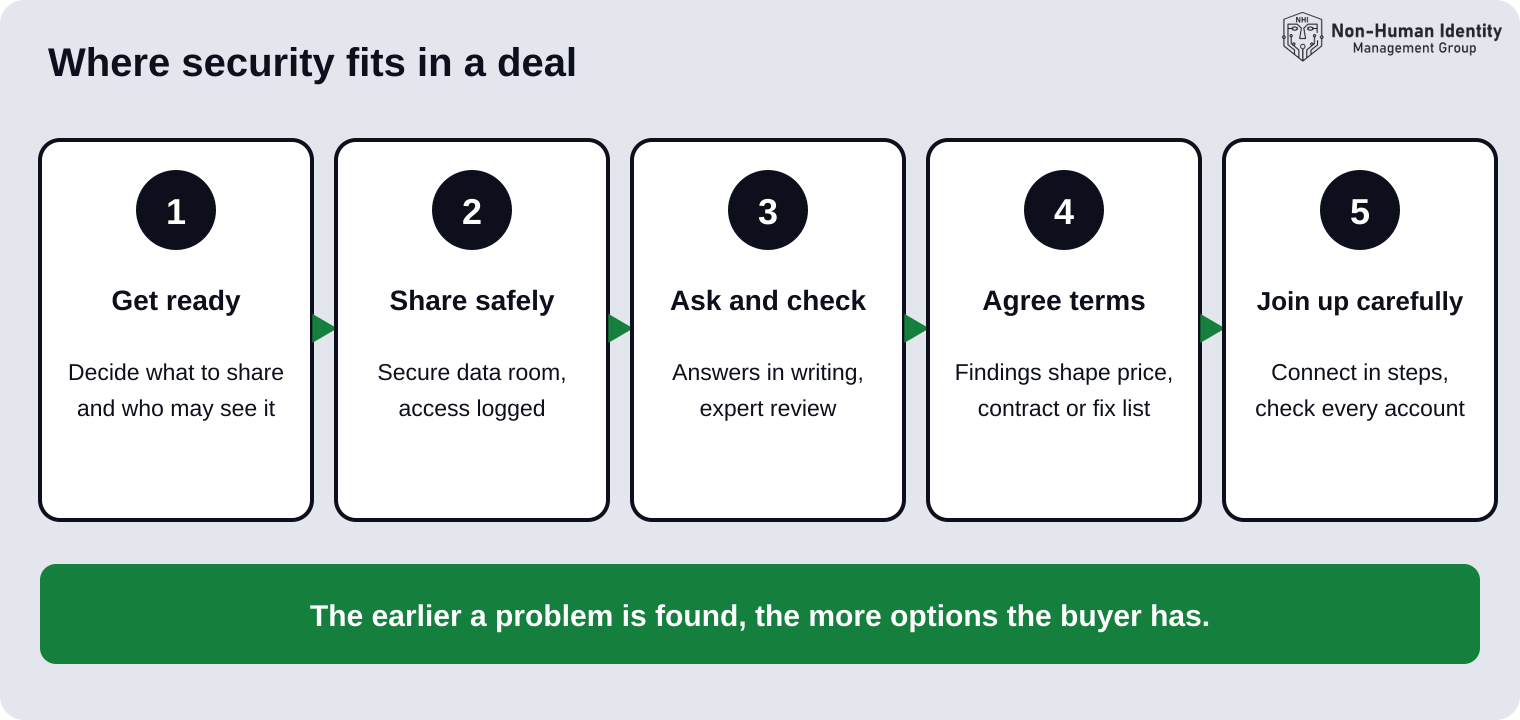
The deal itself is a target, because deal papers hold valuable secrets. A UK guide warns both sides to be wary of sharing too much. It suggests extra checks on data rooms, such as two-step login and alerts when someone downloads a lot of files.[1]
Inherited accounts deserve a special look. These include accounts and keys used by apps, tools and AI agents rather than people, called non-human identities (NHIs). They can keep working after the deal, with nobody watching them.
A worked example
Lina Zeller runs Slate Garage, a fictional chain of three car repair shops. She plans to buy Sorrel Garage, a smaller shop owned by Emil Engel.
The money checks look fine. Lina remembers the house survey and asks a local IT adviser, Sana Yeboah, to look at security too.
Sana sends Emil a short list of questions. Emil answers most of them quickly. But two answers worry her. Sorrel Garage had a ransomware attack two years ago, and the booking system's supplier still has an admin login that nobody reviews.
Sana asks for more detail on the attack. Emil shares what was fixed and the report from the firm that cleaned up. Sana is satisfied the attack was dealt with. She notes that the supplier login needs changing.
Lina's lawyer adds a promise to the contract that Emil has told them about all known attacks. Lina also agrees a short plan for the first month. Every account at Sorrel Garage, including the booking system's links to other apps, is listed and checked before the two networks are joined.
When the deal completes, Sana changes the supplier login and removes accounts that nobody claims. Lina feels she knows what she has bought.
Myths and mistakes
| What people think | What is true |
|---|---|
| Cyber checks are only for big deals. | Small deals carry the same kinds of risk. The check can simply be lighter. |
| The seller would tell us about any breach. | The seller may not know. Some breaches go unnoticed for years.[2] |
| A certificate means the company is secure. | A certificate shows something was checked at one point. Ask what it covered and when. |
| We can sort out security after the deal. | Some things can wait, but problems found early can still shape the price and the terms. |
| Only staff logins matter. | Apps and tools have their own accounts and keys, and these come across in the deal too. |
What can I do this week?
- Add a security section to your deal checklist, with a named person who owns it.
- Write down five plain questions to send any company you plan to buy.
- Check who can see your data room, and remove anyone who no longer needs access.
- If you are selling, gather your security facts now: owner, past incidents, insurance.
Checklist
- Someone named owns the security part of the deal.
- The target has answered basic security questions in writing.
- Past breaches and how they were fixed are known.
- The data room uses two-step login and logs who opens what.
- Vague or worrying answers have been looked at by an expert.
- Findings are reflected in the price, contract or fix list.
- Every inherited account and key is listed before systems are joined.
Common questions
Who does cyber due diligence?
Usually the buyer, often with help. A small buyer may ask a trusted IT adviser. A larger buyer may hire a specialist firm. Lawyers and accountants on the deal also help, because findings can affect the contract and the price.
How long does it take?
Anything from a few days to several weeks. A small shop may need a few days of questions, and a large firm weeks of review. Starting early helps, because late findings leave less room to act. Sellers can speed things up by having answers ready.
What if we find a problem?
A problem does not always end a deal. Buyers can ask for fixes before completion, change the price, add promises to the contract or plan the fix for after the deal. Your lawyer and financial adviser can explain which option fits.
Can we test the target's systems ourselves?
Only with written permission from the target. Testing systems you do not own without permission can break the law. Most early checks are questions and documents. Deeper testing, if any, is agreed in advance with the seller.
Does this apply to investors, not just buyers?
Yes, in a lighter form. Investors also take on risk if a company has weak security. Many ask a few security questions before they invest. The same basic questions about owners, breaches and data work well.
Where next?
Ready for the detail? Read the practitioner guide: M&A Cyber Due Diligence Checklist. It goes further into depth by deal type, a full request list and how to grade and record findings.
Also useful:
- Cyber Due Diligence in Mergers and Acquisitions Guide
- Mergers and Acquisitions Cyber Risk Executive Briefing
- Inheriting NHIs in an Acquisition
- Cyber Insurance for Beginners
Related NHI Mgmt Group resources: Identity Integration in M&A Guide · Privacy Due Diligence in Mergers and Acquisitions Guide · Third Party Risk Management for Beginners
Key terms
- Due diligence
- The checks a buyer or investor makes before agreeing to a deal.
- Data room
- A secure online folder where a seller shares deal documents with chosen buyers.
- Third-party risk management
- Checking and watching the risk that comes from suppliers and partners.
- Security questionnaire
- A list of questions one organisation sends another about how it protects systems and data.
- Asset inventory
- A list of the devices, systems and accounts an organisation has.
- Non-human identity (NHI)
- A digital identity, or the credential behind it, that represents a machine, application, automated process, service or AI agent, so it can authenticate, carry out tasks and connect to other systems without a person.
Sources and further reading
- Cyber Security in Corporate Finance, 2nd edition. ICAEW Corporate Finance Faculty, developed with the National Cyber Security Centre, 2024. https://icaew.com/-/media/corporate/files/technical/corporate-finance/guidelines/cyber-security-in-corporate-finance-2024.ashx, accessed 28 Nov 2026.
- FTC Takes Action Against Marriott and Starwood Over Multiple Data Breaches. US Federal Trade Commission, 9 October 2024. https://www.ftc.gov/news-events/news/press-releases/2024/10/ftc-takes-action-against-marriott-starwood-over-multiple-data-breaches, accessed 28 Nov 2026.