An entitlement is one specific thing an account is allowed to do in a system.
This guide is for students, newcomers to IT and anyone asked to approve or review access at work. You do not need to be technical to be affected: if you have ever been asked "should this person keep this access?", you were looking at an entitlement.
In short
- An entitlement is a single access right, such as "read the sales folder" or "approve payments".
- Entitlements can belong to people and to non-human identities, such as service accounts and AI agents.
- Each entitlement needs a plain description and a named owner who decides who should have it.
- Unclear names and missing owners are the main reasons access decisions go wrong.
What you will learn
- Explain what an entitlement is in one sentence.
- Spot an entitlement with an unclear name or no owner.
- Check what an entitlement really lets someone do.
- Ask who owns an entitlement before you approve it.
- Access right (entitlement)
- one specific thing an account may do, in one system.
- Person in charge (entitlement owner)
- the person who decides who should have an entitlement and checks it is still needed.
What is an entitlement?
Think of a gym membership. The card gets you in, but the plan says what you may use: the pool, the classes, perhaps the sauna. Each item on that plan is a separate right.
Entitlements work the same way in computer systems. Signing in proves who you are. Your entitlements then decide what you may do once you are in. Each one is a single right in a single system, such as "edit the website" or "read customer records".
Entitlements go by many names. You may see them called permissions, rights, roles or group memberships, depending on the system. In identity work, the word entitlement is the general name for all of them.
They are not only for people. Non-human identities (NHIs), such as service accounts, API keys and AI agents, hold entitlements too.
Where the comparison stops working: a gym plan is written in plain words that anyone can read. A system's entitlements often have short, technical names that even IT staff struggle to explain.
Why does it matter?
Every access decision is really a decision about entitlements. If nobody knows what one does, or who is in charge of it, people say yes to access they do not understand.
If you approve access for your team
What could happen: you approve "FIN_GRP_07" without knowing it lets someone approve payments.
Check this: ask what the entitlement lets someone do, in plain words, before you say yes.
If you are new to IT or identity work
What could happen: you add someone to a group to fix one problem, and the group carries far more access than you expected.
Check this: look at everything a group or role includes before you use it.
If you own a business system
What could happen: nobody is named as owner of its entitlements, so nobody checks who still has them.
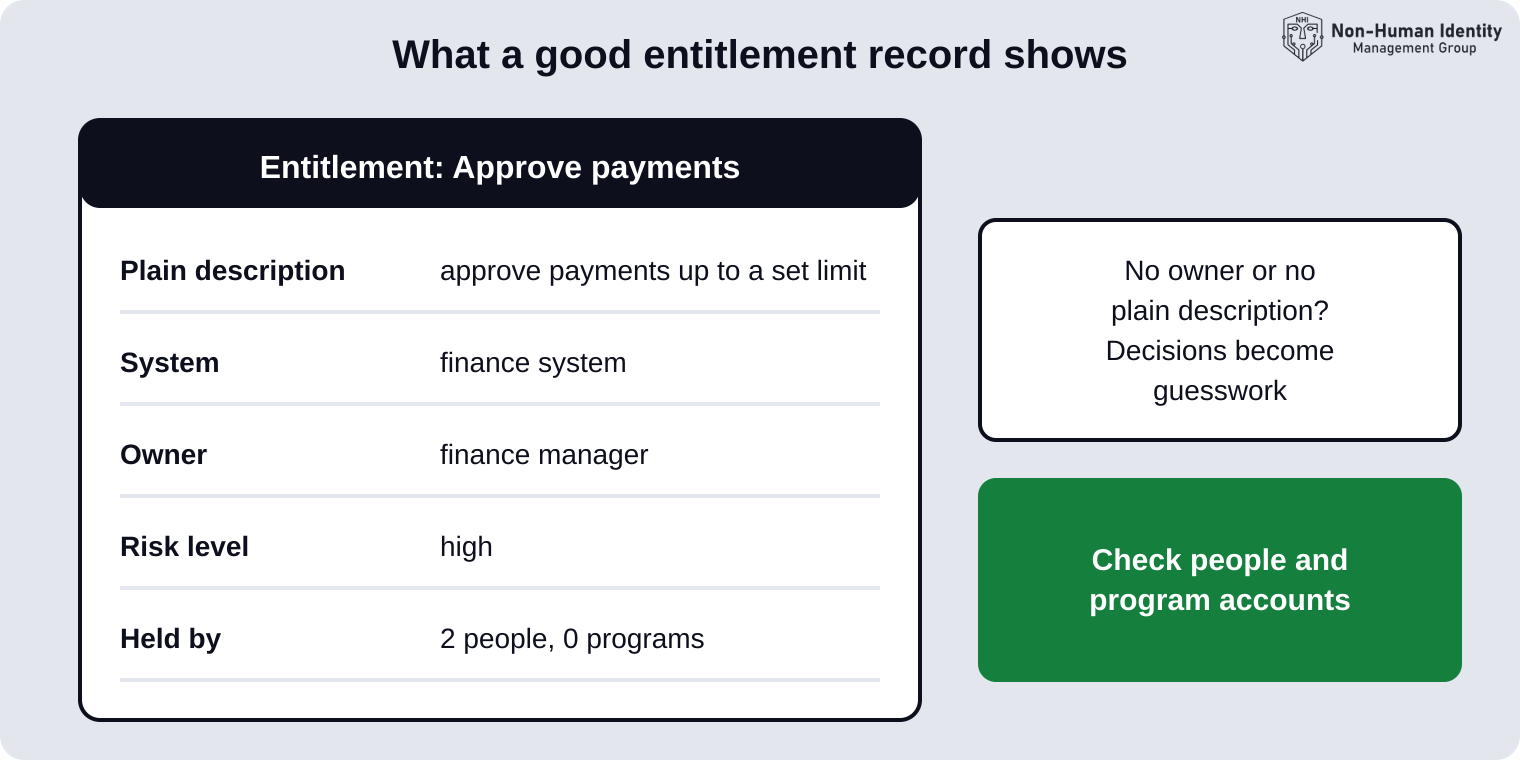
Check this: make sure each important entitlement has a named owner and a plain description.
What does it look like?
Here is a made-up list of entitlements for a small firm's finance system, as an approver might see it.
Example only. All values are made up.
Finance system entitlements (EXAMPLE Ltd)
Name            Plain description               Owner         Risk
FIN_VIEW        Read reports only               EXAMPLE-owner low
FIN_GRP_07      (none)                     (1)  (none)   (2)  ?
FIN_PAY_APPR    Approve payments up to 0000     EXAMPLE-owner high (3)
svc-invoicing   Edit all customer records  (4)  (none)        high
- In a real file, this line would show an entitlement nobody has described, so approvers are guessing.
- No owner, so nobody decides who should have it or checks it later.
- A clear name, a plain description and an owner. This is the model to copy.
- An entitlement held by a program, not a person, with wide rights and no owner.
Why this is risky: two of the four lines have no owner, and one has no description. Approvers cannot make a sensible decision, and nobody is checking who holds them.
The safer way: list every entitlement in one place, often called an entitlement catalogue. Give each a plain description, a risk level and a named owner. Check the program accounts too.
How does it work?
Most systems handle entitlements in a similar way.
- The system defines rights. Each system decides what can be done in it. In Amazon Web Services, for example, a written rule says which actions are allowed on which resources, and under what conditions.[2]
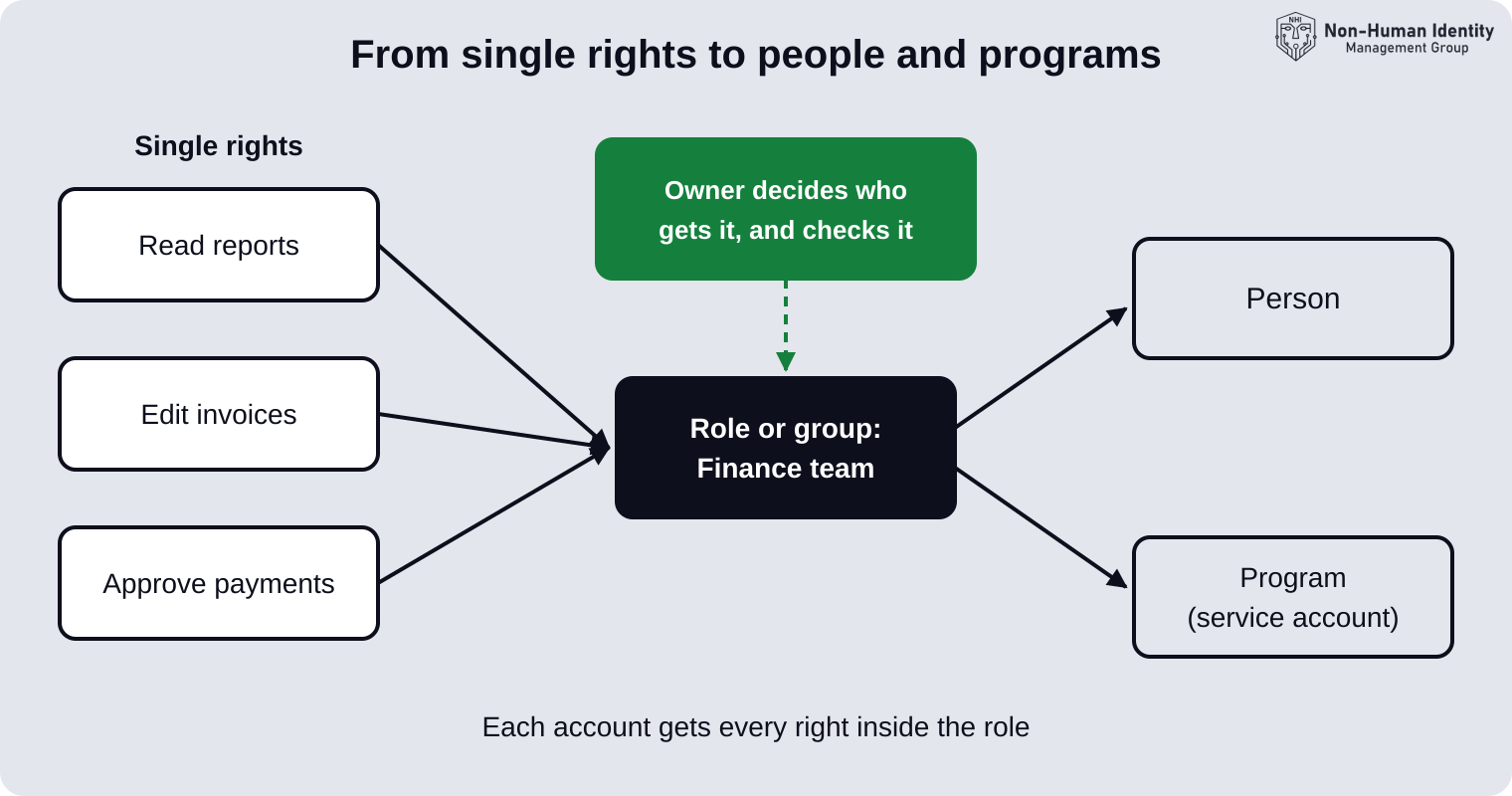
- Rights are grouped. Single rights are often bundled into roles or groups, such as "member" or "owner" of a team site.[1]
- Accounts are given entitlements. A person or program account is added to a group or role, or given a right directly.
- The account signs in and acts. The system checks its entitlements each time it tries to do something.
- The owner keeps it right. The owner decides who should have each entitlement, for how long, and checks later that it is still needed. Some tools let access expire unless someone renews it.[1]
A worked example
Talia Quist has just joined Quist and Field, a fictional accountancy firm, as its first identity administrator. Her manager asks her to sort out who can do what in the firm's finance system.
She starts by listing every entitlement. There are forty. Twelve have names like "GRP_07" with no description, and twenty have no owner.
Talia thinks of a gym plan with no labels. Members would be paying for, and using, things nobody had written down.
So she sits with the finance manager for an hour. Together they write one plain sentence for each entitlement. "GRP_07" turns out to let someone approve payments of any size. Six people hold it.
The finance manager agrees to be the owner of the payment entitlements. She decides that only two people need payment approval, and the other four lose it.
Talia then finds an entitlement held by the invoicing tool's account. It can edit every customer record, but the supplier says the tool only needs to read them. With the owner's approval, the account moves to a read-only entitlement.
Finally, Talia saves the list as the firm's entitlement catalogue. Each line now has a plain description, a risk level and an owner. The next time someone asks for "GRP_07", the approver can see exactly what it means.
Myths and mistakes
| What people think | What is true |
|---|---|
| An entitlement is the same as an account. | An account is who you are. Entitlements are what that account may do. |
| IT owns all entitlements. | IT often grants them, but the business person who understands the data should decide who needs them. |
| A group name tells you what it does. | Names are often short or out of date. Check the plain description, or ask the owner. |
| Only people have entitlements. | Program accounts, keys and AI agents hold entitlements too, often with wide rights. |
| Once an entitlement is described, the job is done. | Systems change. Descriptions and owners need checking when people and systems change. |
What can I do this week?
- Pick one key system and list what each account can do in it.
- Write one plain line for any right with an odd or unclear name.
- Name an owner for each risky right, such as paying bills or admin rights.
- Check which program accounts hold rights in that system.
Checklist
- Every entitlement in our important systems is listed in one place.
- Each has a plain description that a non-technical approver can understand.
- Each has a named owner who decides who should hold it.
- High-risk entitlements are marked so they get extra care.
- Entitlements held by program accounts and AI agents are included.
- Approvers can see what an entitlement does before they say yes.
- Owners and descriptions are checked when people or systems change.
Common questions
Is an entitlement the same as a permission?
Mostly, yes. A permission is one allowed action. Entitlement is the general word for any access right an account holds, which may be a single permission, a role or a group membership. Different systems use different names for the same idea.
What is the difference between a role and an entitlement?
A role is a bundle of entitlements that fit a job. Giving someone the role gives them every entitlement inside it. That is handy, but check what a role contains before you use it. See Role-Based Access Control for Beginners.
Who should own an entitlement?
Usually the business person responsible for the data or system it opens, such as the finance manager for payment approval. We suggest IT grants and records the access, while the owner decides who should have it and confirms it is still needed.
What is an entitlement catalogue?
It is a single list of entitlements across your systems. Each entry has a plain description, a risk level and an owner. It helps approvers and reviewers understand what they are deciding on, and shows which entitlements nobody is looking after.
Do AI agents need entitlements?
Yes. An AI agent that reads files, sends messages or calls other tools does so through entitlements. They should be described, owned and limited to what the agent's task needs, like any other account's.
Where next?
Ready for the detail? Read the practitioner guide: Entitlement Catalogue Guide. It goes further into writing business-friendly descriptions, rating risk and keeping ownership up to date.
Also useful:
- Entra ID Entitlement Management and Access Packages Guide
- Access Reviews Guide
- Role-Based Access Control for Beginners
- Joiner, Mover, Leaver for Beginners
- Service Accounts for Beginners
Related NHI Mgmt Group resources: Joiner-Mover-Leaver Guide · Segregation of Duties Guide · Access Reviews for Beginners
Key terms
- Entitlement
- An access right that sets what an account, human or non-human, may do after it signs in.
- Identity governance
- The rules for who approves access, who owns it, how it is reviewed and when it is removed.
- Least privilege
- Giving each person or program only the access its job needs.
- Segregation of duties
- Making sure one person cannot hold two rights that together could allow fraud or serious mistakes.
- Service account
- An account used by a program or automated tool, not a person.
- Privilege creep
- The slow build-up of entitlements beyond what an account needs.
Sources and further reading
- What is entitlement management? Microsoft Learn, Microsoft Entra ID Governance documentation. https://learn.microsoft.com/en-us/entra/id-governance/entitlement-management-overview, accessed 28 Nov 2026.
- Policies and permissions in AWS Identity and Access Management. AWS IAM User Guide, Amazon Web Services. https://docs.aws.amazon.com/IAM/latest/UserGuide/access_policies.html, accessed 28 Nov 2026.