A honeypot is a fake computer, file or account set up to attract attackers and raise an alarm.
This guide is for anyone who has heard of honeypots and wants to know how a decoy can help defenders. You do not need to be technical: the idea is a simple trap, and the main ideas fit in a few minutes.
In short
- A honeypot looks like something worth stealing, but it is a decoy with no real work to do.
- Because normal staff have no reason to touch it, any activity on it is worth checking.
- It can warn you that someone is already inside and show you what they tried.
- It adds to other defences. It does not replace them, and it must be kept apart from real systems.
What you will learn
- Explain what a honeypot is and why it can give clear alerts.
- Spot the difference between a honeypot and a honeytoken.
- Check the questions to ask before an organisation sets one up.
- Decoy (honeypot)
- a fake system or file made to look tempting to an attacker.
- Alarm (alert)
- a message that tells the security team something needs a look.
- Bait item (honeytoken)
- a single fake password, key or document that raises an alert when used.
What is a honeypot?
Think of a dummy cash box left behind a shop counter. It looks real, but it holds no money. If anyone opens it, a silent alarm goes off in the back office.
A honeypot works the same way. It is a computer, service or file built to look attractive to intruders.[1] It might pretend to be a file server, a database or a login page.
The trick is that it has no real job. Normal staff and programs have no reason to use it. So when something does connect, that is a strong hint that it is worth a look.[2]
Honeypots come in sizes. A small one might just copy a login screen. A larger one, called a high-interaction honeypot, is a full fake system that lets the attacker do more, so defenders can learn more. A group of linked honeypots is called a honeynet.
Where the comparison stops working: a shop thief may never come back. An attacker who spots a honeypot can learn to avoid it, so decoys need to look believable and be refreshed over time.
Why does it matter?
Attackers who get inside a network often look around before they strike. A decoy in their path can warn you early.
If you are new to security work
What could happen: an intruder moves quietly from one computer to the next, and normal alerts are lost in noise.
Check this: learn which alerts in your team come from decoys, and treat them as high priority.
If you manage IT for an organisation
What could happen: a badly set-up honeypot is taken over and used to reach real systems.
Check this: ask who watches the decoy alerts and how the decoy is kept apart from real systems.
If you are curious about how attackers work
What could happen: you read scary headlines but cannot tell what attackers really do.
Check this: research groups have run honeypots for decades to learn attackers' tools and habits.[3]
What does it look like?
Here is a made-up alert from a decoy file server.
Example only. All values are made up.
DECOY ALERT                       EXAMPLE-0000
Decoy:   files-backup-old.example.invalid   (1)
Time:    02:14
From:    laptop-FAKE-042 (sales team)        (2)
Action:  tried to sign in as "admin"         (3)
         then listed shared folders
Real users of this decoy: 0                  (4)
- The decoy is named to look like an old backup server, which attackers often hunt for.
- The connection came from a work laptop. In a real file, this line would contain the device's name.
- Someone tried a common admin name and then looked around.
- No one has a work reason to use this server, so this is worth checking now.
Why this is risky: a laptop poking at a server nobody uses may mean someone has taken control of that laptop.
The safer way: treat decoy alerts as high priority. Check the laptop and its user's account straight away.
How does it work?
Here is a simple view of how a defender uses a honeypot. It is about catching intruders, not attacking anyone.
- Build the decoy. The team sets up a fake server, file or account that looks worth stealing.
- Place it where attackers look. It sits among real systems, but it is kept apart so it cannot be used to reach them.
- Watch every touch. Every connection to the decoy is recorded, because it has no normal use.[2]
- Raise an alert. The team gets a message, often in the same place they see other alerts.
- Investigate and learn. The team checks where the touch came from and what was tried, then fixes the gap.

A worked example
This story is made up to show how it can happen.
Finn Andersen looks after IT at Nordvik Wind, a small wind farm company. He worries that an intruder could hide on the network for weeks. Normal alerts already fill his inbox.
With Paula Schmitt from the security team, he sets up one decoy. It is a fake file server named to look like an old backup store. It holds made-up files, and it is kept apart from real systems. Nobody at Nordvik has any reason to use it. They also add a fake admin password to a document on a shared drive. It works only as a tripwire.
For two months, nothing happens. Then, one night, the decoy sends an alert. A laptop in the sales team is trying admin passwords on the fake server.
Paula checks the laptop the next morning. Its user had opened a booby-trapped email attachment a week earlier. The attacker had been looking around quietly ever since.
The team cuts the laptop off the network, resets the user's passwords and cleans the machine. They search for the same signs on other laptops and find none in the records they have. They also add email filtering rules for that kind of attachment.
What made the difference: the decoy gave a clear alert, because no normal user had a reason to touch it.
Myths and mistakes
| What people think | What is true |
|---|---|
| A honeypot keeps attackers out. | It does not block anyone. It warns you and helps you learn. You still need other defences. |
| Honeypots are only for big companies. | Simple decoys, like a single fake account or file, can suit smaller teams too. |
| You can set one up and forget it. | Someone has to watch the alerts and keep the decoy believable, or it adds little. |
| A honeypot lets you hack the attacker back. | Defenders watch and learn. Attacking back is risky and may be illegal. Keep to detection. |
| Any honeypot is safe to run. | A badly isolated one can be taken over and used against you. Keep it apart from real systems. |
What can I do this week?
- Ask your security team or IT provider whether you use any decoys or honeytokens.
- If you do, find out who watches the alerts and how fast they respond.
- Read about honeytokens, a quick first step many teams start with.
- Write down where an intruder might look first, such as backups or admin accounts. Those are good spots for a decoy.
Checklist
- We know what a honeypot is for: early warning and learning, not blocking.
- Any decoy we run is kept apart from real systems.
- Decoy alerts go to someone who acts on them quickly.
- Decoys look believable and are refreshed over time.
- We use decoys only to detect, never to attack back.
- Decoys add to our other defences, they do not replace them.
Common questions
Is a honeypot legal?
Usually, yes. Running a decoy on your own systems to detect intruders is a common defence. Laws on recording activity and on privacy vary by country, so organisations should check with their legal team. Attacking back at an intruder is a different matter and may be illegal.
What is the difference between a honeypot and a honeytoken?
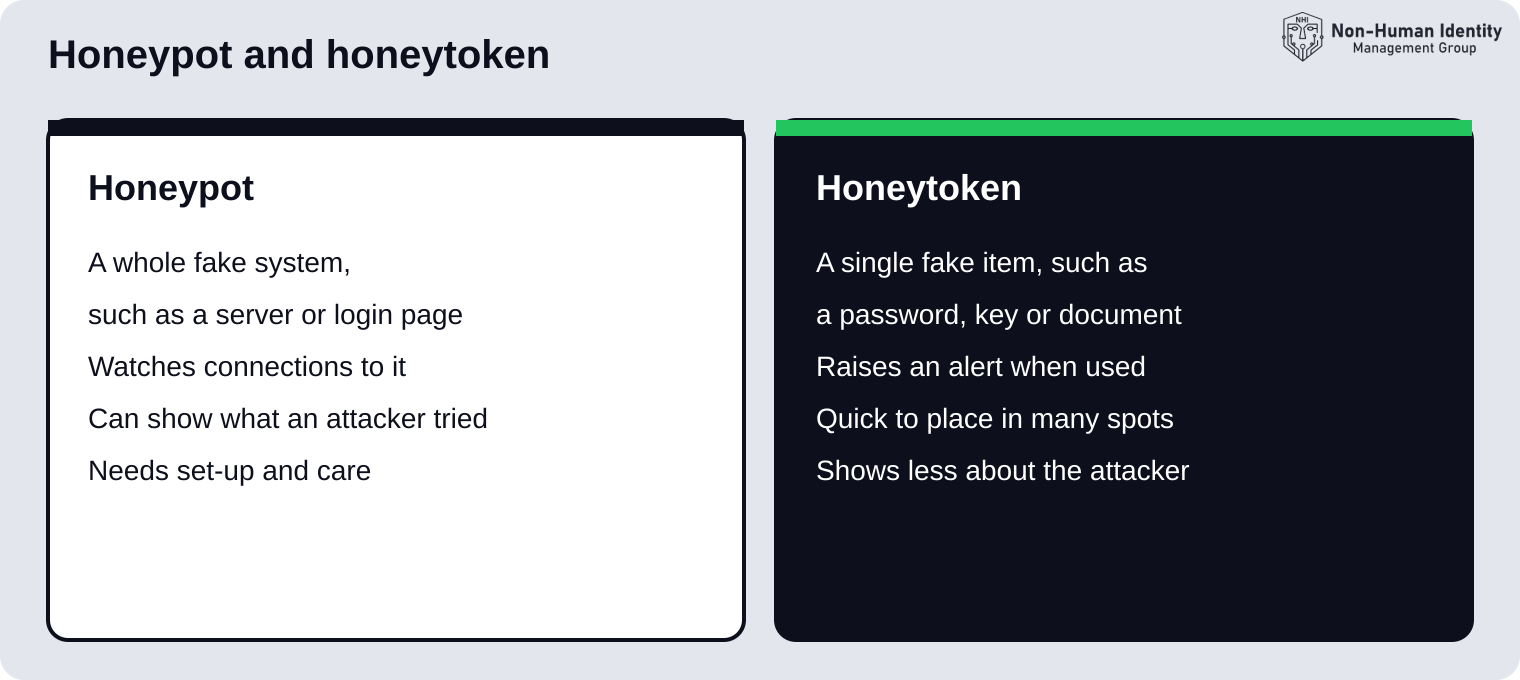
A honeypot is a whole fake system, such as a server. A honeytoken is one fake item, such as a password or document, that raises an alert when used. Honeytokens are quicker to place. Honeypots can show more about what an attacker did.
Do honeypots give false alarms?
Fewer than many tools, because normal users have no reason to touch them. But they can still happen. A scanning tool or a curious member of staff might connect by mistake, so each alert still needs a quick check.
Can attackers tell a honeypot is fake?
Sometimes. Skilled attackers look for signs that a system is too empty or too perfect. That is why decoys should look like the real systems around them and be updated now and then.
Where next?
Ready for the detail? Read the practitioner guide: Deception Technology Guide. It goes further into decoy types, where to place them and how to feed their alerts into a security team's tools.
Also useful:
Related NHI Mgmt Group resources: Honeytokens and Canary Credentials Guide · Deception Technology Deployment Guide · Securing the deception platform itself
Key terms
- Honeypot
- A fake system, file or account set up to attract attackers so that any use of it raises an alert.
- Honeytoken
- A single fake item, such as a password, key or document, that raises an alert when someone uses it.
- Honeynet
- A network of honeypots set up together to look like a real network, used to watch and learn from attackers.
- Deception technology
- Tools that place and manage many decoys across a network and send their alerts to the security team.
- Decoy
- Anything fake placed to mislead an attacker and reveal their presence.
- False positive
- An alert that turns out to be harmless after it is checked.
Sources and further reading
- Glossary: honeypot (definition from CNSSI 4009-2022, drawing on IETF RFC 4949). National Institute of Standards and Technology (NIST), Computer Security Resource Center. https://csrc.nist.gov/glossary/term/honeypot, accessed 28 Nov 2026.
- Decoy Environment. MITRE D3FEND knowledge base. https://d3fend.mitre.org/technique/d3f:DecoyEnvironment/, accessed 28 Nov 2026.
- About the Honeynet Project (founded 1999; mission to learn the tools, tactics and motives of attackers and share the lessons). The Honeynet Project. https://www.honeynet.org/about/, accessed 28 Nov 2026.