Rate limiting is a rule that caps how many requests one caller can send a website in a set time.
This guide is for students, site owners and anyone new to web work who has seen a "too many requests" message and wondered why. You do not need to write code to be affected: if your business has a login page, a contact form or an app, rate limits help keep it working and keep your bills down.
In short
- A rate limit is a cap, such as 10 tries a minute, on how often one caller can ask for something.
- When a caller goes over the cap, the site slows them down or turns them away for a while, often with a "429 Too Many Requests" reply.
- Limits make password guessing slower, protect paid services like text messages from abuse and help keep a site up when traffic spikes.
- Put the tightest limits on login, password reset and anything that costs money to run.
What you will learn
- Explain what a rate limit is in one sentence.
- Spot a "too many requests" reply and know what it means.
- Check which pages on your own site most need a limit.
- Ask your developer or host which limits are switched on.
- Ask (request)
- one message a browser or app sends to a website, such as "show me this page" or "log me in".
- Cap on asks (rate limit)
- the most requests one caller may send in a set time.
- Slow down (throttling)
- making extra requests wait or turning them away until the time window resets.
What is rate limiting?
Think of a shop sign that says "limit of three per customer". Everyone can still buy, but no one person can empty the shelf. Rate limiting does the same job for a website.
Each time your browser or an app asks a website for something, that is a request. A rate limit says how many requests one caller may send in a set time, for example 5 login tries a minute. The website counts the requests. When a caller goes over the limit, the site blocks or delays the extra ones for a while.[1]
The site has to decide who "one caller" is. Simple set-ups count by internet address (IP address, the number that identifies a connection on the internet). Others count by user account, by key or by other details of the request.[4] The web's own rules leave that choice to each site.[2]
Where the comparison stops working: a shop assistant can see the customer. A website only sees requests. One person can send requests from many addresses. Many people can also share one address, such as everyone in an office.
Why does it matter?
Without a limit, a program can send thousands of requests in the time a person sends one. That lets attackers guess passwords, run up bills and crowd out real visitors.
If you run a small business website
What could happen: a script hammers your "send me a code" form, and you pay for every text message it triggers.
Check this: ask your developer whether text, email and password reset pages have a limit, and set a spending cap with the text message provider.
If you are learning to build apps
What could happen: your login page lets a script try passwords as fast as it likes.
Check this: add a limit on failed logins per account, not only per internet address.
If your app calls another company's service
What could happen: your app hits their limit, gets turned away and fails for your users.
Check this: make your app wait and try again later when it is told to slow down, rather than retrying straight away.
The risk is real money. A security project that lists common app risks gives the example of a password reset form that sends a text message each time. With no limit, a script sent tens of thousands of requests and cost the company thousands of dollars.[3]
What does it look like?
When a caller goes over a limit, many sites send back a short reply with the code 429. Here is a made-up example.
Example only. All values are made up.
Request 6 of 6 in one minute:
POST /login  [email protected]

Reply from shop.example.com:
HTTP 429 Too Many Requests       (1)
Retry-After: 60                  (2)
"Too many login attempts. Please wait a minute."  (3)
- The code 429 means "you have sent too many requests in a given time".
- Retry-After tells the caller how many seconds to wait before trying again.
- A plain message so the person knows what happened.
Why this is risky: nothing here is risky. The risky version is the one with no limit, where request 6, 600 and 6,000 all get a normal answer.
The safer way: limits like this sit on login, sign-up, password reset and paid features. The reply says what happened and how long to wait.[1][2]
How does it work?
Most rate limits follow the same basic steps.
- Pick a page or action. For example, the login form or a "send code" button.
- Decide who counts as one caller. An internet address, a user account, an app key or a mix.
- Set the cap and the time window. For example, 5 requests in 1 minute.
- Count each request. The site, or a service in front of it, keeps a running count for each caller.
- Act when the cap is passed. Block, delay or ask for an extra check, often with a 429 reply, until the window resets.[4]
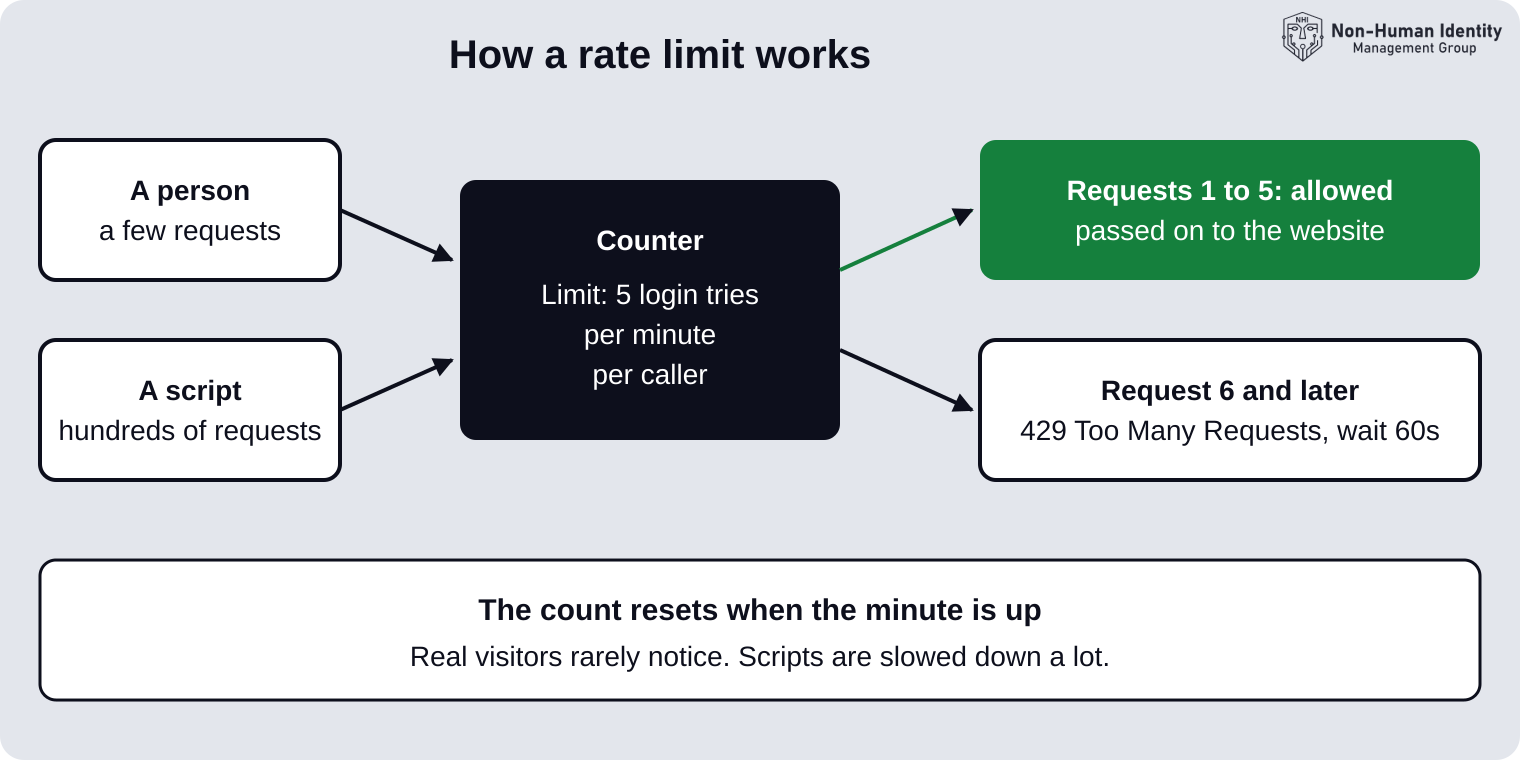
The limit can live in the app itself or in a service in front of it. That might be a content delivery network (a company that sits between visitors and your site). It might be a web application firewall (a filter that checks web traffic).[4] Some rules also say how often a single account may run one action, such as checking a one-time code.[3]
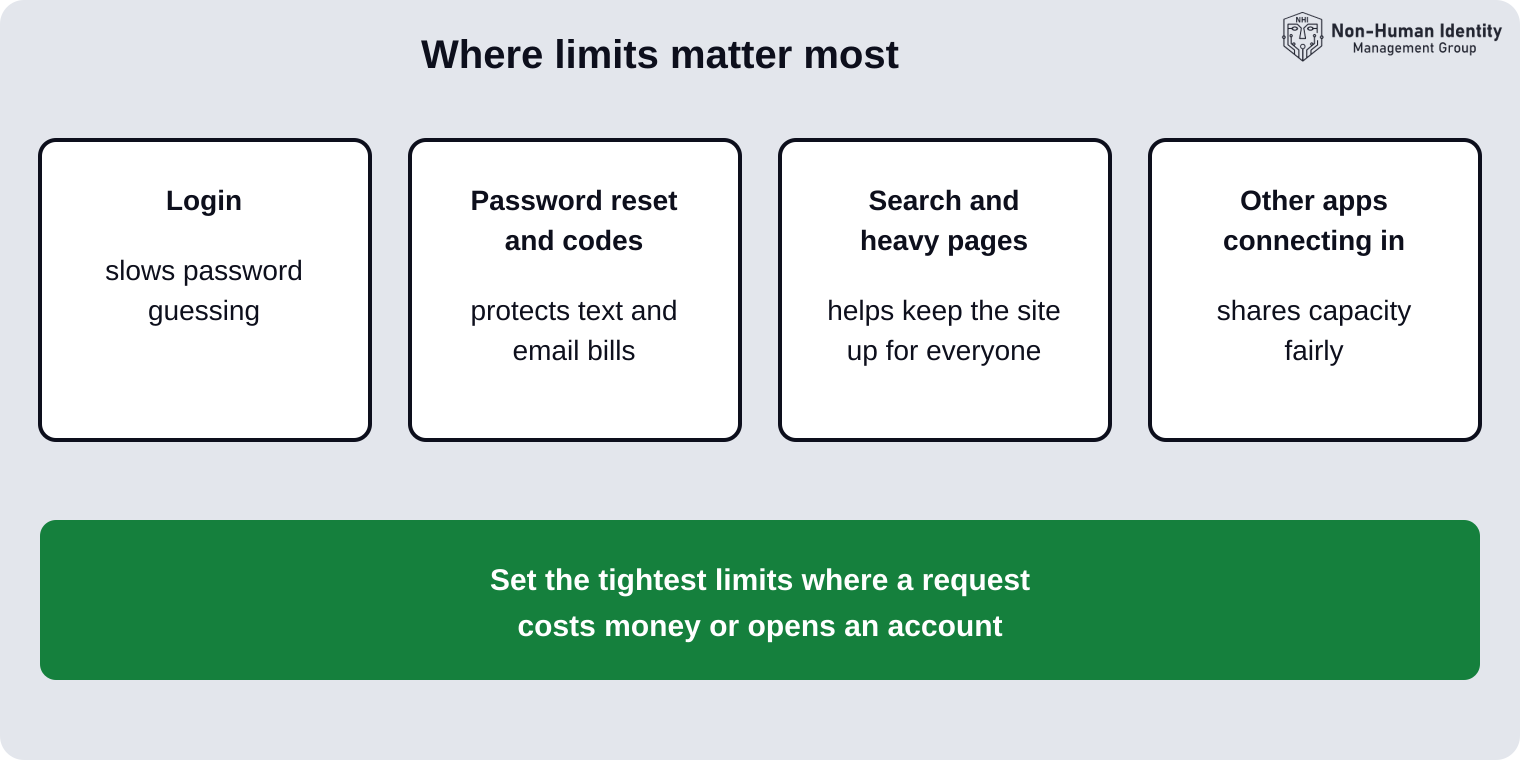
Login pages often need their own rule. A US government guide on sign-in sets an upper cap of 100 failed tries in a row on one account. It says lower caps are allowed.[5]
A worked example
Zola Thorne runs Alder Florist, a fictional flower shop with a small online store. Customers log in with a code sent by text message.
One Monday, Zola opens her text message bill. It is ten times higher than usual. Most of the messages went to numbers she does not recognise, all sent overnight.
She calls Ivo Nakamura, the freelance developer who built the site. Ivo checks the site records. A script had pressed the "send me a code" button thousands of times, each time with a different phone number.
Ivo explains that the button had no limit. Zola thinks of the "three per customer" sign by her till. The shop had no sign for that button, so one caller took as much as it wanted.
Ivo makes three changes. He adds a limit of 3 code requests per phone number per hour, and a wider limit per internet address. He adds a puzzle check after a few failed tries. He also sets a monthly spending cap with the text message company, so a future attack cannot run up an unlimited bill.[3]
They test it. Real customers who ask for one code see no change. A test script that asks for a fourth code gets a polite "please wait" message.
The next bill is back to normal. Zola asks Ivo to check the other forms on the site too.
Myths and mistakes
| What people think | What is true |
|---|---|
| A rate limit stops all attacks. | It slows attacks down. Attackers can spread requests across many addresses, so limits work best with other checks. |
| Counting by internet address is enough. | Many people can share one address, and one attacker can use many. Count by account or phone number too where you can. |
| Only big sites need rate limits. | Small sites with paid text messages or login pages can be hit too, and the bill lands on the owner. |
| A 429 reply means the site is broken. | It means "slow down". Waiting and trying again later usually works. |
| The same limit suits every page. | Login and password reset need tighter limits than ordinary pages.[3] |
What can I do this week?
- List the pages on your site that send a text or email, log people in or reset passwords.
- Ask your developer or host which of those pages have a rate limit today.
- Set a spending cap or billing alert with any text message or email provider you pay.
- Check that your own apps wait and retry later when they get a 429 reply.
Checklist
- Login, sign-up and password reset pages have a rate limit.
- Pages that send texts or emails have a limit per phone number or address.
- Failed logins are limited per account, not only per internet address.
- Spending caps or billing alerts are set with paid message providers.
- Over-limit callers get a clear message and, where possible, a wait time.
- Someone reviews the limits when traffic patterns change.
- Apps you build back off and retry later when told to slow down.
Common questions
What does "429 Too Many Requests" mean?
It means you, or something sharing your connection, sent too many requests in a short time. The site is asking you to slow down. Wait a little and try again. Some replies include a Retry-After line that says how many seconds to wait.
Is rate limiting the same as blocking?
Not quite. Blocking turns a caller away completely. Rate limiting lets a caller keep using the site at a normal pace and only turns away the extra requests. Once the time window resets, the caller can carry on.
Does rate limiting stop DDoS attacks?
It helps but is not enough on its own. A large flood from many machines can be bigger than your site can count. Providers that filter traffic before it reaches you handle the biggest floods. See DDoS Attacks for Beginners.
Can a rate limit lock out real customers?
Yes, if it is set too tight or counts the wrong thing. A whole office can share one internet address. Test your limits with normal use, show a friendly message and count by account where you can.
Where do I switch rate limiting on?
Usually in your hosting service or the app itself. Many hosting services, content delivery networks and web firewalls offer rate limiting rules. Developers can also add limits in the app itself. Ask whoever runs your site which option you already pay for.
Where next?
Ready for the detail? Read the practitioner guide: Rate Limiting and API Abuse Guide. It goes further into counting methods, where to enforce limits, the headers apps send back and the tricks attackers use to get around limits.
Also useful:
- Account Lockout and Brute-Force Protection Guide
- Bots and Bot Traffic for Beginners
- DDoS Attacks for Beginners
- Web Application Firewalls for Beginners
- API Security for Beginners
Related NHI Mgmt Group resources: AI Agent Rate Limits · API Gateway Security Guide · Password Spraying and Credential Stuffing Defence Guide
Key terms
- Rate limiting
- A control that caps how many requests a caller can make in a set time.
- HTTP 429
- The reply code a website sends when a caller has sent too many requests.
- API
- A doorway that lets one program ask another for data or actions.
- Brute force attack
- Guessing passwords or codes over and over until one works.
- Bot
- A program that visits websites or apps automatically, for good or bad reasons.
- Web application firewall
- A filter in front of a website that checks requests and can block or limit bad ones.
Sources and further reading
- 429 Too Many Requests. MDN Web Docs, Mozilla. https://developer.mozilla.org/en-US/docs/Web/HTTP/Reference/Status/429, accessed 28 Nov 2026.
- RFC 6585, Additional HTTP Status Codes, section 4. IETF, April 2012. https://www.rfc-editor.org/rfc/rfc6585, accessed 28 Nov 2026.
- OWASP API Security Top 10 2023, API4:2023 Unrestricted Resource Consumption. OWASP Foundation, 2023. https://api-security.owasp.org/editions/2023/en/0xa4-unrestricted-resource-consumption/, accessed 28 Nov 2026.
- Rate limiting rules. Cloudflare WAF documentation, Cloudflare. https://developers.cloudflare.com/waf/rate-limiting-rules/, accessed 28 Nov 2026.
- NIST SP 800-63B-4, Digital Identity Guidelines: Authentication and Authenticator Management, section 3.2.2 Rate Limiting (Throttling). National Institute of Standards and Technology. https://pages.nist.gov/800-63-4/sp800-63b.html, accessed 28 Nov 2026.