Solar and home battery security means protecting the inverter, its app and its online account from misuse.
This guide is for householders with solar panels or a home battery, and for small installers who set them up. You do not need to understand electronics: if your system has an app, it is connected to the internet and needs the same care as any smart device.
In short
- The inverter is the box that turns solar power into power your home can use, and most now connect to the internet.
- Researchers have found flaws in some inverters, their monitoring devices and the makers' cloud services.
- Your app login matters: a strong, unique password and two-step checks where offered.
- Ask your installer to change default passwords, turn off unused features and keep the software updated.
What you will learn
- Explain what an inverter does and why it connects to the internet.
- Spot the weak points: default passwords, old software and shared logins.
- Check who can see and change your system in the app.
- Ask your installer five clear questions.
- Power converter (inverter)
- the box that turns power from the panels or battery into power your home can use.
- Maker's online service (cloud portal)
- the website and app where you and your installer watch and manage the system.
What is solar and home battery security?
Think of a garage door you can open from an app. It is handy to check it from work. But anyone who gets into the app account can open the door too.
A solar system works in a similar way. The panels make power, and the inverter converts it so your home can use it. A home battery stores spare power for later. Many inverters are "smart" and connect to your Wi-Fi. They send readings to the maker's cloud portal, an online service you reach through an app or website.
Through that connection, you can see how much power you made. Your installer can check for faults. In some systems, settings can also be changed remotely, including switching the system on or off.[4]
Security means keeping that control in the right hands. It covers the inverter itself, the app account, the maker's portal and your home network.
Where the comparison stops working: a garage door affects one house. Thousands of inverters can share one maker's portal, so a flaw there can reach many homes at once.[3]
Why does it matter?
In 2025, researchers reported 46 new flaws in products from three large solar makers. They said the makers had since fixed them. Most flaws they had catalogued were in monitoring devices and cloud services, rather than the inverters themselves.[3]
If you have solar panels or a battery
What could happen: someone gets into your app account, sees your usage or changes settings.
Check this: use a unique password and turn on two-step checks if the app offers them.
If you install solar systems
What could happen: every site you fit keeps the same default password, so one leak affects them all.
Check this: set a new, unique password on each system before you hand it over.
If you are a student interested in energy
What could happen: you miss how many small home systems now link to the power grid.
Check this: read how home systems fit into the wider grid.
What does it look like?
Here is a made-up "Am I at risk?" card for a home solar system.
Example only. All values are made up.
Home solar check: 00 Example Road
Inverter login: admin / FAKE-admin-0000       (1)
App account: [email protected], no two-step   (2)
Shared with: installer, [email protected] (3)
Inverter software: last updated 2021          (4)
Remote access: on (never used)                (5)
- In a real system, this line would show the inverter's own login. A default one is a common weak point.
- The app account has a password only, with no second check.
- A previous owner can still see and maybe change the system.
- Old software may be missing security fixes.
- A feature that is switched on but not needed.
Why this is risky: each line is a door left open. Together they make it easier for someone else to get in.
The safer way: follow US government advice for home inverters from 2024.[1] Change default passwords. Give each person only the access they need. Keep the software up to date. Turn off features you do not use, and keep the inverter apart from other home devices.[2]
How does it work?
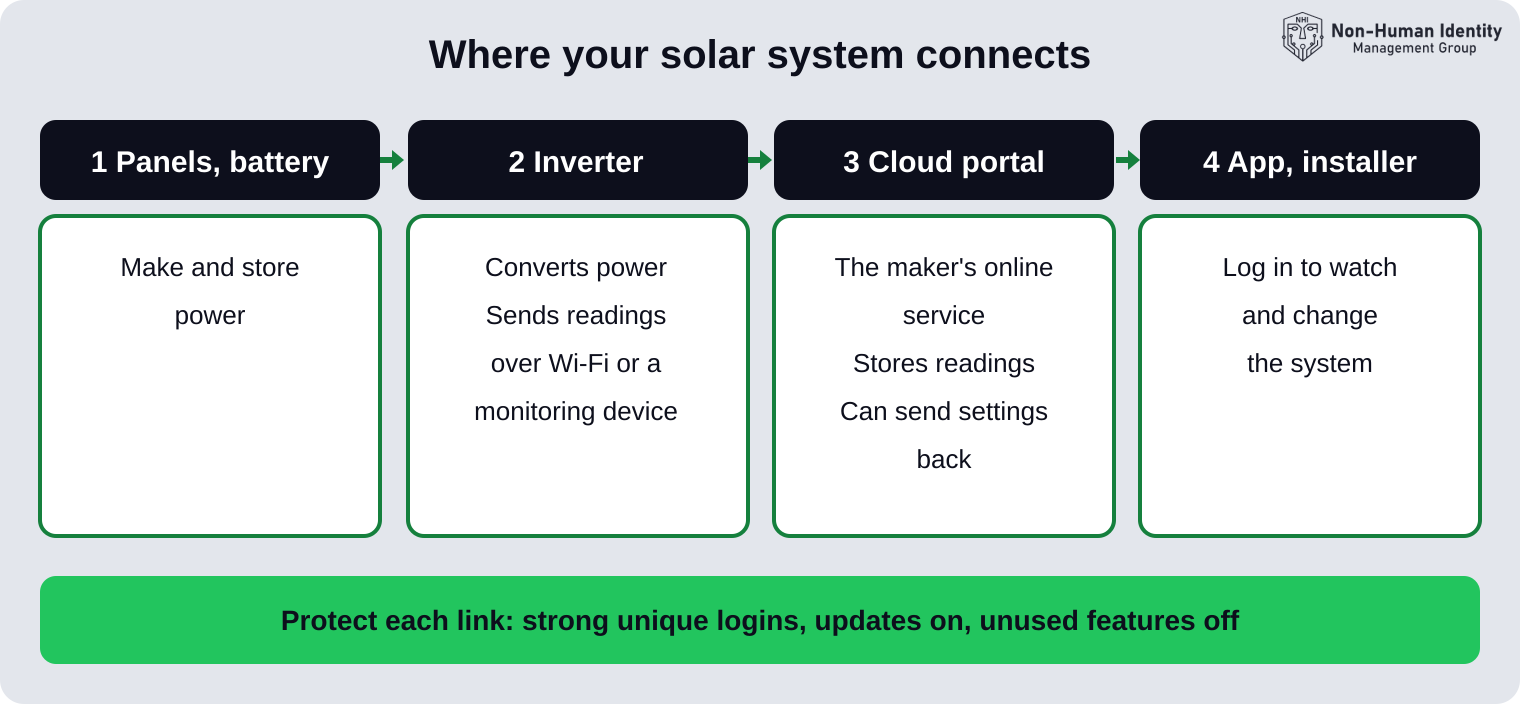
Here is how information and commands travel in a typical connected solar system.
- The panels make power. The inverter converts it, and sends any spare to a battery or the grid.
- The inverter reports in. It sends readings over your Wi-Fi, or a small add-on called a monitoring device, to the maker's cloud portal.
- You and your installer log in. The app shows your power and lets the right people change some settings.
- Commands can travel back. In some systems, the portal can send settings or switch the system on or off.[4]
- Updates arrive. The maker sends software updates to fix faults and security flaws.[2]
The same guidance suggests installers fill in a checklist that can be shared with the homeowner as a record.[2] It also notes that a homeowner may not need to change inverter settings. So an owner account with fewer rights can be the safer choice.[2]
A worked example
Gita Sorensen buys a house that already has solar panels and a home battery. The seller hands over a folder with the inverter manual and an app login written on the cover.
Gita remembers the garage door app. If the seller still has the login, they can still open the door. She decides to check who has access before she does anything else.
She calls the company that fitted the system. The installer moves the system to a new account in Gita's name. The seller's account is removed.
Gita sets a long, unique password, saved in her password manager. The app offers two-step checks, so she turns them on, as the NCSC suggests for smart devices.[5]
The installer also notices the inverter still uses the maker's default login. He changes it and writes the new one in his own records, not on the folder. He installs a waiting software update and switches off a remote feature Gita does not need.
Finally, Gita asks him for a short written note of what he changed. She keeps it with the manual.
A week later she checks the app's access list again. Only her own account and the installer's service account are there, which is what she expected.
Myths and mistakes
| What people think | What is true |
|---|---|
| Solar panels are just glass and wires, so there is nothing to hack. | The panels are simple. The inverter, monitoring device and app are connected computers. |
| Flaws are always in the box on my wall. | Researchers found more flaws in monitoring devices and cloud services than in the inverters themselves.[3] |
| The installer's default password is fine because it is hard to guess. | Default passwords are often shared across many systems. Each one should be changed at set-up.[2] |
| Once installed, the system needs no attention. | Software needs updates for security fixes, like a phone does.[2] |
| The seller's app access ends when I buy the house. | Not by itself. Ask the installer or maker to move the account to you. |
What can I do this week?
- Open your solar app and check who else has access.
- Change your app password to a long, unique one and turn on two-step checks if offered.
- Ask your installer whether the inverter's default password was changed.
- Check for software updates in the app, or ask your installer how they are applied.
Checklist
- The app account is in my name and has a unique password.
- Two-step checks are on, where the app offers them.
- Only people I know, such as my installer, have access.
- The inverter's default login was changed at set-up.
- Software updates are installed when they are released.
- Remote or wireless features I do not use are switched off.
- I have a written record from the installer of what was set up.
Common questions
Can a hacker turn off my solar panels?
It is possible in some cases, but rare for a single home. Advisories have described flaws that could let attackers change settings or switch connected devices on and off.[4] Makers fixed those flaws. Strong logins and updates make misuse much harder.
Does my inverter need to be on Wi-Fi?
Not always. Many systems make power without the internet. The connection is used for monitoring, updates and support. Check your maker's guidance and warranty terms, because some need a connection for updates or support. Ask your installer before you unplug anything.
Should I put my inverter on a separate network?
It helps where your router allows it. US government guidance says to keep the inverter's connection apart from other home devices.[2] A guest network on your router is one simple way. See Network Segmentation for Beginners.
What should I ask my installer?
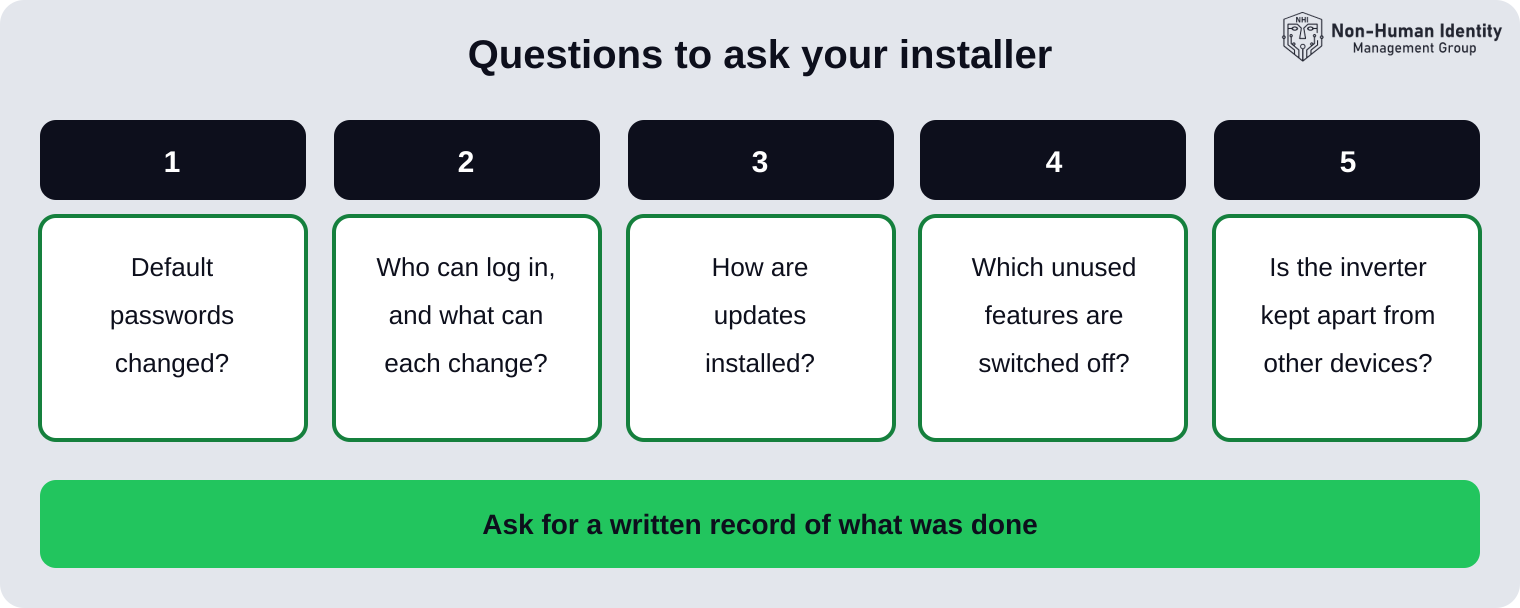
Ask five things. Were default passwords changed? Who can log in, and what can they change? How are updates installed? Which unused features were switched off? Is the inverter kept apart from other home devices? Ask for the answers in writing.[2]
Why would anyone attack home solar?
Many homes together add up to a lot of power. Researchers warned that control of many inverters through a maker's systems could, in an extreme case, affect grid stability.[3] Other risks are closer to home: privacy and access to your other devices.
Where next?
Ready for the detail? Read the practitioner guide: Distributed Energy Resources and Solar Inverter Security Guide. It goes further into the standards inverters follow, published flaws and advisories, and how grid operators manage many small systems.
Also useful:
- Battery Energy Storage System Security Guide
- Power Grid Cyber Security for Beginners
- Smart Meter Security for Beginners
- IoT Security for Beginners
Related NHI Mgmt Group resources: EV Charging Security Guide · Home Router Security for Beginners · Energy Sector Identity and OT Access Guide
Key terms
- Inverter
- A box that turns power from panels or a battery into power your home can use.
- Smart inverter
- An inverter that connects to a network so it can be watched and managed remotely.
- Maker's cloud portal
- The maker's online service where owners and installers view and manage systems.
- Monitoring device
- A small add-on that sends readings from the inverter to the cloud portal.
- Default password
- A password set by the maker, often the same on many devices, that should be changed.
- Two-step verification
- A second check, such as a code on your phone, after your password.
Sources and further reading
- NIST IR 8498, Cybersecurity for Smart Inverters: Guidelines for Residential and Light Commercial Solar Energy Systems. NIST, December 2024. https://csrc.nist.gov/pubs/ir/8498/final, accessed 28 Nov 2026.
- NIST IR 8498 full text (PDF), Section 2 Guidelines and Appendix C installer checklist. NIST, December 2024. https://nvlpubs.nist.gov/nistpubs/ir/2024/NIST.IR.8498.pdf, accessed 28 Nov 2026.
- SUN:DOWN: new vulnerabilities in solar power systems. Forescout Research, Vedere Labs, 27 March 2025. https://www.forescout.com/blog/grid-security-new-vulnerabilities-in-solar-power-systems-exposed/, accessed 28 Nov 2026.
- ICS advisory ICSA-25-105-04: Growatt Cloud Applications. CISA, 15 April 2025. https://www.cisa.gov/news-events/ics-advisories/icsa-25-105-04, accessed 28 Nov 2026.
- Smart devices: using them safely in your home. National Cyber Security Centre (UK). https://www.ncsc.gov.uk/guidance/smart-devices-in-the-home, accessed 28 Nov 2026.