Cyber hygiene is a set of simple, regular habits that keep your devices and accounts safe.
This guide is for anyone who uses a phone, laptop or tablet and wants to know where to start. You do not need any technical skill. If you have an email account or a banking app, these habits apply to you.
In short
- Use a long, different password for your email, such as three random words.
- Turn on an extra sign-in check, called 2-step verification, for your important accounts.
- Install updates when asked, or turn on automatic updates.
- Back up your photos and files, and pause before you click links in messages.
What you will learn
- Explain what cyber hygiene means in one sentence.
- Check which of the basic habits you already have.
- Spot the small gaps that criminals look for.
- Set up a simple routine you can keep going.
- Extra sign-in check (2-step verification)
- a second step, such as a code or app approval, after you type your password.
- Fix from the maker (software update)
- a new version of an app or system that often closes security holes.
- Spare copy (backup)
- a copy of your files kept somewhere else, so you can get them back.
What is cyber hygiene?
Think of washing your hands and brushing your teeth. Each one takes a minute, but doing them every day keeps many common problems away. Cyber hygiene works the same way for your online life.
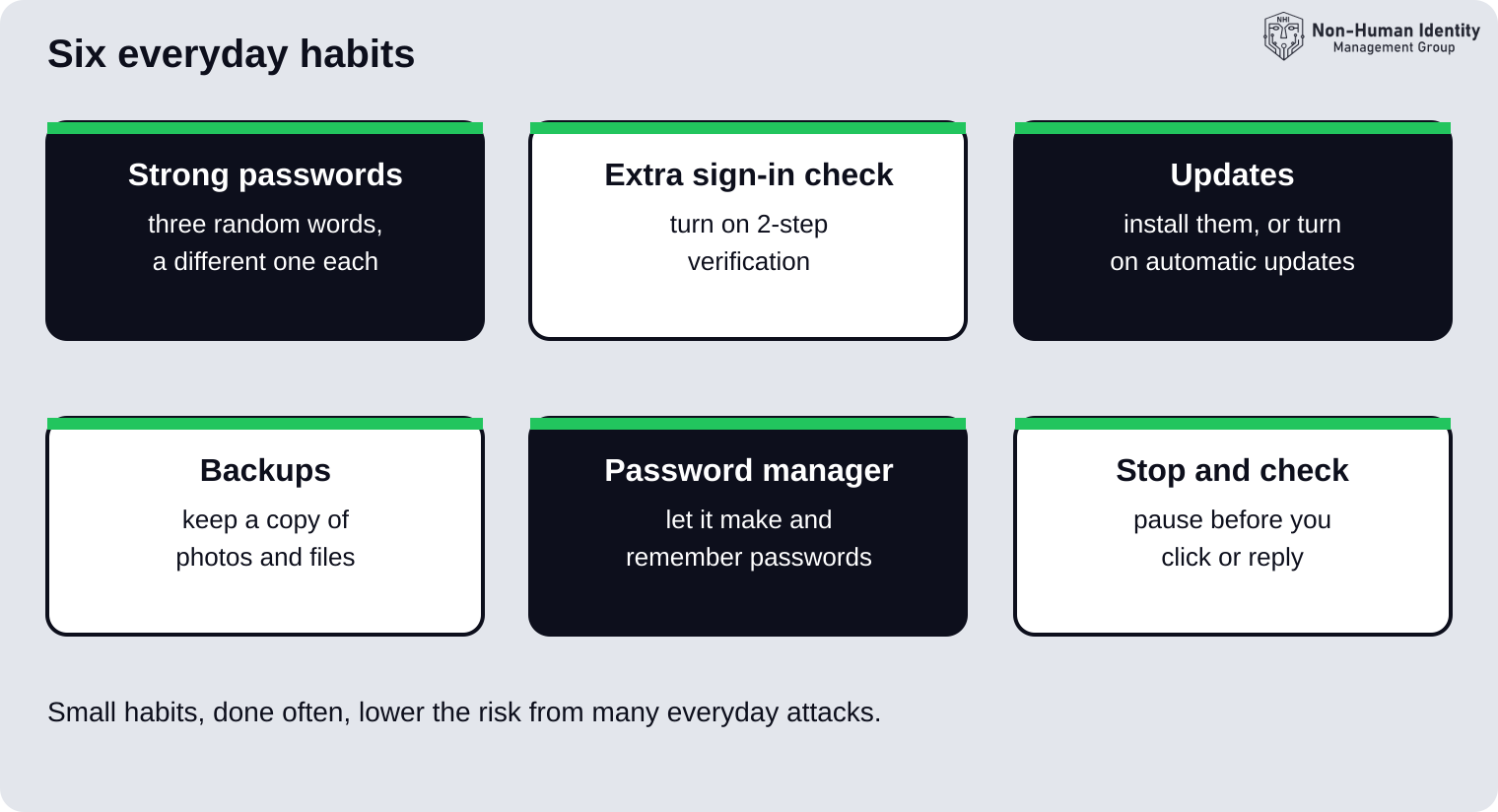
It is not one product or one tool. It is a handful of habits: good passwords, an extra sign-in check, updates, backups and a careful eye on messages.
The UK National Cyber Security Centre lists six key actions for the public. They include strong passwords, 2-step verification, updates, password managers and backups.[1] The US cyber agency gives a similar short list.[2]
Where the comparison stops working: germs do not plan. Online criminals do, and they change their tricks, so your habits need a check now and then.
Why does it matter?
Many everyday attacks rely on a weak or reused password, a missed update or a rushed click. Basic habits close many of those gaps.
If you use online banking
What could happen: a criminal gets into your email, then uses it to reset your bank password.
Check this: your email has its own strong password and an extra sign-in check.
If you keep family photos on a phone
What could happen: the phone is lost or broken, and years of photos go with it.
Check this: your photos back up somewhere else, such as a cloud account.
If you work from a laptop
What could happen: you put off an update for weeks, and harmful software uses the hole it would have fixed.
Check this: automatic updates are turned on.
Next: Malware for Beginners
If you help older relatives
What could happen: they reply to a fake message and share a code or password.
Check this: they know to pause and ask you before acting on an urgent message.
Next: Phishing for Beginners
What does it look like?
Here is a made-up habit check for one person. It shows the gaps to look for.
Example only. All values are made up.
My habit check (EXAMPLE)  Status
Email password            same as 3 other sites  (1)
2-step verification       bank: on, email: off   (2)
Phone updates             12 waiting             (3)
Photo backup              never set up           (4)
Password manager          not used
Last odd message          clicked example.invalid (5)
- If one of those sites leaks, the same password opens the email.
- Email often holds the reset links for every other account, so it needs the check most.
- Waiting updates may include security fixes.
- No backup means a lost phone could mean lost photos.
- A rushed click is how many scams start.
Why this is risky: each gap on its own is small. Together they make it much easier for a criminal to get in.
The safer way: fix the email first, with a new password and 2-step verification. Then turn on updates and backups.
How does it work?
Each habit closes a different gap. Here they are in a sensible order.
- Use strong, separate passwords. The NCSC suggests joining three random words, which is long but easy to remember. A password manager, an app that stores your passwords, can make and remember them for you.[3]
- Turn on 2-step verification. Start with your email, then your bank and social media. A stolen password alone is then much less useful.[1]
- Install updates. Updates often fix security holes. The NCSC says to turn on automatic updates where you can, so you do not have to remember.[4]
- Back up your data. Keep a copy of photos and files in a second place, so a lost device or harmful software does not take them all.[1]
- Stop and check messages. Learn to spot and report phishing, which means fake messages that try to trick you.[2]
A worked example
This story is made up to show how it can work.
Owen Price is a retired teacher in Cardiff. He uses his laptop for email, online shopping and video calls with his grandchildren. He has used the same password for years, on almost every site.
One morning, he gets an email from a shop he uses. It says the shop had a data leak, and passwords may have been taken. Owen starts to worry. His email uses that same password.
His daughter comes round that evening. They start with his email. Owen picks three random words for a new password. They turn on 2-step verification, so a code on his phone is needed for new sign-ins.
Next, they set up a password manager. Over the next week, Owen changes the passwords on his main sites, one a day. The manager makes and saves each one.
His daughter also turns on automatic updates on his laptop and phone. She sets his photos to back up to his cloud account.
A month later, Owen gets a text saying a parcel is waiting and he must pay a small fee. He pauses. He has not ordered anything. He deletes the text and tells his daughter about it.
What made the difference: Owen fixed his email first, then built small habits he could keep.
Myths and mistakes
| What people think | What is true |
|---|---|
| Criminals are not interested in someone like me. | Many scams are sent to large numbers of people at once, not picked by hand. Basic habits make you a harder target. |
| A complex password like P@ssw0rd is strong. | Swaps like 0 for o are well known to criminals. Three random words are longer and easier to remember.[3] |
| Updates are only for new features, so I can skip them. | Updates often include security fixes. Install them, or turn on automatic updates.[4] |
| My phone is new, so I do not need backups. | New phones can be lost, broken or stolen too. Set up backups from day one. |
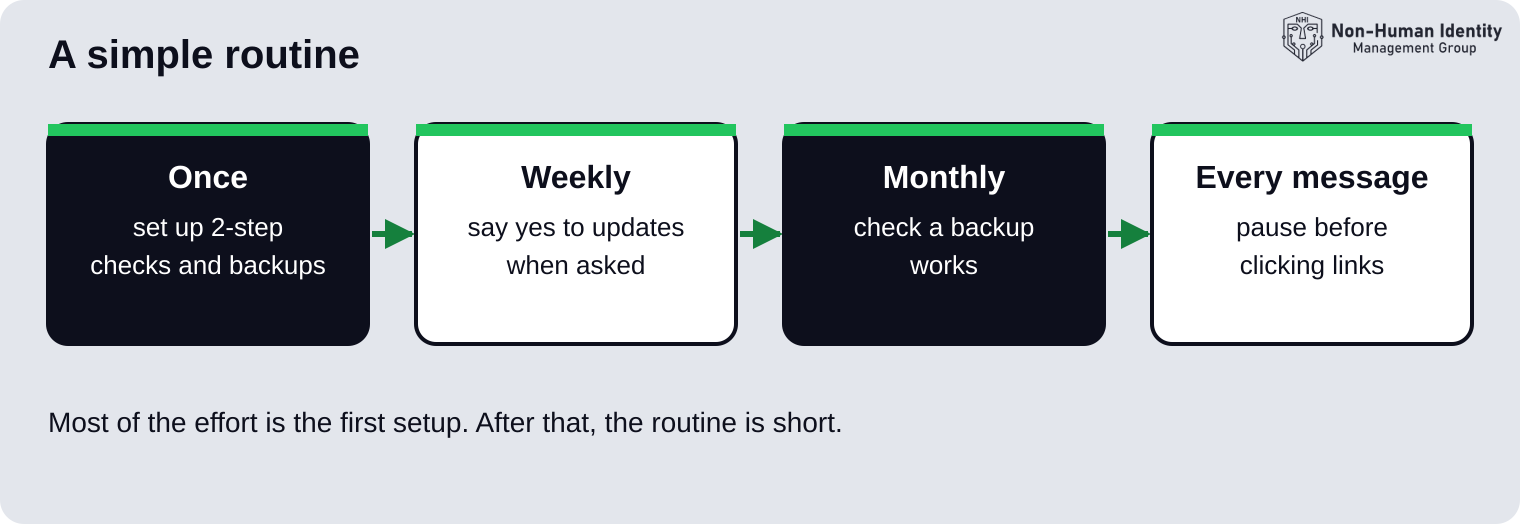
| Cyber hygiene takes a lot of time. | Most of the effort is the first setup. After that, it is a few small checks. |
What can I do this week?
- Give your email a new password made of three random words.
- Turn on 2-step verification for your email.
- Turn on automatic updates on your phone and computer.
- Set up a backup for your photos and important files.
- Tell one friend or relative about these habits.
Checklist
- My email has a strong password that I do not use anywhere else.
- 2-step verification is on for my email and bank.
- Automatic updates are on for my devices.
- My photos and files are backed up somewhere else.
- I use a password manager, or I plan to try one.
- I pause before I click links in unexpected messages.
- I know how to report a scam message.
Common questions
What is the most important habit to start with?
Protect your email first. Give it a strong password you use nowhere else and turn on 2-step verification. Your email can reset passwords for most other accounts, so it is the key that opens many doors. Then move on to updates and backups.
Is cyber hygiene only for businesses?
No. The habits are the same for people at home and at work. Businesses add more steps, such as rules for staff and checks on devices. For a person, the core is passwords, 2-step verification, updates, backups and care with messages.
Do I need to buy security software?
Not to start. Most of these habits use settings already on your phone and computer. Turn on what you already have first. Then decide if you want more, such as extra protection for an older relative's computer.
How often should I check my habits?
A quick check every few months is a good routine. Look for waiting updates, test that a backup works, and review which accounts still lack 2-step verification. Also check after big changes, such as a new phone.
Are password managers safe to use?
For most people, yes. The NCSC suggests them as a way to create and store strong passwords. Protect the manager itself with a strong password and 2-step verification, because it holds the keys to your other accounts.
Where next?
Ready for the detail? Read the practitioner guide: Cyber Hygiene Checklist Guide. It goes further into hygiene for teams, device and account checks, and how organisations measure the basics.
Also useful:
- Password Security for Beginners
- Multi-Factor Authentication for Beginners
- Backup Security for Beginners
- Security Awareness for Beginners
Related NHI Mgmt Group resources: Password Managers Explained for Everyone Guide · Two-Factor Authentication for Everyone Guide · Securing Your Email Account Guide
Key terms
- Cyber hygiene
- Simple, regular habits that keep your devices and accounts safe from common attacks.
- Two-step verification
- A second step after your password, such as a code or app approval, to prove it is you.
- Password manager
- An app that creates, stores and fills in strong passwords for you.
- Software update
- A new version of an app or system from its maker, often with security fixes.
- Backup
- A copy of your files kept in a second place, so you can get them back if the first copy is lost.
- Phishing
- A fake message that pretends to be from someone you trust, to trick you into giving away details or money.
- Malware
- Harmful software that can steal, lock or damage your files and accounts.
Sources and further reading
- Cyber Aware: 6 key actions. National Cyber Security Centre (NCSC). https://www.ncsc.gov.uk/cyberaware/home, accessed 28 Nov 2026.
- Secure Our World: Four Easy Ways to Stay Safe Online. Cybersecurity and Infrastructure Security Agency (CISA). https://www.cisa.gov/secure-our-world, accessed 28 Nov 2026.
- Top tips for staying secure online: Three random words. National Cyber Security Centre (NCSC). https://www.ncsc.gov.uk/collection/top-tips-for-staying-secure-online/three-random-words, accessed 28 Nov 2026.
- Top tips for staying secure online: Install the latest software and app updates. National Cyber Security Centre (NCSC). https://www.ncsc.gov.uk/collection/top-tips-for-staying-secure-online/install-the-latest-software-and-app-updates, accessed 28 Nov 2026.