Secure code review means a person reads a code change to look for security flaws before it goes live.
This guide is for junior developers, students and anyone who manages people who write code. You do not need to be a security expert to start: a few plain questions catch many common mistakes.
In short
- A second person reads each change and asks how it could be misused.
- Reviewers look closely at where data comes in, who may do what, and where passwords are kept.
- Scanning tools help, but people are better at spotting flaws in how the logic works.
- Small changes, clear checklists and time without deadline pressure make reviews work better.
What you will learn
- Explain what a secure code review is and how it differs from a normal review.
- Spot three common security mistakes in a short code change.
- Ask five security questions when you review someone's work.
- Check that reviews in your team are required, not optional.
- Proposed change (pull request)
- a request to add someone's code changes to the main project, opened so others can review it.
- Second reader (reviewer)
- the person who reads the change and approves it or asks for fixes.
- Outside data (user input)
- anything that comes from outside the program, such as a form, a web address or a file.
What is secure code review?
Think of a second person proofreading a contract before it is signed. The writer knows what they meant to say. A fresh reader notices what the words actually allow.
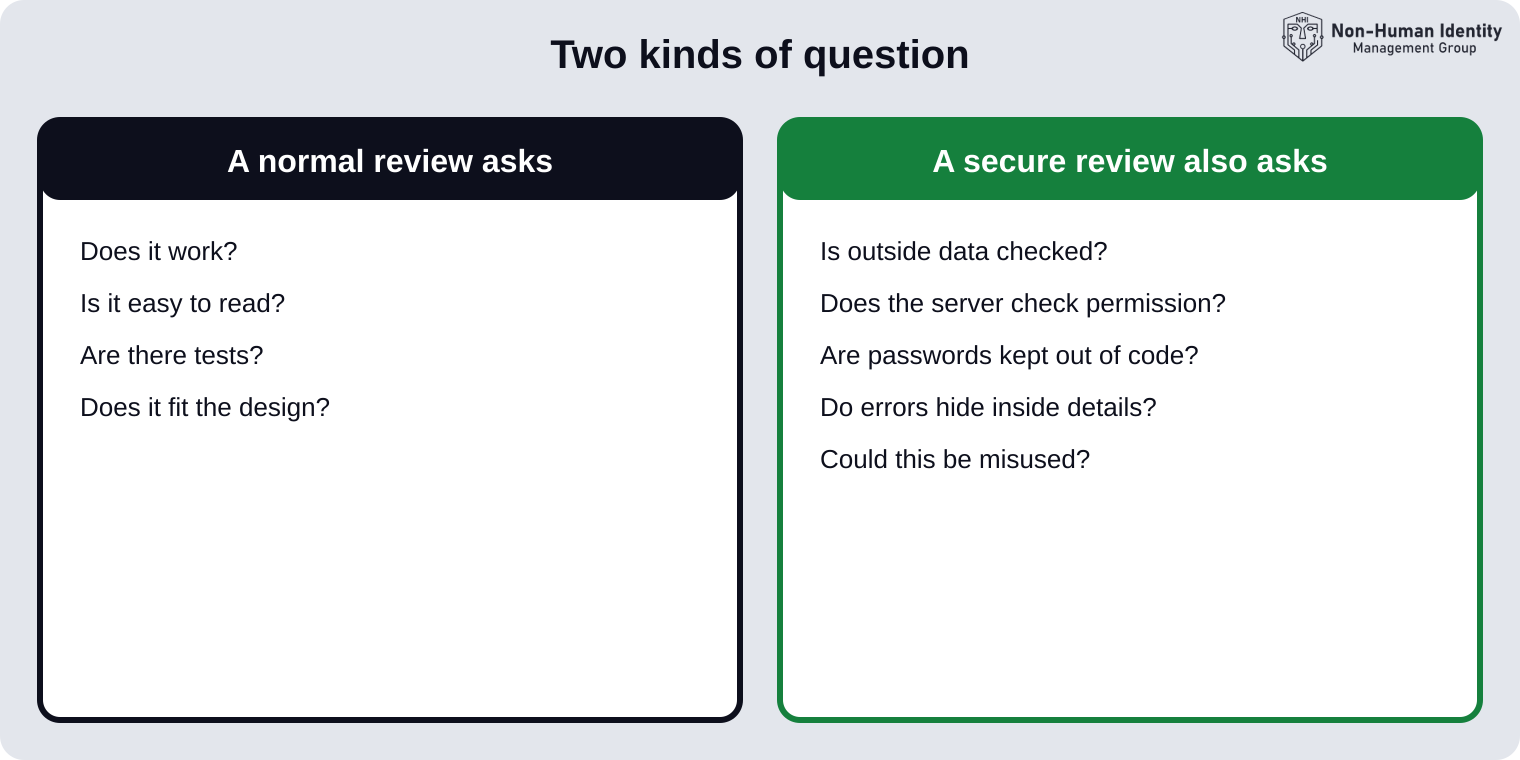
Code review works the same way. When a developer finishes a change, a teammate reads it before it is added to the main project. A normal review asks whether the code works and is easy to follow.
A secure code review adds a different question: how could someone misuse this? The reviewer looks at how the code checks outside data, logins, permissions and secrets.[1]
Where the comparison stops working: a contract is read once. Code changes many times a week, so reviews need to be small, quick and part of every change.
Why does it matter?
Many flaws are easier and cheaper to fix while the change is still open. Once code is live, a flaw can be used before anyone notices.
If you are a junior developer
What could happen: you approve a teammate's change because it works, and miss that anyone can see other people's data.
Check this: ask "who should be allowed to do this?" for every change you review.
If you are learning to code
What could happen: you only ever check whether your code runs, so security habits never form.
Check this: reread your own change once, looking only for security, before you share it.
If you manage a development team
What could happen: reviews are rushed before a deadline and become a rubber stamp.
Check this: make sure reviewers have time and are not blamed when a review delays a release.
What does it look like?
Here is a made-up code change, written in plain pseudo-code, with three problems a reviewer should spot.
Example only. All values are made up.
# change: "show an invoice to the customer"
DB_PASSWORD = "FAKE-password-0000"                    (1)
function show_invoice(request):
    id = request.get("invoice_id")
    query = "find invoice where id = " + id           (2)
    invoice = database.run(query)
    return invoice                                    (3)
- In a real file, this line would contain the database password, typed into the code.
- Outside data is glued straight into a database question. Changing the id could change the question.
- The code never checks that the invoice belongs to the person asking.
Why this is risky: the change works in a quick test, so a busy reviewer might approve it. But anyone reading the code can copy the password. And a customer could see other people's invoices by changing a number.
The safer way: fetch the password from a secrets store. Use the database's safe way to pass in outside values, often called parameterised queries. Check on the server that the invoice belongs to the logged-in customer.[1]
How does it work?
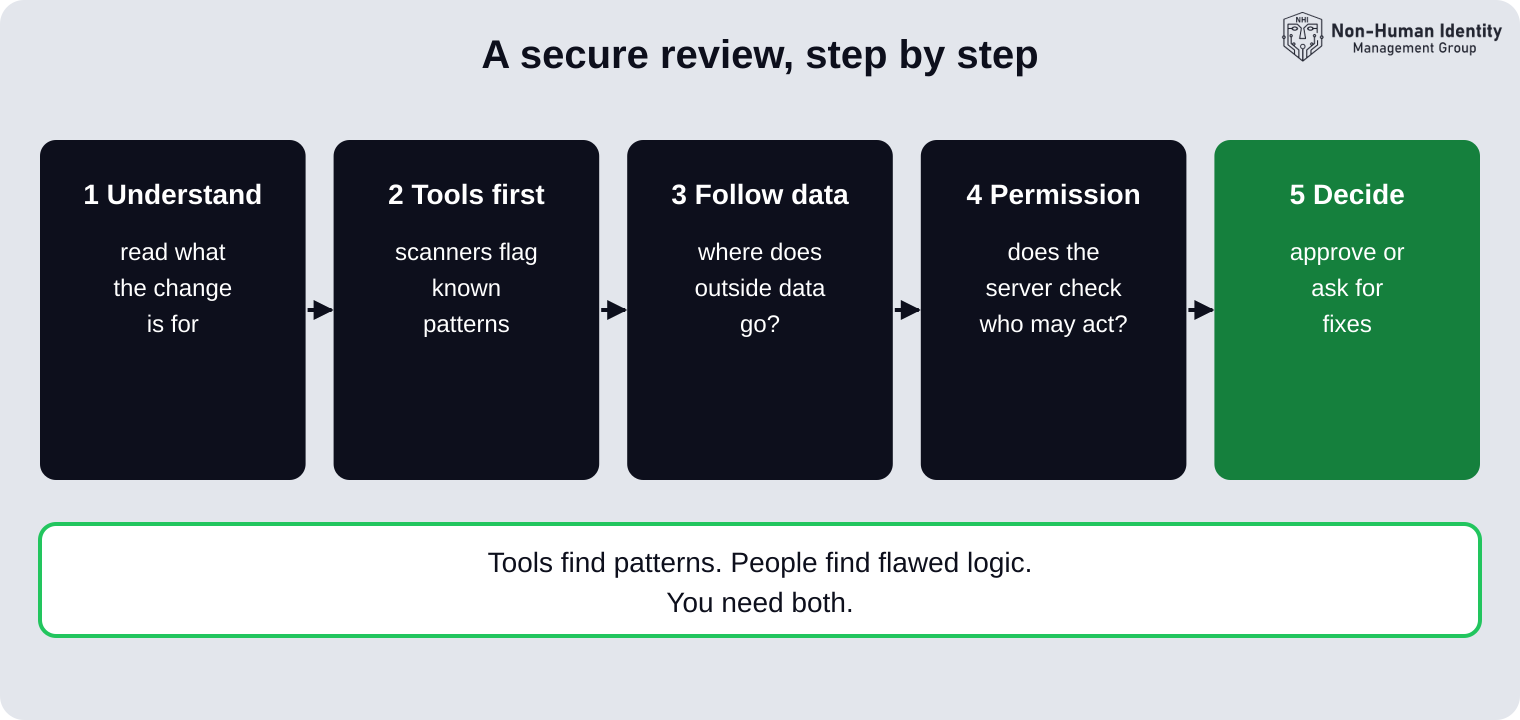
A simple secure review follows the same steps each time.
- Understand the change. Read the description first. Know what the change is meant to do and who will use it.
- Let the tools go first. Automatic scanners check for known patterns, such as passwords in code. Their findings tell you where to look.[1]
- Follow the outside data. Trace where data comes in and check it is checked before it is used.
- Check who may do what. Make sure the server checks the user's permission for each action.
- Read every line. Read all the human-written code you are given. If you cannot understand part of it, ask the author before approving.[2]
- Decide. Approve, comment, or ask for changes. Fixes are made before the change is added.[4]
Reviews work better under good conditions. The UK's National Cyber Security Centre suggests two or more people review code. It also suggests small, clearly labelled changes and enough time for reviewers, without deadline pressure.[3]
Many code hosting sites let a team require an approving review before a change can be added to the main project.[4] This turns review from a habit into a rule.
A worked example
Nadia Zeller has just started as a junior developer at a fictional online shop. Her first job is to review a change from Orla Castell, a senior developer.
The change adds a page where customers can download past invoices. Nadia tries it, and it works. She is tempted to click Approve.
Then she remembers the proofreader. The question is not only what Orla meant, but what the code allows. So Nadia reads it again, line by line, with three questions in mind.
Where does the outside data go? The invoice number comes from the web address. It goes into the database in a safe way, so that part looks fine.
Who may do what? Nadia cannot find any line that checks the invoice belongs to the logged-in customer. She writes a polite comment: "Could a customer change the number and see someone else's invoice?"
Are secrets kept out of code? The scanner had already flagged nothing, and Nadia finds no passwords.
Nadia chooses "request changes". Orla replies within the hour. She thanks Nadia and adds the missing ownership check.
At the next team meeting, Orla shares the example. She says the best reviews come from people who ask simple questions, whatever their level.
Myths and mistakes
| What people think | What is true |
|---|---|
| If the code works, it is safe to approve. | Working code can still let people do things they should not. Ask how it could be misused. |
| Scanning tools make human review unnecessary. | Tools find known patterns. People are better at spotting flaws in logic and permissions.[1] |
| Juniors should not question senior developers' code. | Fresh eyes often spot what the author misses. A polite question is part of the job. |
| A big change can be reviewed quickly. | Large changes are hard to review well. Small, regular changes are easier to check.[3] |
| Skimming is fine for a review. | Read every human-written line. If you do not understand part of it, ask before approving.[2] |
What can I do this week?
- Write down five security questions and keep them next to you when you review.
- Reread your own next change once, looking only for security.
- Check whether your project requires an approving review before changes are added.
- Ask a more senior colleague to talk you through a security comment they once made.
Checklist
- Every change is reviewed by at least one other person before it goes live.
- Reviewers check how outside data is handled.
- Reviewers check that the server checks permission for each action.
- No passwords or keys are written into the code.
- Error messages do not show inside details to users.
- Scanning tools run before the human review.
- Changes are kept small and clearly described.
- Reviewers have time and are not blamed when a review delays a release.
Common questions
Do I need to be a security expert to do a secure code review?
No. Simple questions about outside data, permissions and secrets catch many common flaws. Experts help with complex areas, such as encryption or payment code. For those changes, ask a security specialist or a security champion to review as well.
What is the difference between code review and secure code review?
A normal code review checks that the code works, is clear and fits the design. A secure code review also asks how the code could be misused. In practice, the best teams fold both into the same review.
Can tools do the review for me?
Not fully. Scanning tools are good at finding known patterns, such as passwords in code. People are better at judging logic, such as whether a user should be allowed to see something. Use tools first, then review.
How long should a code review take?
A small change may take only a few minutes, which is one reason small changes help. If a change is too large to review well, it is reasonable to ask the author to split it up.
Should code written by AI assistants be reviewed too?
Yes, review it the same way as any other code. AI tools can suggest code that works but skips security checks. The person who adds it to the project is still responsible for what it does.
Where next?
Ready for the detail? Read the practitioner guide: Secure Code Review Guide. It goes further into review methods, deciding which changes get a deep review and a full checklist linked to recognised standards.
Also useful:
- Secure Code Review Checklist
- AI-Generated Code Review Guide
- Code Scanning Tools for Beginners
- Secrets in Code for Beginners
Related NHI Mgmt Group resources: Application Security Guide · SQL Injection for Beginners · Secure Coding for Beginners
Key terms
- Code review
- A person reading a proposed code change before it is added to the main project.
- Pull request
- A request to add code changes to a project, opened so others can review them.
- Static application security testing
- Tools that scan code for known security flaws without running it.
- Hardcoded credential
- A password or key written straight into code.
- Input validation
- Checking outside data is the expected type and size before using it.
- Least privilege
- Giving each user or program only the access it needs.
Sources and further reading
- Secure Code Review Cheat Sheet. OWASP Cheat Sheet Series, OWASP Foundation. https://cheatsheetseries.owasp.org/cheatsheets/Secure_Code_Review_Cheat_Sheet.html, accessed 28 Nov 2026.
- What to look for in a code review. Google Engineering Practices Documentation, Google. https://google.github.io/eng-practices/review/reviewer/looking-for.html, accessed 28 Nov 2026.
- Produce clean and maintainable code (Secure development and deployment guidance). National Cyber Security Centre (NCSC). https://www.ncsc.gov.uk/collection/developers-collection/principles/produce-clean-maintainable-code, accessed 28 Nov 2026.
- About pull request reviews. GitHub Docs, GitHub. https://docs.github.com/en/pull-requests/collaborating-with-pull-requests/reviewing-changes-in-pull-requests/about-pull-request-reviews, accessed 28 Nov 2026.