EDR evasion means attackers trying to hide from, or switch off, the security tools that watch computers.
This guide is for students, managers and anyone who asks, "We have antivirus, so how did they get in?" It explains why tools can miss things and what defenders do about it. It does not teach anyone how to evade a tool.
In short
- Antivirus and EDR are strong layers, but attackers work hard to slip past them.
- Attackers mostly try two things: look like normal work, or stop the tool from seeing.
- Defenders lock the tool's settings, keep exceptions few and get alerts when a device goes quiet.
- No tool catches everything, so layers and people watching still matter.
What you will learn
- Explain in plain words why security tools sometimes miss an attack.
- Name the two broad ways attackers try to slip past them.
- Check the settings that make a tool harder to switch off.
- Ask your IT team or supplier the right questions.
- Virus checker (antivirus)
- software that looks for known bad files and blocks them.
- Behaviour watcher (EDR)
- short for endpoint detection and response: a tool that watches what happens on a computer and raises alerts.
- Lock on the settings (tamper protection)
- a setting that stops anyone quietly switching the security tool off.
What is antivirus and EDR evasion?
Think of a store detective in a busy shop. They watch for people acting oddly and know the faces of past shoplifters. A clever thief tries to act like a normal shopper, or to distract the detective.
Antivirus is like the detective who knows the faces. It checks files against a list of known bad patterns, called signatures.[1] EDR is like the detective who watches behaviour. It notices odd actions, even from a file it has never seen before.
Evasion is what attackers do to get past both. A widely used public catalogue of attacker behaviour splits this into two goals.[2] One is hiding: making actions look like normal behaviour. The other is weakening defences. That means breaking or blinding security tools, so defenders cannot see or trust what is happening.
Where the comparison stops working: a shop has one detective and one door. A company may have thousands of computers, and one unwatched machine can be enough for an attacker to start from.
Why does it matter?
Microsoft notes that attackers often try to disable security features on devices during an attack.[3] A tool that is installed but switched off, or blind, gives a false sense of safety.
If you are a manager
What could happen: a report says "antivirus on every device", but some devices stopped reporting weeks ago and nobody noticed.
Check this: ask how many devices sent a health report in the last 24 hours, not how many have the tool installed.
If you are a student or new to security
What could happen: you trust one green tick on a dashboard and miss quieter signs that something is wrong.
Check this: learn what "normal" looks like for a few devices, so odd behaviour stands out.
If you run a small business
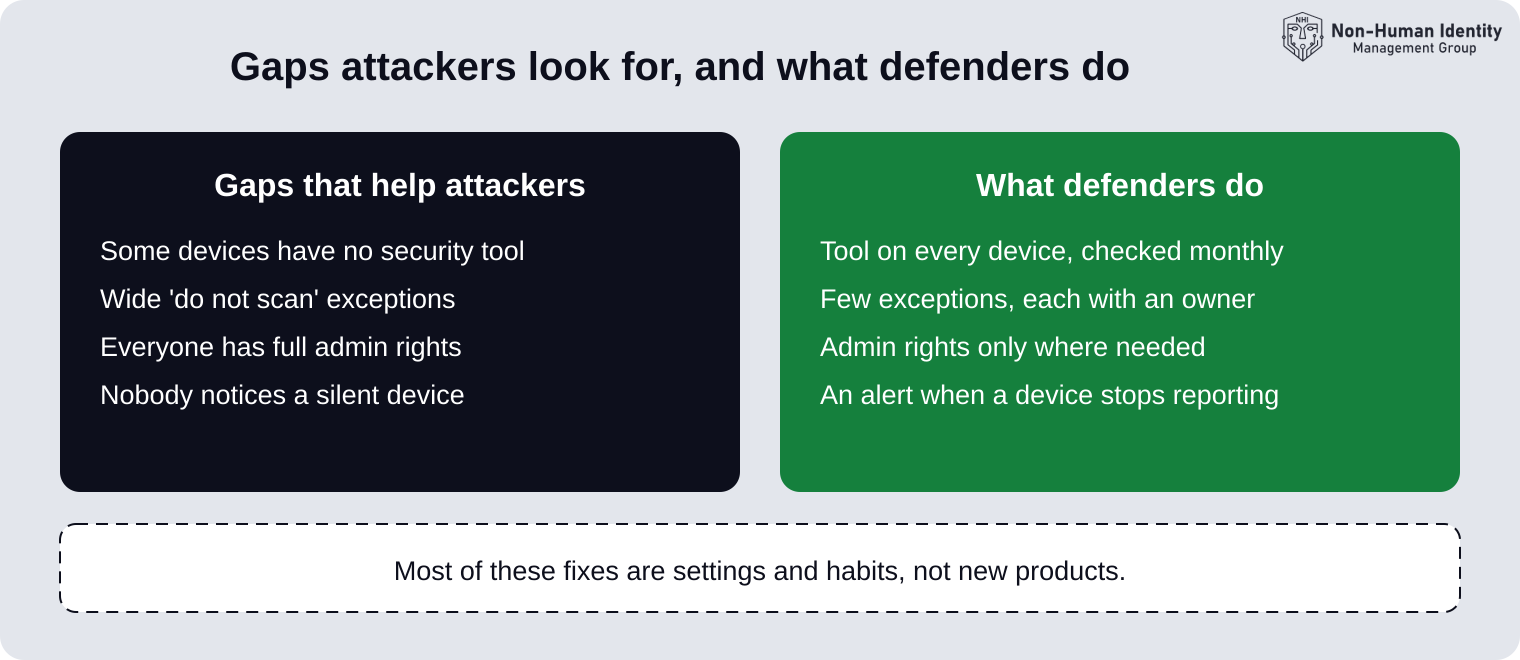
What could happen: a supplier adds a wide "do not scan" exception to fix a slow app, and it is left in place for years.
Check this: ask your IT supplier to list every exception, why it exists and who approved it.
Next: Antivirus for Beginners
What does it look like?
Defenders rarely see the attacker. They see signs in a security tool's health report. Here is a made-up one.
Example only. All values are made up.
SECURITY TOOL HEALTH REPORT (Example Ltd, FAKE data)
LAPTOP-0001   Reporting   Protection on     OK
LAPTOP-0002   Last seen 19 days ago            (1)
SERVER-0003   Tamper attempt BLOCKED  02:14    (2)
SERVER-0004   New exception: C:\EXAMPLE\*      (3)
LAPTOP-0005   Protection on, user is admin     (4)
- A device that has gone quiet. It might be switched off, or its tool might have been stopped.
- Something tried to change the tool's settings at night, and the lock on the settings blocked it.
- A new "do not scan" folder. In a real screen, this line would show who added it and when.
- Full admin rights on an everyday laptop make the tool easier to interfere with.
Why this is risky: each line is a small gap. If nobody reads the report, an attacker can use the gaps one by one.
The safer way: treat silence, blocked tamper attempts and new exceptions as alerts that a person checks the same day.
How does it work?
This is a high-level view for defenders. It names the ideas, not any method.
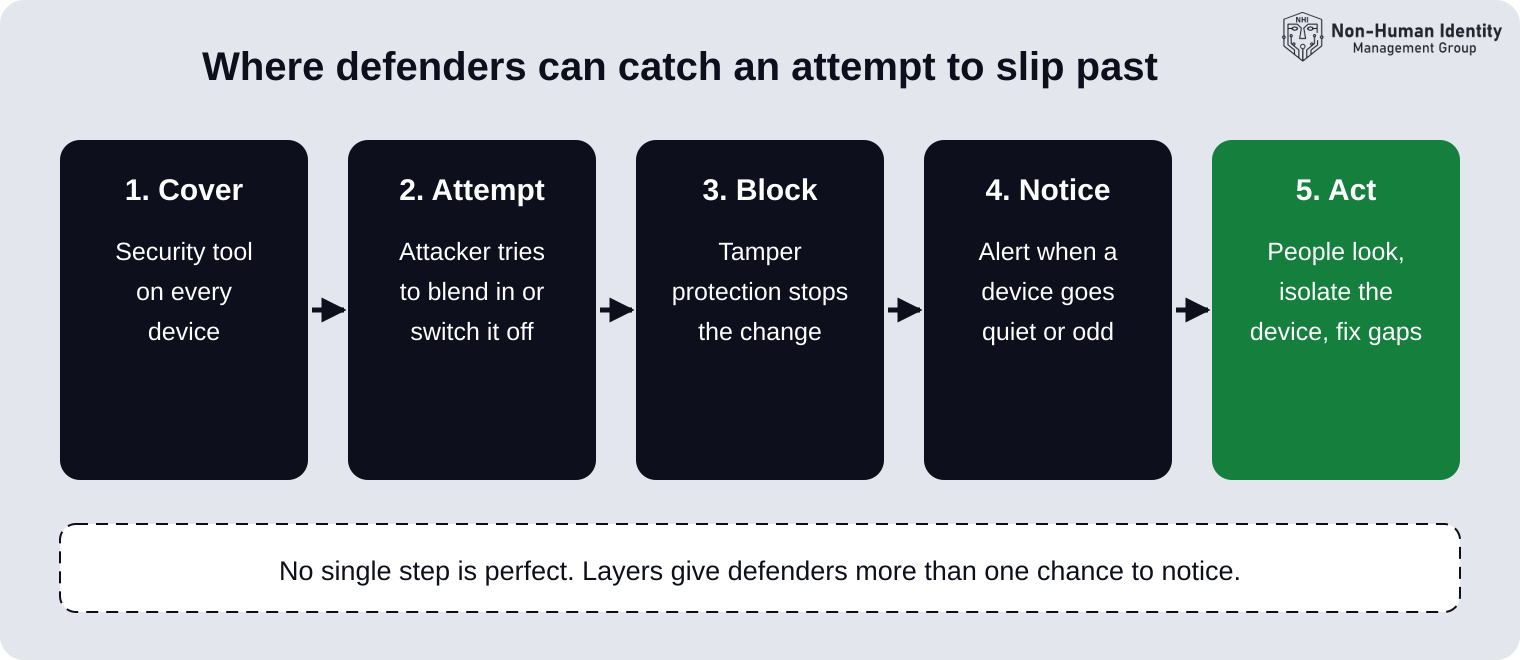
- Cover. A security tool is installed on every computer and sends reports to a central console, the screen where IT sees all devices.
- Attempt. An attacker who gets in tries to blend in, for example by using programs already on the computer. Or they try to stop the tool from working.
- Block. Tamper protection keeps key settings locked, so the tool stays on.[3]
- Notice. The console raises an alert when a device goes quiet, an exception appears or behaviour looks odd.
- Act. A person checks the alert, cuts the device off from the network if needed and closes the gap.
Blending in is a real concern. Some attackers use programs already built into a system. This is called living off the land. A joint US government advisory calls it a hallmark of the state-backed group Volt Typhoon. The advisory says the group kept access to some victims for at least five years.[4]
Because those built-in programs are also used by IT staff, a tool can find it hard to tell good use from bad. That is why defenders also watch for unusual patterns, such as a tool being used at 3am from an account that never uses it.
A worked example
Quinn Jensen is the new IT manager at Ashgrove Print, a fictional printing firm with 60 staff. The board asks her one question: "Are we protected?" The old answer was "Yes, we have antivirus everywhere."
Quinn thinks of the store detective. A detective only helps if they are on the shop floor, awake, and allowed to see every aisle.
She opens the security console. Of 64 devices, 58 sent a report today. Four laptops have been silent for over two weeks, and two servers have never reported at all.
She asks Hana Strand, the firm's outside IT supplier, about the exceptions list. Hana finds a "do not scan" rule covering a whole shared drive. It was added three years ago to speed up a design app, and nobody had reviewed it since.
Together they make a plan. Hana installs the tool on the two servers and turns on tamper protection across all devices. She narrows the shared-drive exception to the one app folder that needs it and gives it a review date. Quinn removes full admin rights from staff who do not need them.
Finally, Hana sets an alert. If any device stops reporting for 24 hours, Quinn gets an email.
At the next board meeting, Quinn gives a more honest answer. The tools are now on every device, locked, and watched. They will not catch everything, but silence is now a warning sign rather than something nobody sees.
Myths and mistakes
| What people think | What is true |
|---|---|
| We have antivirus, so we are safe. | Antivirus is one layer. Attackers work to slip past it, so other layers and people watching still matter. |
| Installed means working. | A tool can be installed but switched off, out of date or not reporting. Check health, not just installs. |
| A quiet console means nothing is happening. | Silence can mean a device has stopped reporting. Treat it as a question to answer. |
| Exceptions are harmless if they fix a slow app. | Each "do not scan" area is a place the tool does not look. Keep them narrow, owned and reviewed. |
| EDR makes antivirus pointless. | They do different jobs and often come in one product. Known-bad checks and behaviour watching work best together. |
| Only expert hackers try to switch tools off. | Microsoft says attackers often try to disable security features during an attack.[3] |
What can I do this week?
- Ask how many devices reported to the security console in the last day.
- Check that tamper protection, or your product's version of it, is turned on.
- Get a list of every "do not scan" exception, with an owner for each.
- Remove full admin rights from people who do not need them.
- Set an alert for any device that stops reporting.
Checklist
- Every company computer and server has a security tool installed.
- We check how many devices are reporting, not just how many have the tool.
- Tamper protection, or the product's equivalent, is on for all devices.
- Each scanning exception is narrow, written down, owned and reviewed.
- Staff use everyday accounts, with admin rights only where needed.
- A device that goes quiet raises an alert that a person checks.
- Someone reviews blocked tamper attempts and odd behaviour alerts each day.
- The security tool and computers get updates promptly.
Common questions
Why do attackers try to switch off security tools?
Because a working tool is likely to spot them. If the tool is blind, they can take their time. That is why defenders lock the tool's settings and treat a device that suddenly goes quiet as a possible warning sign.
Does this mean antivirus is a waste of money?
No. Antivirus blocks a lot of known bad files, which raises the cost for attackers. It works best as one layer alongside EDR, updates, limited admin rights, backups and people who read the alerts.
What is tamper protection?
Tamper protection is a setting that stops key security settings being turned off or changed. In Microsoft's product, for example, it keeps real-time protection on and blocks some changes to antivirus settings. Other products have their own version, under their own names.
Why is it hard for tools to spot attackers who blend in?
Attackers who blend in often use programs that IT staff also use every day. The action itself looks normal. Tools and analysts look at the context instead: who did it, when, on which device, and whether that person usually does it.
Is it legal to learn about EDR evasion?
Learning how defences fail is a normal part of security study, and this guide stays at that level. Testing evasion on systems you do not own, or without written permission, can be a crime. Practise only in legal labs and courses.
Where next?
Ready for the detail? Read the practitioner guide: EDR Evasion and Defence Guide. It goes further into evasion types mapped to controls, driver and kernel hardening, exclusion governance and detection metrics.
Also useful:
- EDR, XDR and MDR for Beginners
- Antivirus for Beginners
- Living Off the Land Attacks for Beginners
- Endpoint Security for Beginners
- Bring Your Own Vulnerable Driver and EDR Killers Guide
Related NHI Mgmt Group resources: Application Allowlisting vs EDR · Malware for Beginners · Endpoint Security Engineer for Beginners
Key terms
- Endpoint detection and response (EDR)
- A tool that watches activity on computers, raises alerts and helps staff respond.
- Signature-based detection
- Spotting threats by matching them against patterns of known bad files or actions.
- Behavioural detection
- Spotting threats by what a program or account does, not by what it looks like.
- Defence evasion
- What attackers do to avoid being spotted or to weaken security tools.
- Tamper protection
- A setting that stops security tools being switched off or changed without permission.
- Living off the land
- Attacking with programs already on a computer so the activity looks like normal work.
- False positive
- An alert about something that turns out to be harmless.
Sources and further reading
- Glossary: signature (from NIST SP 800-83 Rev. 1 and SP 800-12 Rev. 1). NIST Computer Security Resource Center, National Institute of Standards and Technology. https://csrc.nist.gov/glossary/term/signature, accessed 28 Nov 2026.
- Enterprise tactics: TA0005 Stealth and TA0112 Defense Impairment. MITRE ATT&CK, version 20. https://attack.mitre.org/tactics/enterprise/, accessed 28 Nov 2026.
- Tamper protection overview, Microsoft Defender for Endpoint. Microsoft Learn, Microsoft. https://learn.microsoft.com/en-us/defender-endpoint/prevent-changes-to-security-settings-with-tamper-protection, accessed 28 Nov 2026.
- PRC State-Sponsored Actors Compromise and Maintain Persistent Access to U.S. Critical Infrastructure, Cybersecurity Advisory AA24-038A. CISA, NSA, FBI and partners, 7 February 2024, updated 7 March 2024. https://www.cisa.gov/news-events/cybersecurity-advisories/aa24-038a, accessed 28 Nov 2026.