Online marketplace scams are tricks that fake buyers or sellers use to take your money, goods or account.
This guide is for anyone who sells or buys second-hand on apps and websites such as Facebook Marketplace, eBay, Vinted or Gumtree. It focuses on the tricks aimed at sellers, which get less attention than fake shops. You do not need any technical skills.
In short
- Many marketplace scams target sellers, not just buyers, with fake payments and overpayments.
- A screenshot or email saying "you have been paid" is not proof. Check inside the app or your bank.
- Do not share a code sent to your phone with a buyer, and do not click their links to "receive" money.
- Keep messages and payment inside the marketplace, or meet in person and take cash.
What you will learn
- Spot the four most common tricks used on people selling online.
- Check whether a payment is real before you post an item.
- Explain why a buyer asking for a code or a refund is a warning sign.
- Know what to do and who to tell if a sale goes wrong.
- Fake "you've been paid" message (fake payment notice)
- an email, text or screenshot made to look like a payment, when no money has moved.
- Paying too much on purpose (overpayment scam)
- a fake buyer "pays" more than the price, then asks you to send the extra back.
What are online marketplace scams?
Picture a car boot sale. A buyer wants your bike. Instead of handing over cash, he shows you a photo of some banknotes and starts wheeling the bike away. A fake buyer online plays the same trick with a picture of a payment.
An online marketplace is a website or app where ordinary people sell to each other. Most sales go fine. Scammers use these sites because sellers want a quick sale and buyers want a bargain.
For buyers, the usual trick is a fake listing for something that never arrives. Our Safe Online Shopping for Beginners guide covers that side. This page covers the tricks aimed at people selling.
Where the comparison stops working: at a car boot sale, you can see the photo is not cash. Online, a fake payment email can copy a real company's logo and look just like the real thing.
Why does it matter?
A seller who is tricked can lose the item and their own money at the same time. Some tricks also hand a stranger the use of your phone number or account.
If you are clearing out your home
What could happen: you post a sofa after a fake "payment received" email, and no money ever arrives.
Check this: open the marketplace app or your bank yourself before handing anything over.
Next: Phishing for Beginners
If you sell as a side business
What could happen: a buyer claims an item never came, or sends back something else, and asks for a refund.
Check this: use tracked postage, take photos before you pack, and learn the platform's seller protection rules.
If you help a relative sell things
What could happen: a friendly buyer asks them to read out "a code to prove you are real".
Check this: agree a simple rule: codes sent to your phone are for you alone.
What does it look like?
Here is a made-up chat between a seller and a fake buyer. Each numbered line is a warning sign.
Example only. All values are made up.
Buyer: Hi, is the bike still available? I'll take it, no need to haggle.
Buyer: I'm away so my courier will collect. Can you give me your email?  (1)
Buyer: Done! Paid £350 plus £50 for the courier. See screenshot.        (2)
       [image: "PAYMENT CONFIRMED - FakePay - Ref EXAMPLE-0000"]
Buyer: Oops, I sent too much. Please send the extra £50 back first.    (3)
Buyer: Your money is waiting. Click to release it: pay.example.invalid  (4)
Buyer: They sent you a 6-digit code. Read it to me so I know you're real. (5)
- Moving off the app's own messages makes it harder for the marketplace to help you later.
- A screenshot or email of a payment proves nothing. In a real message, this would be an edited image.
- The "send the extra back" request is the overpayment trick.
- A link to "release" your money often leads to a fake page that asks for card or bank details.
- A code sent to your phone lets someone sign in or set up an account as you.
Why this is risky: any one of these lines can cost you the bike, the refund you send, or access to your accounts.
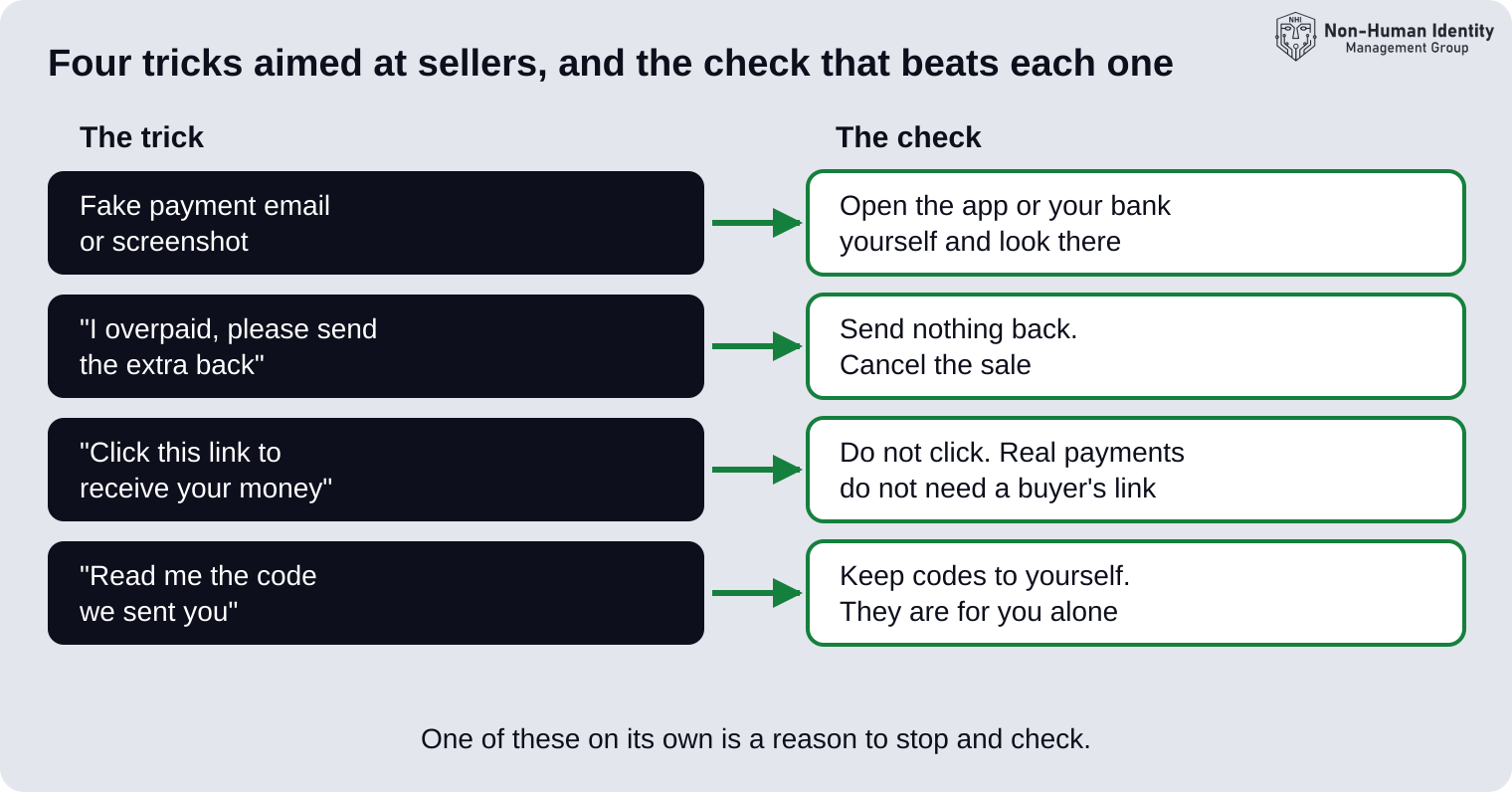
The safer way: check payments only by opening the app or your bank yourself. Send nothing back, click no buyer links and keep codes to yourself.
How does it work?
This is a simple view so you can spot the trick. It is not a guide to running one. Most seller scams follow the same pattern.
- The keen buyer. Someone agrees to your price at once, often without seeing the item. They may say they are away and will send a courier.
- The move off the app. They ask for your email or phone number, so the chat leaves the marketplace's own messages.
- The fake proof. They send an email, text or screenshot that looks like a payment. The US Federal Trade Commission (FTC) warns of fake payment notices sent to get sellers to post first.[1]
- The twist. They say they paid too much and ask for the difference back. Or they send a link to "claim" the money, or ask for a code sent to your phone.[1]
- The loss. You post the item or send a refund. Later you find no money arrived, or the payment is taken back.
A cheque, the paper way to pay that is common in the US, can make this worse. Money from a cheque may show in your account quickly. The FTC explains that if the cheque turns out to be fake, the bank can take that money back weeks later, along with any fees.[2]
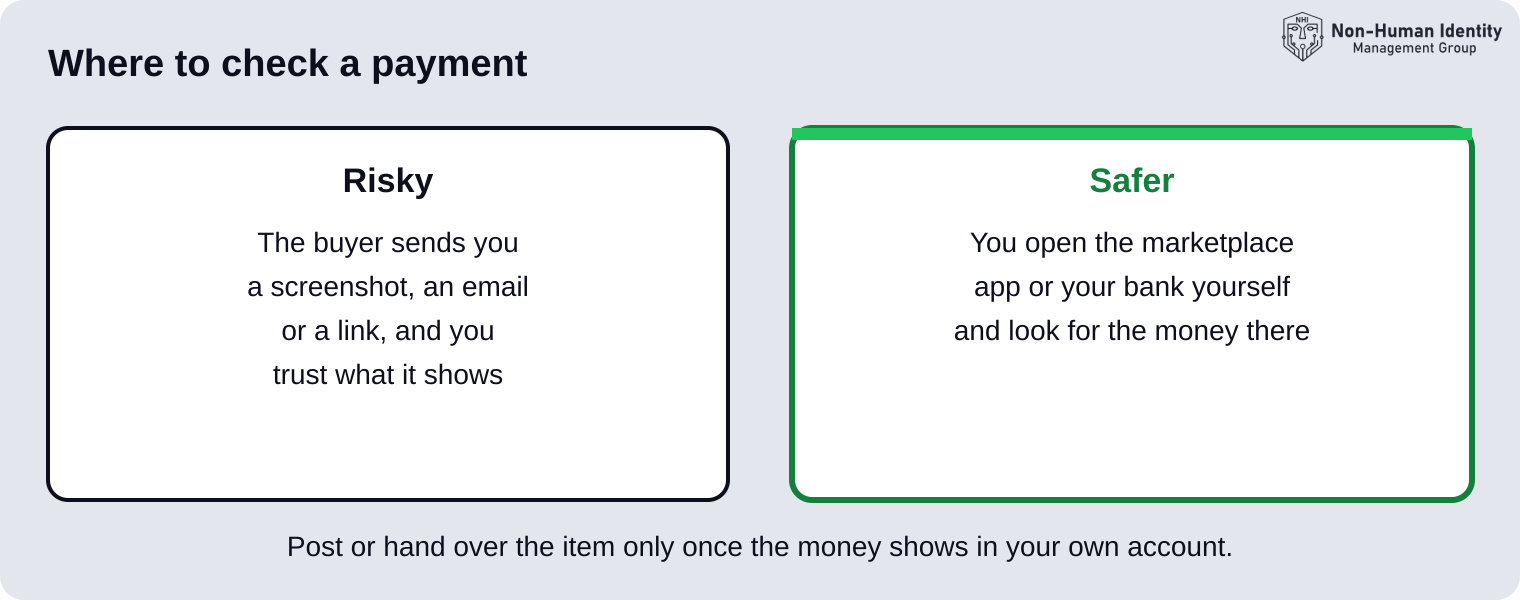
Where you check matters most. Payment services such as PayPal advise opening their app, or typing their web address into a new browser window, to check your account. They advise against using links in a message.[3] eBay says a copy of any message it sends appears in your eBay Messages.[4]
A worked example
This story is made up to show how it can happen.
Odile Rinaldi is a nurse in Leeds. She is moving flat and lists her old bike for sale on a marketplace app. Within ten minutes a buyer replies. He does not ask any questions about the bike. He says he is working away and will send a courier.
He asks for her email address "so the payment can go through". An hour later an email arrives. It has a payment company's logo and says the payment is "on hold" until she sends back extra money for the courier. A button says "Release funds".
Odile nearly clicks. Then she remembers a tip from a friend: check where you started. She closes the email and opens her bank app herself. No money has arrived. She opens the marketplace app. There is no payment there either.
The buyer messages again, asking her to read out a code that has just come to her phone. That settles it. She does not share the code. She blocks the buyer and reports the profile in the app.
She also forwards the email to the UK's suspicious email reporting service, as the National Cyber Security Centre advises.[5] Two days later she sells the bike to a local buyer, who comes round, looks it over and pays cash.
What made the difference: Odile checked the payment in her own bank app, not in the buyer's email. She treated the code request as a clear warning.
Myths and mistakes
| What people think | What is true |
|---|---|
| Only buyers get scammed on marketplaces. | Sellers are targeted too, with fake payments, overpayments and code requests.[1] |
| An email with the payment company's logo proves I have been paid. | Logos are easy to copy. Check the app or your bank yourself.[3] |
| If the money shows in my account, the cheque is fine. | A fake cheque can be taken back weeks later.[2] |
| Sharing a phone code helps prove I am a real seller. | The code lets a stranger use your number or account. Keep it to yourself.[1] |
| Refunding a small "overpayment" is just being polite. | Sending the difference back is how the overpayment trick takes your money.[2] |
What can I do this week?
- Read your marketplace's seller protection page, so you know which payment and postage options it covers.
- Turn on two-step sign-in for your marketplace, email and payment accounts.
- Save your bank's and marketplace's real apps on your phone, so you check payments there.
- Agree a rule at home: no one reads out a code sent to their phone, whoever asks.
- Bookmark the place to report scams in your country, such as Report Fraud in the UK or ReportFraud.ftc.gov in the US.
Checklist
- I keep chats and payment inside the marketplace where I can.
- I check every payment by opening the app or my bank myself.
- I post or hand over items only once money shows in my own account.
- I do not accept more than the price, and I send nothing back.
- I do not click buyer links to "receive" or "release" money.
- I keep codes sent to my phone to myself.
- I use tracked postage and take photos before packing.
- For local sales, I meet in a public place or have someone with me, and take cash.
Common questions
How can I tell if a payment email is fake?
Do not try to judge the email itself. Close it and open the marketplace app or your bank yourself. If the money is not there, you have not been paid, whatever the email says. Real payment firms point people to their own app or website for this check.
Why would a buyer want a code sent to my phone?
Because the code lets them sign in or set up an account using your phone number. The FTC describes buyers asking sellers for codes to set up phone numbers in the seller's name, which they then use to scam others. Keep these codes to yourself.
Is it safe to accept a courier collection?
It can be, but only once the money is in your own account. A buyer who insists on a courier and pays "extra for the courier" is a common sign of the overpayment trick. Do not send money to anyone to cover a courier.
What should I do if I have already sent money?
Contact your bank or the payment service at once and ask whether the payment can be stopped. Then report the buyer in the marketplace app and report the scam to the national service, such as Report Fraud in the UK. Acting quickly gives the best chance of help.
Is cash the safest way to sell?
For local sales, cash in person is the simplest choice and the FTC suggests it. Meet in a public place or have someone with you. For posted sales, use the marketplace's own checkout so its seller protection may apply.
Where next?
Ready for the detail? Read the practitioner guide: Amazon Account Security and Scams Guide. It goes further into account takeover, fake support contacts and refund scams on one of the biggest marketplaces.
Also useful:
- Safe Online Shopping for Beginners
- Online Marketplace Buying and Selling Safely Guide
- Verification Code Scams for Beginners
- Reporting Scams and Cybercrime for Beginners
Related NHI Mgmt Group resources: Marketplace Seller and Platform Fraud Guide · Online Scams for Beginners
Key terms
- Phishing
- A message pretending to be from someone you trust, sent to trick you into clicking, paying or sharing details.
- Tricking a person into doing something, such as sending money, by playing on trust or hurry.
- Brand impersonation fraud
- A scam that copies a real company's name or logo to win your trust.
- One-time password
- A short code sent to your phone or app that works once, to prove it is really you.
- Account takeover
- When someone else gets control of your online account and uses it as you.
- Chargeback
- A request to a card provider to reverse a payment, which a buyer may raise after a sale.
Sources and further reading
- Selling stuff online? Here's how to avoid a scam. Alvaro Puig, US Federal Trade Commission (FTC) Consumer Advice, 27 July 2022. https://consumer.ftc.gov/consumer-alerts/2022/07/selling-stuff-online-heres-how-avoid-scam, accessed 28 Nov 2026.
- How to spot, avoid, and report fake check scams. US Federal Trade Commission (FTC) Consumer Advice, last updated 2026. https://consumer.ftc.gov/articles/how-spot-avoid-and-report-fake-check-scams, accessed 28 Nov 2026.
- Learn about fake messages. PayPal Security Center. https://www.paypal.com/us/security/learn-about-fake-messages, accessed 28 Nov 2026.
- Recognising phishing phone calls and emails. eBay UK Help. https://www.ebay.co.uk/help/account/protecting-account/spoof-fake-ebay-emails?id=4195, accessed 28 Nov 2026.
- Shopping and paying safely online. National Cyber Security Centre (NCSC). https://www.ncsc.gov.uk/guidance/shopping-online-securely, accessed 28 Nov 2026.