A security budget is the money a business sets aside to protect its computers, data and accounts.
This guide is for small business owners, new managers and students who want to understand how security spending is planned. You do not need to be technical: if you approve bills for IT, software or insurance, you already make security budget choices.
In short
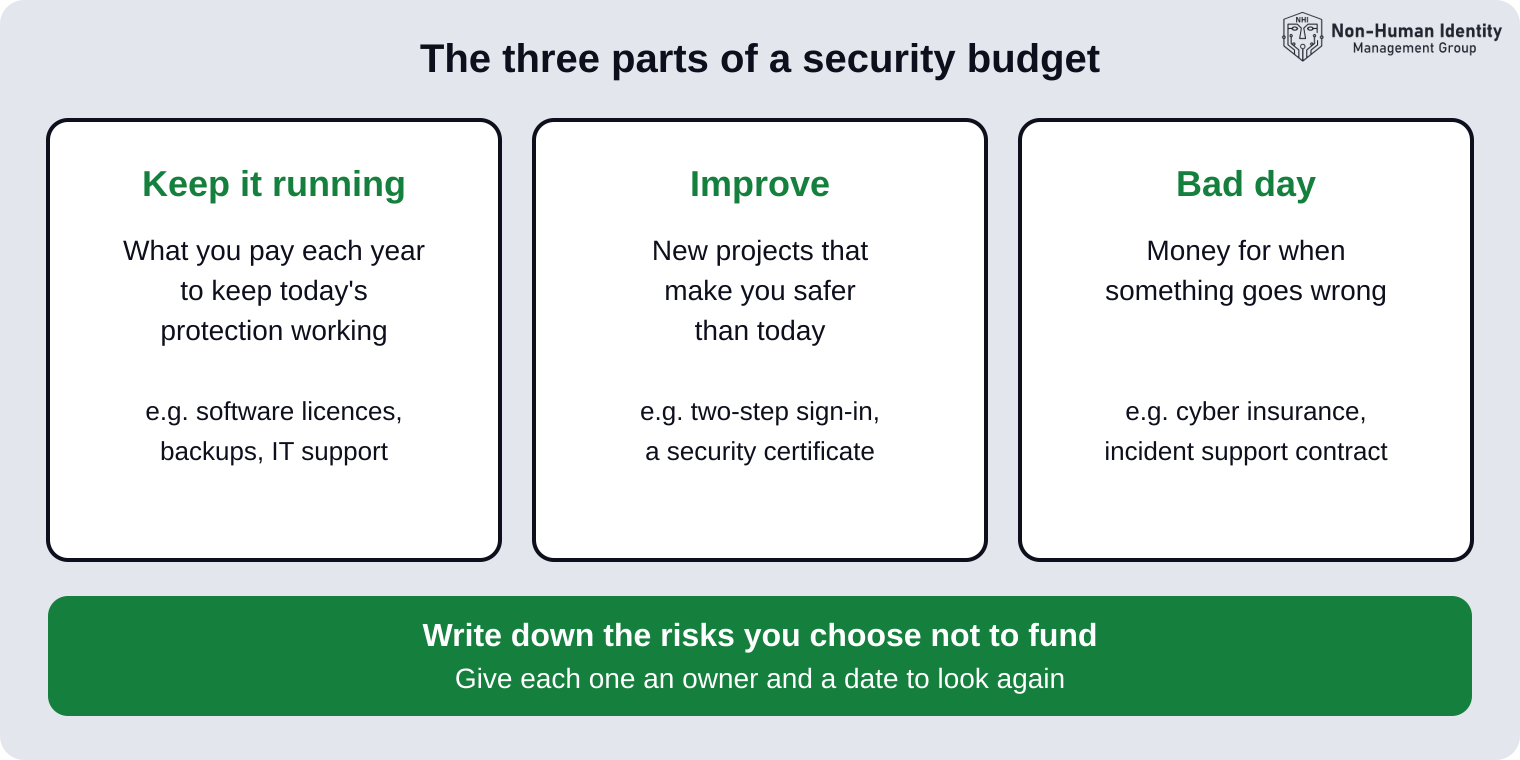
- A security budget pays for three things: keeping today's protection running, improving it, and coping with a bad day.
- Start from what would hurt most if it stopped or leaked, not from last year's bill.
- Many useful first steps cost little or nothing, such as turning on two-step sign-in and backups.
- Write down any risk you choose not to pay for, with a name next to it and a date to look again.
What you will learn
- Explain what a security budget covers in plain words.
- Spot spending that is already security spending, even if nobody calls it that.
- Rank a short list of things to pay for, starting with what matters most.
- Ask your IT supplier or manager the right questions about cost.
- Keep-it-running money (run budget)
- what it costs each year to keep the protection you already have working.
- Improvement money (change budget)
- money for new projects that make you safer than you are today.
- List of worries (risk register)
- a simple list of what could go wrong, how bad it would be and who looks after it.
What is a security budget?
Think of a household budget for keeping your home safe. You pay for locks and smoke alarms. You fix a broken window. You keep some money aside in case of a flood.
A security budget works the same way for a business. Some money keeps today's protection going, like software licences and the IT supplier's monthly fee. Some money buys improvements, like better backups. Some money is kept for a bad day, like help after a cyber attack.
A budget is also a choice. Most businesses cannot pay for everything, so the budget shows which risks they decided to reduce first. A risk here means something that could go wrong, such as losing customer records or being locked out of email.
Where the comparison stops working: you can see a broken window. A weak password or a missing backup is invisible until something goes wrong, so security spending is easy to put off.
Why does it matter?
Attacks are common, even for small firms. In a UK government survey, 43% of businesses said they had found a cyber breach or attack in the previous 12 months.[1] Without a plan, money tends to arrive only after something has gone wrong.
If you run a small business
What could happen: you pay for tools you do not use, while the basics, like backups, are missing.
Check this: list every IT bill and mark which ones protect you.
If you are a new manager
What could happen: a cut to "IT costs" quietly switches off protection that people rely on.
Check this: before a cut, ask what protection that line pays for.
If you sit on a board
What could happen: the board approves a number without knowing which risks it leaves open.
Check this: ask to see what is not funded, as well as what is.
What does it look like?
Here is a made-up one-page budget for a small dental practice. Real budgets can be this simple.
Example only. All values are made up.
EXAMPLE Dental: security budget, next 12 months
KEEP IT RUNNING
  IT supplier support (security share)   0000 (1)
  Antivirus and email filtering          0000
  Cloud backup service                   0000
IMPROVE
  Two-step sign-in for all staff         0000 (2)
  Cyber Essentials certificate           0000
BAD DAY
  Cyber insurance                        0000 (3)
NOT FUNDED THIS YEAR
  New firewall: owner FAKE-NAME, review in 6 months (4)
- In a real file, this line would show the part of the IT supplier's fee spent on security work.
- Some improvements cost staff time more than money.
- Money for a bad day, such as insurance or a support contract for after an attack.
- A risk the owner chose not to pay for yet, with a name and a review date.
Why this is risky: without the "not funded" line, nobody remembers which risks were left open on purpose.
The safer way: keep the three groups apart, and write down every gap you accept. Then a cut shows exactly what it removes.
How does it work?
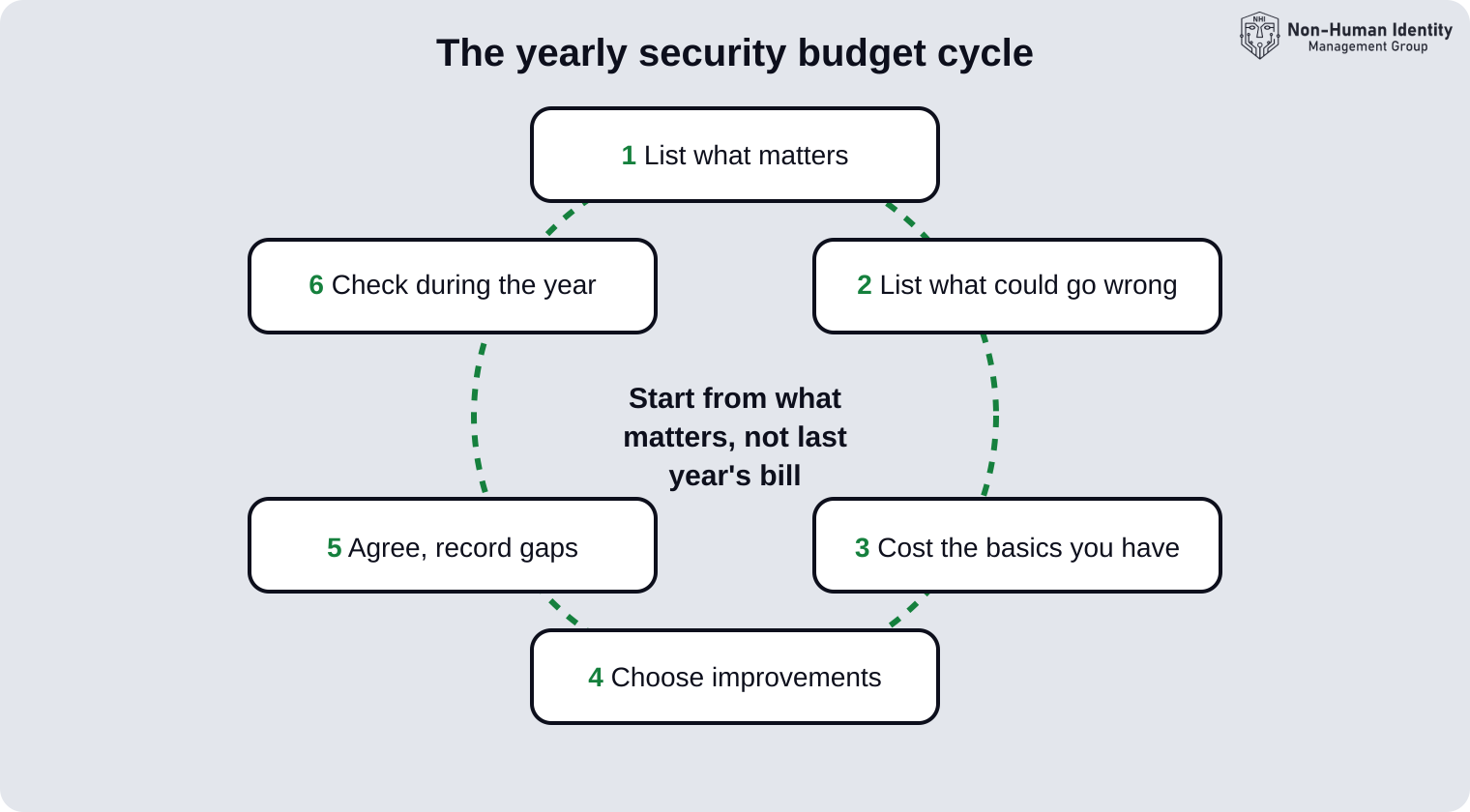
Most security budgets follow the same simple cycle, often once a year.
- List what matters. Name the systems and data the business cannot do without, such as bookings, payments and email.
- List what could go wrong. For each one, note what could happen and how bad it would be. This list is your risk register.
- Cost the basics you already have. Add up what keeps today's protection running. This is the floor, because cutting below it removes protection you rely on.
- Choose improvements. Rank new ideas by how much risk they remove for the money and effort. Do the cheap, high-value ones first.
- Agree and write it down. Approve the plan, and record any risk you decide not to pay for, with an owner and a review date.
- Check during the year. Look again when the business changes, or after an incident.
Not every step costs money. The UK's National Cyber Security Centre (NCSC) says many steps in its small business guide can be done in as little as five minutes. You do not need to be a technical expert.[3] Some cost a small fee. The UK Cyber Essentials certificate, a government-backed scheme covering five basic protections, starts at £320 plus VAT, with free tools to help you get ready.[2]
Measuring the payback is hard. A European Union cyber security agency points out that security mostly avoids losses rather than making money. That makes its value hard to measure.[4] That is why the risk list matters more than a neat return figure.
For businesses with a board, the UK government publishes a free code of practice that helps boards and directors govern cyber risk.[5] It is a useful starting point for questions to ask about spending.
A worked example
Hugo Haddad owns Bracken Dental, a fictional practice with nine staff. His accountant asks him to "do a security budget" for the first time.
Hugo starts with his household picture. What are the locks, what are the repairs, and what is the flood money?
He asks his IT supplier, Lina Pajari, for help. Together they list what the practice cannot do without: the booking system, patient records and email. Then they write down what could go wrong with each one.
Next they find the money he already spends. The email service, the backup and part of Lina's monthly fee all protect the practice. Hugo had never counted them as security spending.
Lina suggests three improvements. Turning on two-step sign-in for every staff account costs almost nothing but an hour of training. Testing that the backup can really be restored costs a morning. A new firewall would cost much more.
Hugo funds the first two straight away. He also checks his insurance and finds it does not mention cyber attacks, so he asks his broker.
He cannot afford the firewall this year. Instead of forgetting it, he writes it on the "not funded" line, with his own name and a review date in six months.
The whole budget fits on one page. Next year, Hugo will start from his list of worries, not from this year's bills.
Myths and mistakes
| What people think | What is true |
|---|---|
| Security is only worth paying for after an attack. | Money that arrives after an attack tends to fix the last problem. A plan made in advance can cover the biggest risks first. |
| More money means more security. | Spending on the wrong things helps little. Rank spending by the risk it removes. |
| We are too small to need a budget. | Small firms are attacked too.[1] A one-page plan is enough to start. |
| Insurance replaces security. | Insurance can help pay for damage, but it does not keep attackers out. Insurers may also ask what protection you have. |
| Last year's budget plus a bit is fine. | Your risks change as the business changes. Start from what matters now. |
What can I do this week?
- List every IT and software bill, and mark the ones that protect you.
- Write down the three systems your business could not work without.
- Turn on two-step sign-in for your email and main business accounts.
- Ask your IT supplier which free or low-cost steps you have not taken yet.
- Check whether your insurance covers cyber attacks.
Checklist
- We know what we already spend on security, including hidden items in IT bills.
- We have a short list of what matters most and what could go wrong.
- Our budget separates keep-it-running, improvement and bad-day money.
- Improvements are ranked by how much risk they remove for the money.
- Free and low-cost basics are done before expensive tools are bought.
- Every risk we choose not to fund is written down, with an owner and a review date.
- We look at the budget again when the business changes or after an incident.
Common questions
How much should a small business spend on security?
There is no single right figure. It depends on what you would lose if systems stopped or data leaked. Start by doing the free basics, then fund the improvements that remove the most risk for the money. Published averages give context, but your own risks should decide the number.
What counts as security spending?
Anything that protects your systems, data or accounts. That includes antivirus, email filtering, backups, password managers, training, certificates, insurance and the part of your IT supplier's time spent on security. Many businesses already spend more than they think, because these costs sit inside general IT bills.
Is cyber insurance part of the security budget?
Yes, it is usually part of the bad-day money. It can help pay for recovery after an attack. It does not replace protection, and insurers may ask about your security before they offer cover. In the UK, some Cyber Essentials certificates come with insurance for smaller firms.[2]
What should I do if I cannot afford everything?
Fund the biggest risks first and write down the rest. For each gap, note who owns it and when you will look again. A written gap is a decision you can revisit. A forgotten gap is a surprise waiting to happen.
How do I show a security budget is working?
Track simple things you can check. Is two-step sign-in on for every account? Has a backup been restored in a test? Are the unfunded risks reviewed on time? These show progress better than a single return-on-investment number.
Where next?
Ready for the detail? Read the practitioner guide: Security Budget and Investment Planning Guide. It goes further into ranking methods, return on security investment and how to present funding options to a board.
Also useful:
- Security Budget Template and Cost Model
- The Cost of a Cyber Attack for Beginners
- Cyber Insurance for Beginners
- Cyber Essentials for Beginners
- Board Reporting for Beginners
Related NHI Mgmt Group resources: Cybersecurity Budget Statistics · Risk Register Template · Security Business Case Template
Key terms
- Security budget allocation
- Deciding how limited security money is shared between people, tools and protections.
- Run and change budgets
- Keeping the money that runs today's protection apart from the money that improves it.
- Risk register
- A list of what could go wrong, how likely and serious it is, who owns it and what will be done.
- Residual risk
- The risk that is left after you have put protections in place.
- Risk appetite
- How much risk a business is willing to accept to reach its goals.
- Budget cycle
- The regular process a business uses to plan, approve and fix its spending for the next period.
- Cyber insurance
- A policy that helps pay for losses after a cyber incident, without replacing security.
- Total cost of ownership
- The full cost of a tool over its life, from buying and running it to retiring it.
Sources and further reading
- Cyber security breaches survey 2025. Department for Science, Innovation and Technology and Home Office, GOV.UK, 10 April 2025 (updated 19 June 2025). https://www.gov.uk/government/statistics/cyber-security-breaches-survey-2025/cyber-security-breaches-survey-2025, accessed 28 Nov 2026.
- Cyber Essentials overview. National Cyber Security Centre. https://www.ncsc.gov.uk/cyberessentials/overview, accessed 28 Nov 2026.
- Small Business Guide: Cyber Security. National Cyber Security Centre. https://www.ncsc.gov.uk/collection/small-business-guide, accessed 28 Nov 2026.
- Introduction to Return on Security Investment. European Union Agency for Cybersecurity (ENISA), 12 December 2012. https://www.enisa.europa.eu/publications/introduction-to-return-on-security-investment, accessed 28 Nov 2026.
- Cyber Governance Code of Practice. Department for Science, Innovation and Technology, GOV.UK, 8 April 2025. https://www.gov.uk/government/publications/cyber-governance-code-of-practice, accessed 28 Nov 2026.