A web shell is a small file an attacker hides on a website so they can control the server later.
This guide is for anyone who owns, runs or pays for a website. You do not need to write code to be affected: if your site has been hacked once, a web shell is one of the ways the attacker may come back.
In short
- A web shell is a file that looks like part of the website but takes orders from an attacker.
- Attackers usually place it through an unpatched flaw or a careless file upload form.
- Once it is in place, the attacker can run commands, steal data or move deeper into the network.
- Patch quickly, stop upload folders from running code and compare your site with a known clean copy.
What you will learn
- Explain what a web shell is in one sentence.
- Spot the signs that a strange file may be on your website.
- Explain why deleting the file alone may not be enough.
- Ask your web supplier the right questions about updates and uploads.
- Website computer (web server)
- the computer that stores a website and sends its pages to visitors.
- Hidden way back in (backdoor)
- a secret route into a system that skips the normal login.
- Upload form
- a part of a website that lets visitors send files, such as photos or CVs.
What is a web shell?
Imagine someone slips a hidden walkie-talkie into the stockroom of a shop. Later, from the street, they speak into it, and a helper inside does whatever they say.
A web shell works much the same way. It is a small file placed on a web server, the computer that runs a website. When the attacker visits that file from their browser or a tool, the server runs the orders they send.[1]
It is a kind of backdoor, a hidden way back in. The attacker uses it to keep access after the first break-in. Security teams call this persistence, which means staying in.[2]
Where the comparison stops working: a walkie-talkie makes a noise someone might hear. A web shell can look like an ordinary page file, and its traffic can look like normal visits to the site.[1]
Why does it matter?
A web shell turns one break-in into lasting control. In 2021, the US cyber agency listed 10 web shells linked to attacks on email servers run by organisations themselves.[3]
If you own a small business website
What could happen: a stranger uses your site to steal customer details or host scam pages.
Check this: ask who applies updates to your site, and how fast.
If you build or look after websites
What could happen: an upload form you built lets someone place a file that runs as code.
Check this: make sure upload folders store files but cannot run them.
If you are new to IT or security work
What could happen: you delete one odd file, and the attacker comes back through another.
Check this: report a strange file first. Do not tidy it away alone.
What does it look like?
Here is a made-up list of files from a small shop's website, plus one line from its visitor log.
Example only. All values are made up.
# EXAMPLE website folder for shop.example.com
images/logo.png          12 KB   added 1 March
images/banner.jpg        88 KB   added 1 March
images/thumb.php          2 KB   added 27 Nov    (1)
uploads/invoice-0000.pdf 40 KB   added 26 Nov
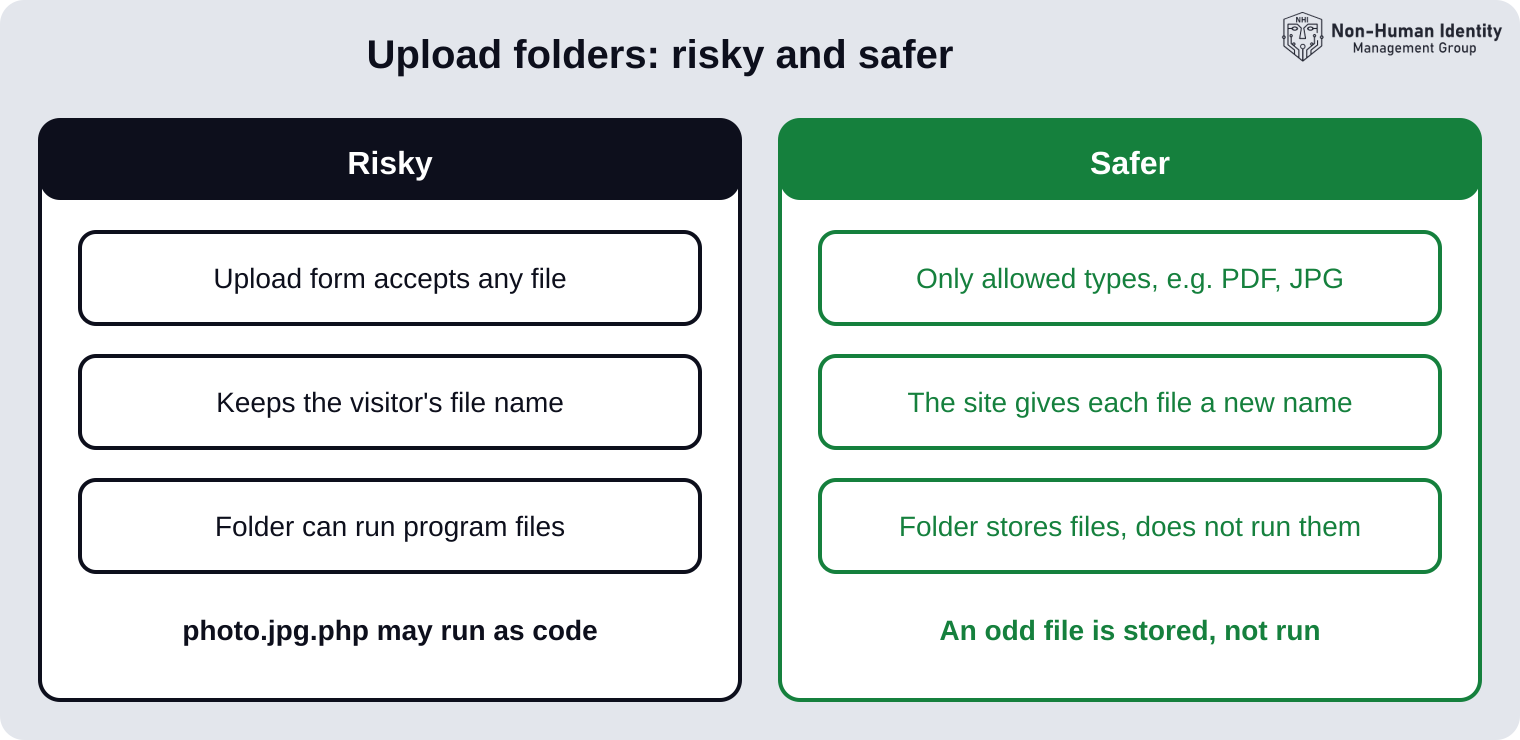
uploads/photo.jpg.php     3 KB   added 27 Nov    (2)
# visitor log
203.0.113.10 sent data to /images/thumb.php     (3)
- A program file sitting in a folder that should hold only pictures, added recently.
- A file with two endings. It is named to look like a photo, but the last ending makes it a program file.
- In a real file, this line would show one unknown address sending data to that odd file, again and again.
Why this is risky: the odd files sit among normal ones, so a quick glance can miss them. If the server runs them, whoever knows the address can give it orders.
The safer way: folders for pictures and uploads should store files but never run them. Uploads should be renamed by the site and limited to the types the business needs, such as PDF or JPG.[4] A clean copy of the site makes it easy to spot files that should not be there.[1]
How does it work?
Here is the usual path, described for defence only.
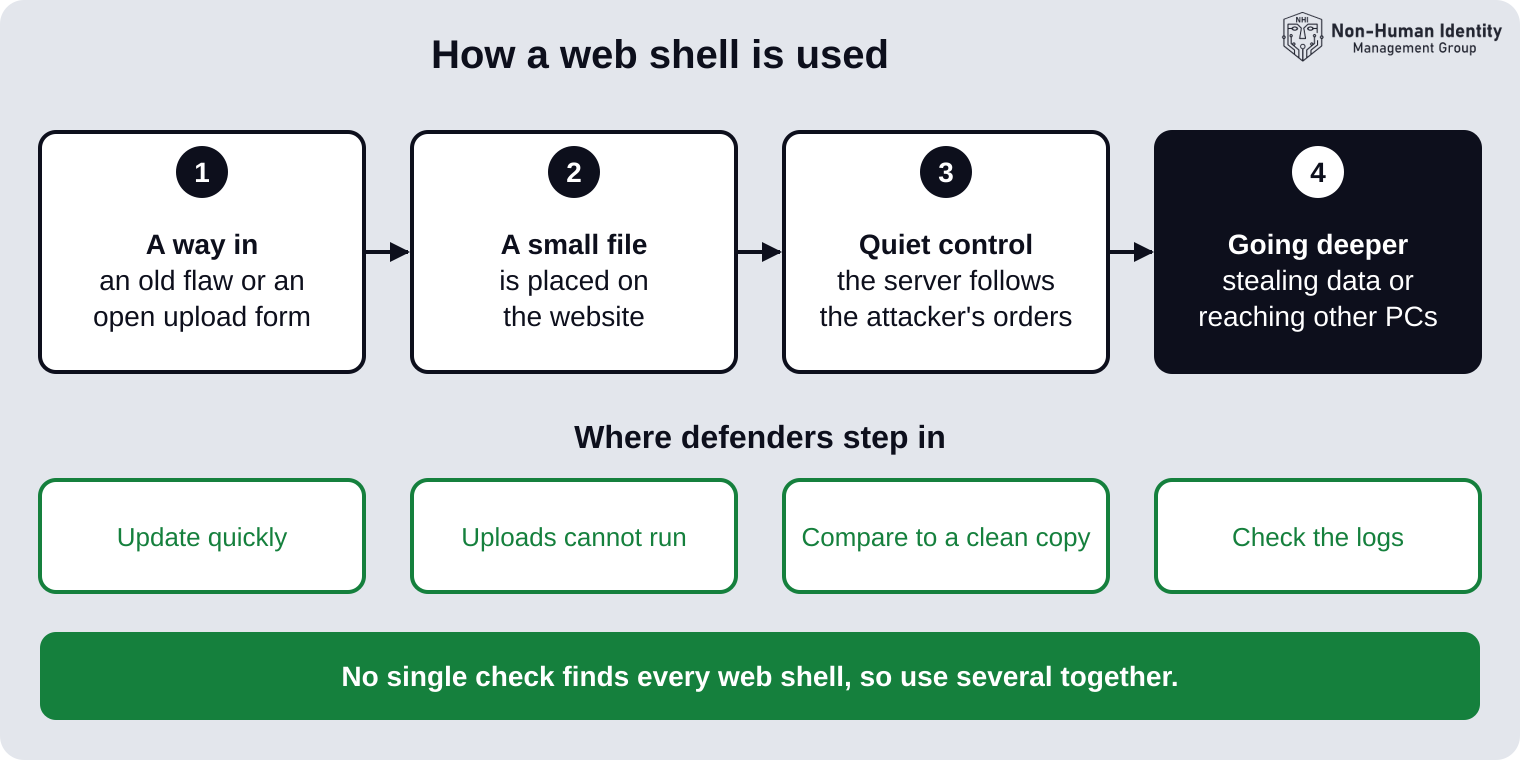
- A way in. The attacker finds a weak spot. This is often a known flaw in website software that has not been updated, or an upload form that accepts any file.[1]
- The file is placed. They add a small file, or change one that is already there, so it takes their orders.[1]
- Quiet control. They visit the file like a normal page. The server runs their commands and sends back the results.
- Going deeper. From the web server, they may look around the network, steal data or reach other computers inside.[1]
- Finding it. Defenders compare the site with a clean copy, watch for file changes and check the logs for odd visits. No single check finds every web shell, so teams use several.[1]
A worked example
Anil Brandt owns Sorrel Laundry, a fictional laundry with an online booking page. Hal Wojcik, a freelance developer, looks after the site.
One morning a customer emails Anil. A search result for the laundry now links to a page selling fake watches.
Anil calls Hal. Hal compares the live site with his clean copy from the last update. He finds two files that should not be there, in the folder where customers upload photos of stains.
Anil thinks of the hidden walkie-talkie. Finding it does not tell you who else got in, or whether there is a second one. So Hal does not just delete the files. He saves copies for evidence and takes the site offline for an hour.
The cause turns out to be a booking plugin that had not been updated for months. Hal updates it and rebuilds the site from his clean copy. He also changes every password the site used, including the database password, in case they were read.
Then he fixes the upload folder. It now stores photos but cannot run program files. The form only accepts JPG and PNG, and the site gives each upload a new name.
Anil asks Hal to turn on automatic updates and to send a short note each month. In the logs available to them, they see no sign that the booking records were copied. Anil still tells his customers what happened, in plain words.
Myths and mistakes
| What people think | What is true |
|---|---|
| Deleting the odd file fixes it. | There may be other files or stolen passwords. Find how they got in and check the whole site first.[1] |
| Antivirus will catch a web shell. | Web shells are easy to change, so tools that look for known patterns can miss them.[1] |
| Our site is too small to bother with. | Attackers often go after known flaws soon after a fix is published, whatever the size of the site.[1] |
| Updating the software removes the web shell. | An update closes the hole. A file already placed can stay until someone finds and removes it. |
| The file date shows when it arrived. | Attackers can change file dates, so dates alone are not proof.[1] |
What can I do this week?
- Ask your web supplier how fast they apply updates to the site and its add-ons.
- Check that a clean copy of your site exists and when it was last made.
- Remove plugins and add-ons you no longer use.
- Ask whether upload folders can run program files, and get that turned off.
- Agree who to call if a strange file or page turns up.
Checklist
- Website software, plugins and add-ons are updated quickly.
- Upload forms accept only the file types the business needs.
- Uploaded files are renamed and stored in folders that cannot run code.
- The account that runs the website cannot change the site's own files.
- A clean copy of the site is kept and compared with the live site.
- Someone is alerted when site files change unexpectedly.
- Visitor logs are kept long enough to look back at an incident.
- There is a plan: report, save evidence, find the way in, then rebuild.
Common questions
Is a web shell the same as a virus?
Not quite. A virus spreads by itself. A web shell sits still on one server and waits for the attacker to send orders. It is a type of harmful software, and in particular a backdoor. See Backdoors for Beginners for the wider idea.
How would I know if my website has a web shell?
Often you would not know at first. Common signs are strange pages, spam links in search results, new files you did not add, or a slow site. Ask your supplier to compare the site with a clean copy and check the visitor logs.
Should I just delete the file?
No, not on its own. Save a copy as evidence and tell whoever handles incidents. The team should find how the attacker got in and look for other files before removing anything. Otherwise the attacker may come back another way.[1]
Does a website firewall stop web shells?
It helps, but not fully. A website firewall can block some known bad uploads. It may not spot the traffic of a web shell that is already in place. Use it as one layer, alongside quick updates and safe upload folders.[1] See Web Application Firewalls for Beginners.
Where next?
Ready for the detail? Read the practitioner guide: How to Hunt for Web Shells on IIS, Apache and Nginx. It goes further into log searches, what the web server process is doing, network checks and how to confirm a suspicious file.
Also useful:
- Web Shell Response Playbook
- PHP web shells
- Backdoors for Beginners
- Website Security for Beginners
- Patch Management for Beginners
Related NHI Mgmt Group resources: ATT&CK Web Shells Software Hub · Threat Hunting for Beginners · Online Shop Security for Beginners
Key terms
- Web shell
- A small file placed on a web server that lets someone run commands on it from afar.
- Web server
- The computer that stores a website and sends its pages to visitors.
- Backdoor
- A hidden way into a system that skips the normal login checks.
- Persistence
- Tricks that keep an intruder's access alive after restarts, logouts or password changes.
- File integrity monitoring
- A check that raises an alert when important files are added or changed.
- Web application firewall
- A filter in front of a website that blocks some harmful requests.
Sources and further reading
- Detect and Prevent Web Shell Malware. US National Security Agency and Australian Signals Directorate, April 2020. https://media.defense.gov/2020/Jun/09/2002313081/-1/-1/0/CSI-DETECT-AND-PREVENT-WEB-SHELL-MALWARE-20200422.PDF, accessed 28 Nov 2026.
- Server Software Component: Web Shell (T1505.003). MITRE ATT&CK. https://attack.mitre.org/techniques/T1505/003/, accessed 28 Nov 2026.
- Mitigate Microsoft Exchange Server Vulnerabilities (AA21-062A). Cybersecurity and Infrastructure Security Agency (US), first published 3 March 2021. https://www.cisa.gov/news-events/cybersecurity-advisories/aa21-062a, accessed 28 Nov 2026.
- Unrestricted File Upload. OWASP Foundation. https://community.owasp.org/vulnerabilities/Unrestricted_File_Upload, accessed 28 Nov 2026.