Account recovery planning means setting up ways back into your accounts before you lose your phone or password.
This guide is for anyone who has ever thought "what if I lost my phone tomorrow?" You do not need any technical skill. A small business owner who runs the shop email from one phone needs this just as much.
In short
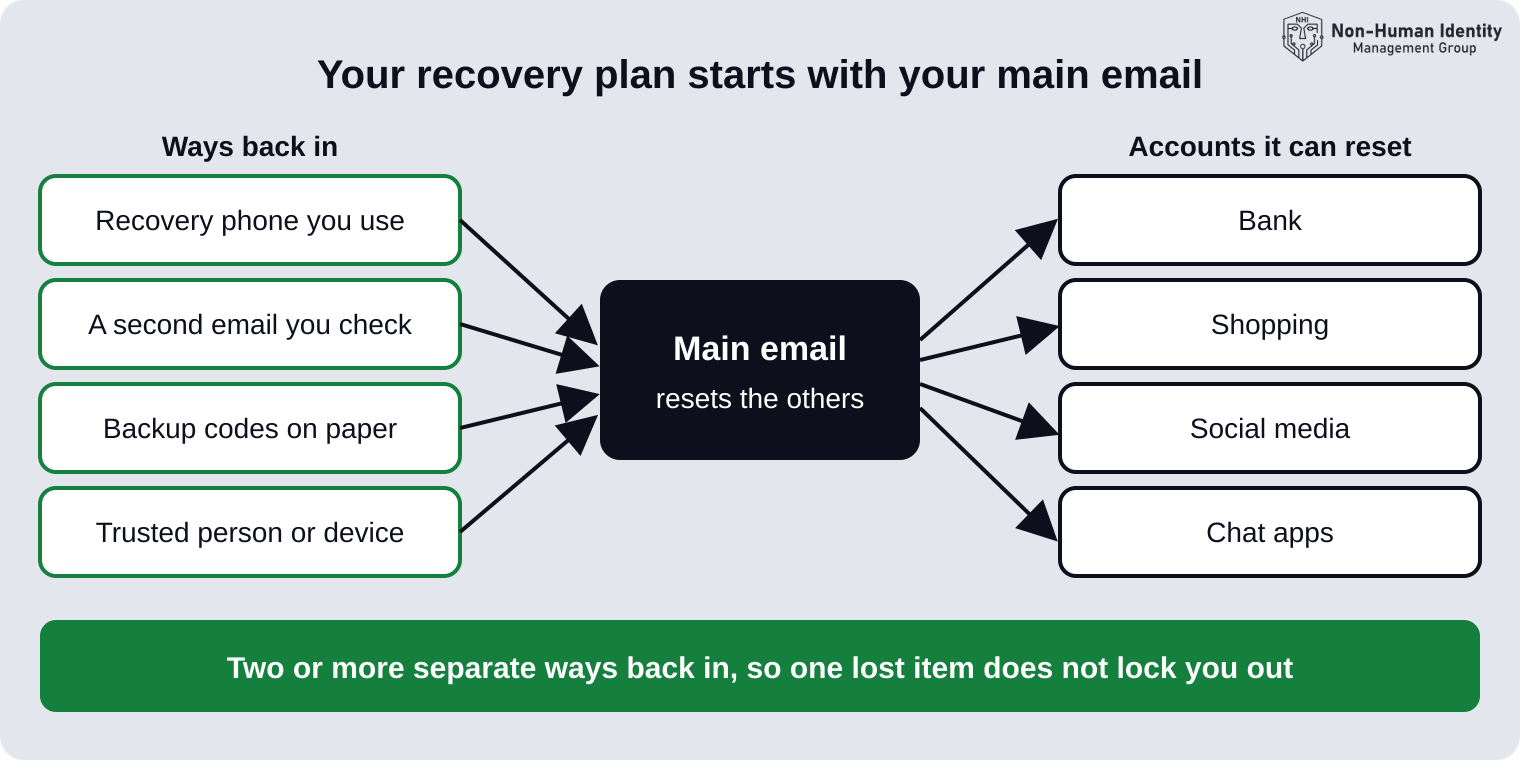
- Start with your main email, because password resets for most other accounts go there.
- Have at least two separate ways back in, so losing one thing does not lock you out.
- Remove old phone numbers and email addresses you no longer use, because whoever has them now may get your reset codes.
- Keep backup codes on paper, away from your phone, and check the whole set-up twice a year.
What you will learn
- Explain what a recovery option is and why it is also a way in.
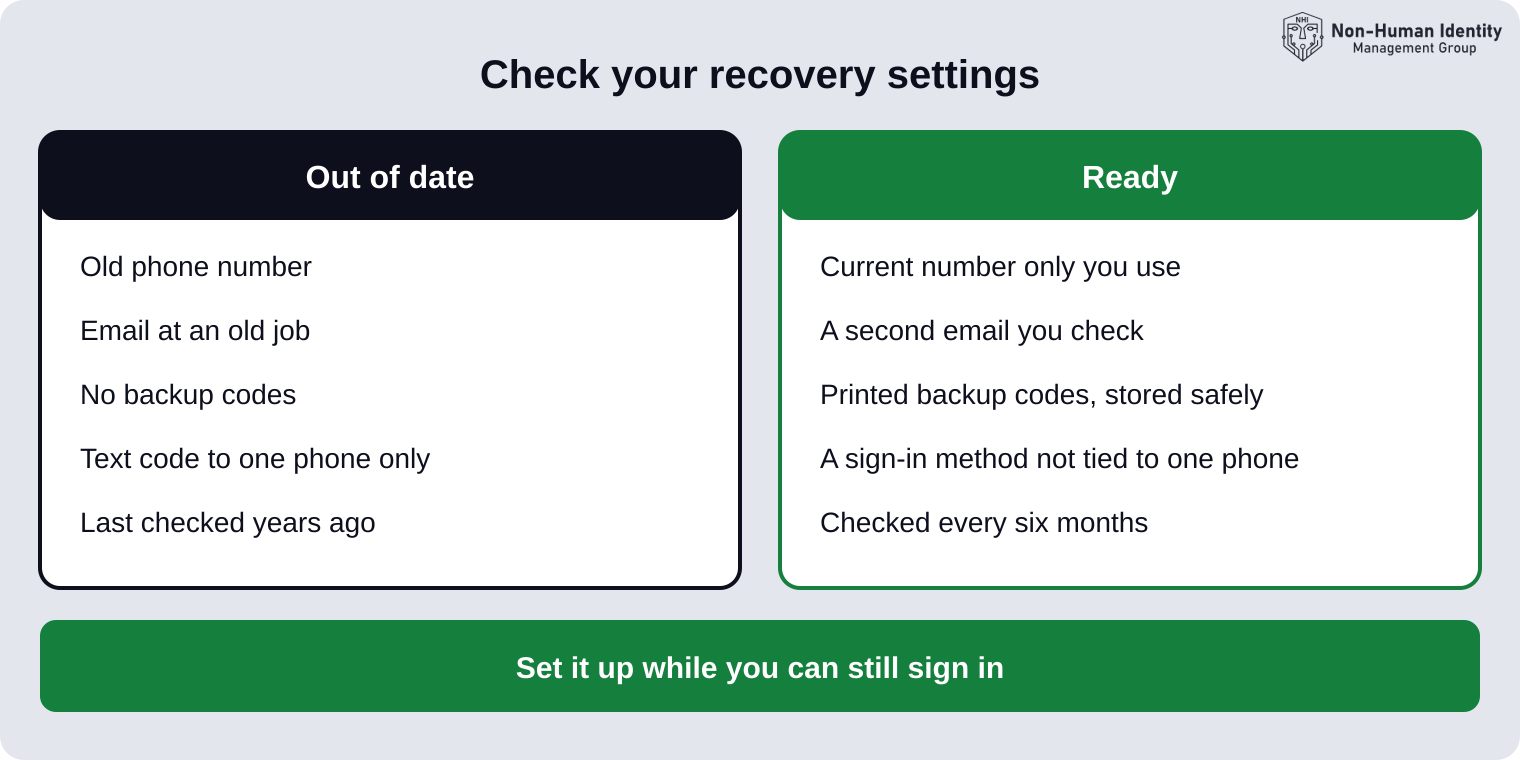
- Check which recovery details on your accounts are out of date.
- Set up two separate ways back into your main email.
- Decide where to keep backup codes so you can reach them without your phone.
- Way back in (account recovery)
- the steps a service uses to let you in when you cannot sign in the normal way.
- Spare codes (backup codes)
- one-off codes you print or write down, to use if your phone is not with you.
- Helper you trust (recovery contact)
- a person who can give you a code to get back in, without seeing your account.
What is account recovery planning?
Think of leaving a spare house key with a neighbour you trust. If you lose your keys, you are not stuck outside. Account recovery planning is the same idea for your online accounts.
Most accounts let you add recovery options. These are the details a service uses to check it is you when you are locked out. Common ones are a phone number, a second email address and printed backup codes. Some services also let you name a person you trust.
Planning means three things. Set these options up while you can still sign in. Keep them up to date. And keep at least one of them away from your phone, because a lost phone is the most common reason people need them.
Where the comparison stops working: a neighbour only has one key. Every recovery option is a separate door into your account. An old number or email you no longer control is a door someone else might open.
Why does it matter?
People usually set recovery options once, years ago. Then the phone number changes, or the old work email closes, and nobody notices until they are locked out.
If your photos and messages live in one account
What could happen: your phone is lost on holiday and the only way back in was a code sent to that phone.
Check this: set up a second way in that does not need that phone.
If you run a small business from one email
What could happen: the owner is locked out of the shop email, and with it the bank, website and supplier accounts.
Check this: list which accounts send their resets to that email.
If you changed your phone number
What could happen: your old number is given to someone else, and your reset codes go to them.
Check this: update the recovery phone on every account you care about.
What does it look like?
Here is a made-up recovery settings page with problems a quick check would find.
Example only. All values are made up.
Account: [email protected]
Recovery phone:  +44 0000 000000 (old number)   (1)
Recovery email:  [email protected]    (2)
Backup codes:    not set up                     (3)
Second sign-in step: text code to phone only    (4)
Last checked:    2019                           (5)
- A number the owner gave up. On your own settings page, this line would show your recovery phone.
- An email at an old job that has since been closed.
- No spare codes, so a lost phone may mean no way back in.
- Every route depends on the one phone.
- Nobody has looked at these settings for years.
Why this is risky: the two backup routes point to things the owner no longer has. The only route that still works is the phone.
The safer way: use a current phone number and a second email you check. Print backup codes. Add a sign-in method that is not tied to one phone.
How does it work?
Each service works a bit differently, but the plan follows the same steps.
- Start with your main email. Most "forgot password" links for other accounts land there, so it unlocks the rest.
- Turn on a second sign-in step. The UK's national cyber security agency says this helps keep criminals out even if they know your password.[5]
- Add two separate ways back in. For example, a recovery phone plus printed backup codes. Google says a recovery phone should be one that belongs only to you and that you keep with you.[1]
- Use a different email for recovery. Google advises a recovery email you use regularly, but not the one you sign in with.[1]
- Store codes away from your phone. Google suggests keeping printed backup codes somewhere safe, such as with your passport.[2]
- Check twice a year. Remove old numbers and addresses, and repeat for your bank, phone account and chat apps.
Some services offer extra options. Apple lets you add up to five recovery contacts. They can give you a code to reset your password, but they cannot see your account.[3] Google backup codes come in sets of 10, and each code works once.[2]
Apple also has a recovery key, a 28-character code for people who want tighter control. It turns off Apple's usual recovery process. Apple says that if you lose the key and your access, you could be locked out permanently. So it suits only people who can store it carefully.[4]
A worked example
This story is made up to show how it can happen.
Darius Lomax is a plumber in Manchester. His email holds his invoices, his bank alerts and the password resets for his booking website. His phone is the only way he gets sign-in codes.
A friend of his lost a phone on a building site last month and spent a week getting back into her email. Darius decides to check his own set-up one evening, while he can still sign in.
He opens his email's security settings. The recovery phone is a number he stopped using three years ago. The recovery email is at a college that closed his account long ago. He removes both.
He adds his current number and a second email address of his own, which he checks every week. He turns on backup codes, prints them and puts them in the folder with his passport.[2] He crosses each one off when he uses it.
Next he lists the accounts that reset through his email: the bank, the booking website and his suppliers. He makes sure his bank app is set up too, so he could call the bank if the email were ever lost.
Finally he sets a reminder for six months' time to check it all again.
What made the difference: Darius did the work on a quiet evening, not in a panic after a loss.
Myths and mistakes
| What people think | What is true |
|---|---|
| I set up recovery years ago, so I am covered. | Numbers and email addresses change. Old details may now belong to someone else. Check them. |
| My recovery email can be the same address. | Google advises using a different address from the one you sign in with.[1] |
| I will keep my backup codes in a note on my phone. | If the phone is lost, so are the codes. Keep a paper copy somewhere safe.[2] |
| More recovery options is always better. | Each one is a way in. Keep the ones you control and remove the rest. |
| A recovery contact can read my account. | On Apple accounts, they can only give you a code. They cannot see your account.[3] |
What can I do this week?
- Open the security settings of your main email. Read every recovery detail.
- Remove any phone number or email address you no longer control.
- Add a second way back in, such as backup codes or a helper you trust.
- Print backup codes and store them away from your phone.[2]
- Put a reminder in your calendar to check again in six months.
Checklist
- My main email has a second sign-in step turned on.
- My recovery phone number is current and belongs only to me.
- My recovery email is a different address that I still check.
- I have printed backup codes, kept away from my phone.
- I have at least two ways back in that do not depend on one device.
- I know which accounts send their resets to my main email.
- I have checked my recovery settings in the last six months.
Common questions
Which account should I set up first?
Your main email. Password resets for your bank, shopping and social media usually go there. If someone else controls it, they may be able to reset the rest. If you lose it, you may struggle to get back into the others as well.
What happens to old backup codes if I make new ones?
On Google accounts, making a new set of backup codes turns off the old set. Each code works only once, so cross codes off as you use them. Make a new set if you think someone has seen them.[2]
Can I change my recovery phone straight away?
Not always. Google says a change to the recovery phone can take up to 7 days to take effect. That delay is one more reason to update details before you need them.[1]
Is this the same as getting back into a hacked account?
No. This page is about setting things up before anything goes wrong. If someone has already taken over your account, follow the steps in Hacked Account Recovery for Beginners instead.
Who should be my recovery contact?
Someone you trust and can reach easily, such as a family member. On Apple accounts you must remember who you chose, because Apple does not know who your contacts are. Both of you need an Apple device with recent software.[3]
Where next?
Ready for the detail? Read the practitioner guide: Account Recovery Planning Guide. It goes further into how strong each recovery option is, step-by-step set-up for Apple and Google, and planning access for family.
Also useful:
- Apple and Google Account Security for Beginners
- Hacked Account Recovery for Beginners
- Multi-Factor Authentication for Beginners
- Passkeys for Beginners
- Lost or Stolen Devices for Beginners
Related NHI Mgmt Group resources: Securing Your Apple ID and Google Account Guide · Two-Factor Authentication for Everyone Guide · Protecting Your Digital Legacy Guide
Key terms
- Account recovery
- The steps a service uses to let you back in when you cannot sign in the normal way.
- Two-factor authentication
- Asking for a second proof, such as a code, as well as your password before letting you in.
- One-time password
- A short code that works once; backup codes are a printed set of these.
- Passkey
- A way to sign in without a password, where a secret key stays on your device and the website keeps a matching public key.
- SIM swap
- When a criminal gets your phone number moved to their SIM card, so your texts and codes go to them.
- Password manager
- An app that creates, stores and fills in your passwords so you do not have to remember or reuse them.
Sources and further reading
- Set up a recovery phone number or email address. Google Account Help. https://support.google.com/accounts/answer/183723, accessed 28 Nov 2026.
- Sign in with backup codes. Google Account Help. https://support.google.com/accounts/answer/1187538, accessed 28 Nov 2026.
- How to set up an account recovery contact. Apple Support. https://support.apple.com/en-us/102641, accessed 28 Nov 2026.
- How to generate a recovery key for your Apple Account. Apple Support. https://support.apple.com/en-us/109345, accessed 28 Nov 2026.
- Activate 2-step verification on your email. National Cyber Security Centre (NCSC), Top tips for staying secure online. https://www.ncsc.gov.uk/collection/top-tips-for-staying-secure-online/activate-2-step-verification-on-your-email, accessed 28 Nov 2026.