Data exfiltration is when someone moves data out of an organisation without permission.
This guide is for managers, small business owners and newcomers who want to understand how data theft really happens. You do not need a technical background. If your business stores customer files, staff records or designs, this is about you.
In short
- Exfiltration is the "getting it out" part of data theft. It often comes after an attacker has already broken in.
- Attackers often use normal tools and services, such as file-sync apps and cloud storage, so the theft can look like everyday work.
- Many ransomware gangs now steal data before locking files, then threaten to publish it.
- Limit who and what can reach your data, watch for unusual uploads, and keep the logs that would show what left.
What you will learn
- Explain data exfiltration in one sentence.
- Spot the warning signs of data leaving when it should not.
- Check which accounts and tools can reach your most important data.
- Ask your IT team or supplier the right questions.
- Data going out (exfiltration)
- data being copied or moved out of an organisation without permission.
- Steal then threaten (double extortion)
- when attackers lock files and also threaten to publish stolen data unless paid.
- Outgoing traffic (egress)
- data leaving your network for somewhere on the internet.
What is data exfiltration?
Think of a burglary where nothing is smashed. A van with a removal company's logo pulls up. People in overalls carry boxes out of the front door. The neighbours wave, because it looks like a normal house move.
Data exfiltration often looks like that. Once inside, an attacker gathers files and sends them out over channels that look normal, such as a cloud storage service or a sync tool.
A US standards body defines exfiltration simply as "the unauthorized transfer of information from a system".[1] It is the step where the data actually leaves.
Where the comparison stops working: when a house is emptied, the owner can see what is gone. Stolen data is usually copied, not taken. The original stays in place, so the theft can go unnoticed for a long time.
Why does it matter?
Stolen data can be used to demand money, sold, or used to plan further attacks. A US government advisory on one ransomware group says its members lock data and also threaten to publish what they stole.[3]
If you run a small business
What could happen: customer records are copied out, and you have to tell customers and possibly the regulator.
Check this: ask your IT supplier whether anyone would notice a large upload at night.
If you manage a team
What could happen: a leaver copies client files to a personal cloud account on their last day.
Check this: make sure access is removed on the day someone leaves.
If you are new to IT or security work
What could happen: a renamed sync tool on a file server looks harmless and gets ignored.
Check this: know which sync and backup tools are approved, and where they normally send data.
If your business relies on cloud apps
What could happen: a stolen app password or token is used to export data straight from the cloud service.
Check this: list which connected apps and accounts can read your main data.
What does it look like?
Here is a made-up alert of the kind a monitoring tool might raise. Real tools look different, but the clues are similar.
Example only. All values are made up.
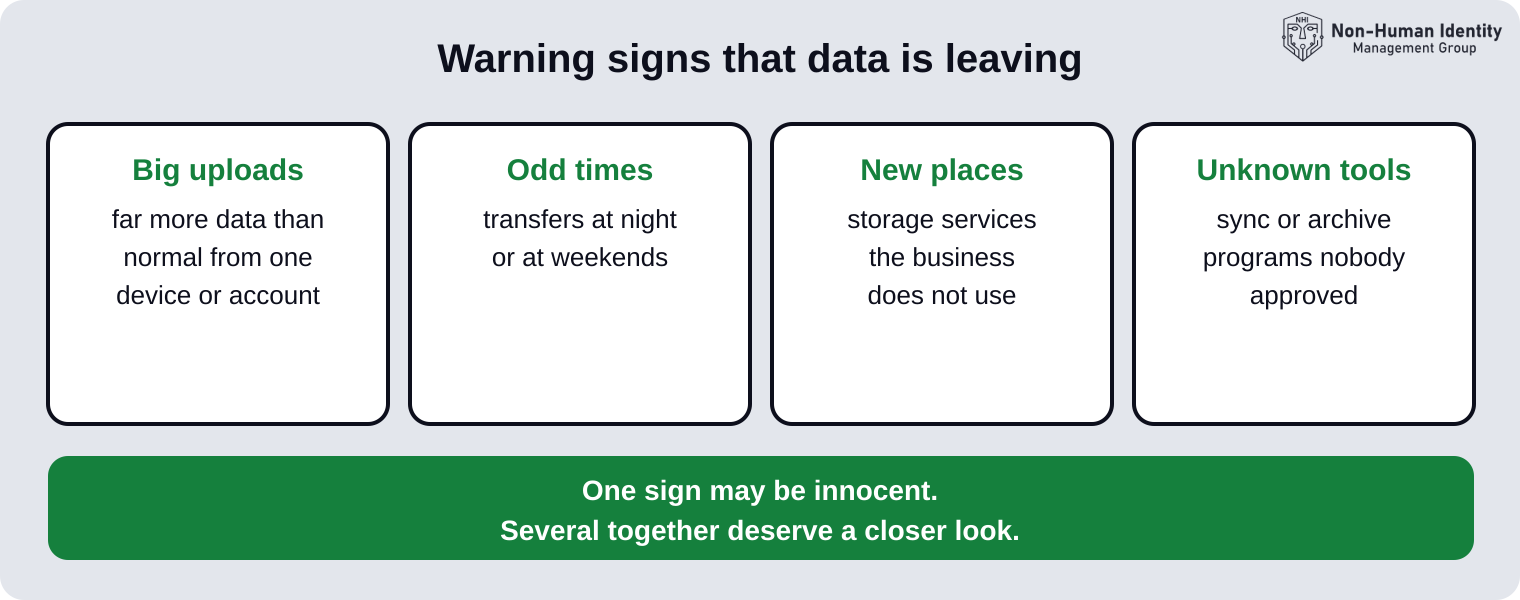
ALERT EXAMPLE-0000: unusual outgoing transfer
Device:    FILESERVER-EXAMPLE                     (1)
Program:   sync-FAKE.exe (not on approved list)    (2)
Sent to:   storage.example.invalid                 (3)
Amount:    0000 GB in 3 hours (normal: under 1 GB) (4)
Time:      02:00 to 05:00 on a Sunday              (5)
Account:   svc-backup-EXAMPLE                      (6)
- A file server, which does not usually upload to the internet.
- A program nobody approved. In a real file, this line would contain the program's actual name, which may be disguised.
- An outside storage service the business does not use.
- Far more data than normal for this device.
- An odd time, when fewer people are watching.
- The account used. Here it is a non-human identity (NHI): a digital identity that lets software or a machine connect to other systems without a person.
Why this is risky: each clue alone could be innocent. Together they suggest data is leaving without permission.
The safer way: keep a list of approved tools and destinations, and alert on large uploads that break the normal pattern.
How does it work?
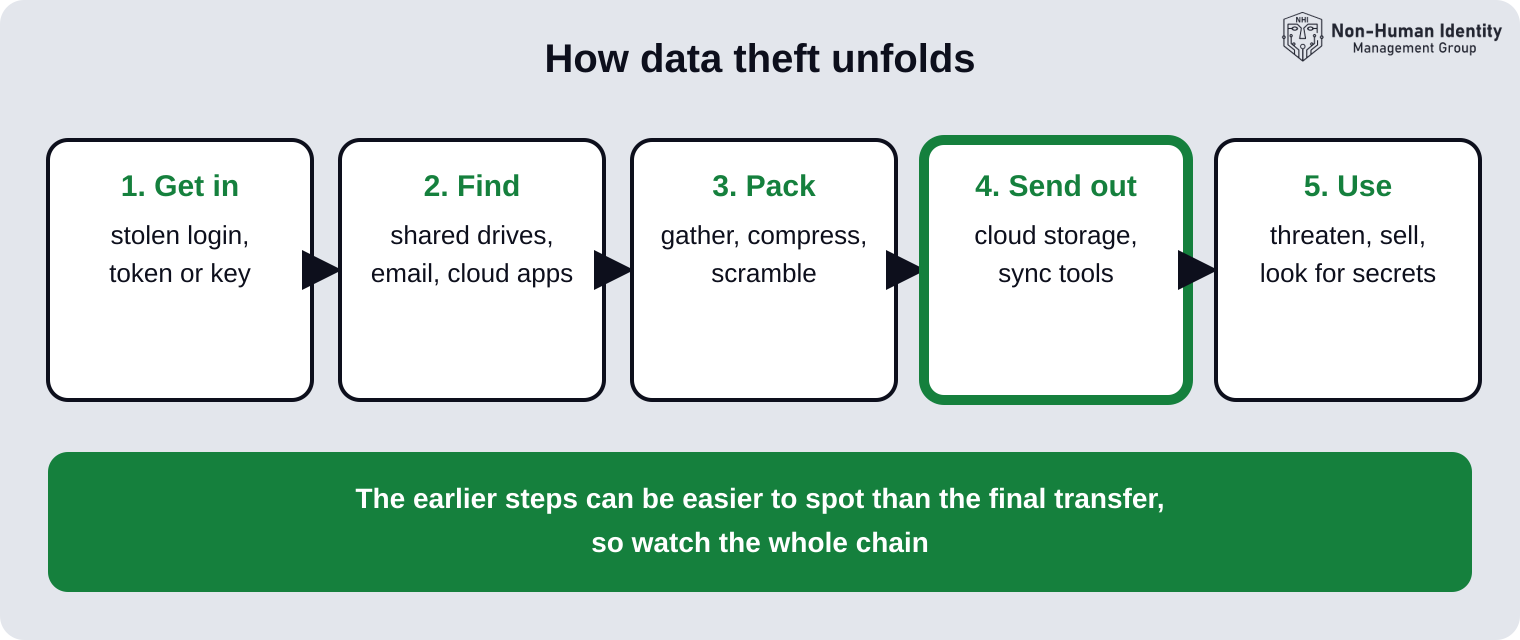
Exfiltration is usually the last part of a longer attack. A well-known public catalogue of attacker behaviour, MITRE ATT&CK, sums up this step as: "The adversary is trying to steal data."[2]
- Get in. The attacker gets a working account, password, token or key, often through phishing or a stolen login.
- Find the data. They look through shared drives, email, cloud apps and databases for what is valuable.
- Gather and pack it. ATT&CK notes attackers often package data before removing it, which can include squeezing it smaller (compression) and scrambling it (encryption).[2]
- Send it out. The data leaves over the attacker's own connection or another channel, sometimes in small chunks to avoid limits.[2]
- Use it. The attacker demands money, sells the data or mines it for more passwords.
Attackers often prefer tools that are already trusted. A US government advisory reports that one ransomware group installs and uses Rclone, a common file-sync tool, to move stolen data to its own servers.[3]
Identity matters a great deal. Whatever account the attacker uses decides how much data they can reach. An account that can read everything can send everything.
A worked example
Meadow Laundry is a made-up chain of four launderettes with a small head office. It keeps customer accounts, staff records and supplier contracts on a file server and in a cloud office suite. Farah Lomax is the operations manager. Elif Zeller is the outside IT consultant who visits twice a month.
Farah reads about a local firm whose data was stolen and posted online. She asks Elif a simple question: would we even know if our data left?
Elif checks. The firewall keeps logs, but only for seven days, and nobody reviews them. The file server can reach any website. Three old staff accounts are still active, and a backup account can read every folder.
They agree a short plan. Elif closes the three old accounts and limits the backup account to the folders it needs. She sets the file server so it can only connect to the approved backup service. She also turns on an alert for uploads much larger than normal, and keeps logs for 90 days.
Two months later, the alert fires. A head office laptop is sending a large amount of data to an unfamiliar storage service on a Saturday night. Elif checks in the morning. It turns out a member of staff installed a personal sync app to finish payroll from home.
No attacker was involved, but customer and staff data had left the business. Farah talks to the member of staff, the app is removed, and Elif adds it to the blocked list. Farah also takes advice on whether the event needs reporting, and records the decision.
Myths and mistakes
| What people think | What is true |
|---|---|
| If nothing is missing, nothing was stolen. | Data is usually copied, so the original stays put. Check records of what was sent, not only what remains. |
| Antivirus will spot data theft. | Attackers often use normal, trusted tools. Watching for unusual amounts, times and places helps more than looking for known bad files. |
| Ransomware is only about locked files. | Many groups also steal data and threaten to publish it, so restoring from backup may not end the problem. |
| Blocking one storage site solves it. | There are many storage services. Allowing only approved destinations from key systems works better than blocking one at a time. |
| Only hackers exfiltrate data. | Staff can move data out too, sometimes by mistake. The same signs and controls help with both. |
What can I do this week?
- Name your crown jewels. Write down the three sets of data that would hurt most if they were published.
- List who can reach them. Include staff, old accounts, connected apps and software accounts.
- Remove what is not needed, such as the accounts of people who have left and any access that nobody can explain.
- Ask about logs. Find out how long your firewall and cloud apps keep records of what is sent out.
- Ask for one alert that fires when a server or key account uploads far more data than normal.
Checklist
- I can explain data exfiltration in one sentence.
- We know where our most sensitive data is kept.
- Each account that can read that data has a clear owner and a reason.
- Leavers lose access on their last day.
- Servers can only send data to approved places.
- We have a list of approved sync and backup tools.
- We keep logs of outgoing traffic long enough to investigate.
- Someone is alerted when uploads are far above normal.
Common questions
Is data exfiltration the same as a data breach?
Not exactly. A data breach is the wider event where data is lost, changed or seen by the wrong people. Exfiltration is one way that happens: data is moved out without permission. The UK regulator's definition of a personal data breach includes unauthorised disclosure of, or access to, personal data.
Why do attackers use normal tools like file-sync apps?
Because they blend in. Many businesses already use sync and cloud storage, so the traffic can look normal. Signature-based checks may not flag a widely used tool. Watching for unusual amounts, destinations and times is often more useful.
Do I have to report data that has been stolen?
Sometimes, depending on the data and the law where you are. In the UK, a notifiable personal data breach must be reported to the regulator within 72 hours of becoming aware of it.[4] Take advice quickly if personal data may have left.
Can data loss prevention tools stop exfiltration?
They can help. These tools spot sensitive data heading out and can warn or block. But attackers may scramble data first, so the tool cannot see inside. Limiting access and watching for unusual uploads add more layers of protection.
What should I do if I think data is leaving now?
Contact your IT team or supplier straight away. Avoid wiping devices, because evidence matters. They may cut the connection, disable the account involved and keep the logs. Then follow your incident plan and take advice on reporting.
Where next?
Ready for the detail? Read the practitioner guide: Data Exfiltration Guide. It goes further into the attack stages, detection using network and cloud logs, and the identity controls that limit how much a stolen account can take.
Also useful:
- Detecting Rclone and File-Sync Exfiltration Tooling
- Data Loss Prevention for Beginners
- Ransomware for Beginners
- Insider Threats for Beginners
Related NHI Mgmt Group resources: Data Exfiltration Playbook · Data Loss vs Data Breach vs Data Leak · Least Privilege for Beginners · Incident Response for Beginners
Key terms
- Data Exfiltration
- Data being moved out of an organisation without permission.
- Double extortion
- Locking files and also threatening to publish stolen data unless a ransom is paid.
- Data Egress
- Data leaving a network for somewhere outside it.
- Egress Filtering
- Rules that control where data from a network is allowed to go.
- Data Breach
- An event where data is lost, changed or seen by people who should not see it.
- Ransomware
- Malicious software that locks files and demands payment.
- Cloud Storage
- Online services that store files on another company's servers.
Sources and further reading
- Exfiltration, glossary entry (from NIST SP 800-53 Rev. 5). NIST Computer Security Resource Center. https://csrc.nist.gov/glossary/term/exfiltration, accessed 28 Nov 2026.
- Exfiltration, Tactic TA0010. MITRE ATT&CK. https://attack.mitre.org/tactics/TA0010/, accessed 28 Nov 2026.
- #StopRansomware: Medusa Ransomware, advisory AA25-071A, March 2025. CISA, FBI and MS-ISAC. https://www.cisa.gov/news-events/cybersecurity-advisories/aa25-071a, accessed 28 Nov 2026.
- Personal data breaches: a guide. Information Commissioner's Office (ICO). https://ico.org.uk/for-organisations/report-a-breach/personal-data-breach/personal-data-breaches-a-guide/, accessed 28 Nov 2026.