File integrity monitoring is a tool that warns you when important files on a computer change unexpectedly.
This guide is for small business IT helpers, website owners and anyone new to security monitoring. You do not need to be technical to benefit: if your firm runs a website, a till system or a shared server, unexpected file changes can be an early sign of trouble.
In short
- File integrity monitoring (FIM) records a fingerprint of key files, then checks them again later.
- If a file is added, removed or changed, it raises an alert so a person can check it.
- It works best on files that should rarely change, such as system files and website code.
- Every alert needs one question answered: was this change planned?
What you will learn
- Explain what file integrity monitoring does in one sentence.
- Spot which files are worth watching and which only make noise.
- Check an alert by matching it to a planned change.
- Ask your IT supplier or web host the right questions about it.
- File fingerprint (hash)
- a short code worked out from a file's contents. Change the file and the code changes too.
- Starting snapshot (baseline)
- the saved list of fingerprints that later checks are compared against.
What is file integrity monitoring?
Think of taking a photo of your shed before you go on holiday. When you come back, you hold the photo up and compare. If a tool has moved, you notice.
File integrity monitoring does this for computer files. First it records a fingerprint of each file it watches, called a hash. A hash is a short code worked out from the file's contents. It also notes details such as size and who may open the file. Later it checks again and compares.
The word "integrity" here means the file is still what it should be. Nobody has added to it, taken from it or swapped it.
Where the comparison stops working: a photo shows you what moved. FIM usually tells you that a file changed and when, but not always why. A person still has to decide if the change was expected.
Why does it matter?
Attackers often change files after they get in. They may add a hidden program, alter a web page or switch a setting so they can come back. FIM can spot those changes, which gives you a chance to act early.
Microsoft says payment card rules such as PCI DSS often require file integrity monitoring.[1] So if you take card payments, your bank or payment provider may ask about it.
If you run a website
What could happen: someone adds a hidden file, called a web shell, that lets them control your site later.
Check this: ask your host if they watch your site files for changes, and who gets the alerts.
If you look after IT for a small firm
What could happen: a startup setting is changed so a bad program runs each time the server starts.
Check this: find out if your security tool includes FIM, and whether it is switched on.
If you take card payments
What could happen: a payment page is quietly altered to copy card details as customers type them.
Check this: ask your payment provider what change checks they expect for your setup.
Next: PCI DSS for Beginners
What does it look like?
Most FIM tools show a list of changes. Here is a made-up alert, written in plain words.
Example only. All values are made up.
ALERT EXAMPLE-0000   Server: web01.example.invalid
Change: file modified                          (1)
File:   /var/www/shop/checkout.php             (2)
Old fingerprint: 0000aaaa...FAKE
New fingerprint: 0000bbbb...FAKE               (3)
Changed by: account deploy-FAKE                (4)
Time: 0000-00-00 02:14
- What kind of change it was: added, removed or modified.
- Which file. A checkout page matters more than a log file.
- The fingerprint before and after. Different codes mean the contents changed.
- In a real message, this line would contain the account or program that made the change, if the tool can see it.
Why this is risky: a payment page changed at two in the morning. It could be a planned update, or it could be an attacker. If nobody checks the alert, you will not know which.
The safer way: plan updates in advance and write them down. Then any alert that matches no plan stands out and gets checked first.
How does it work?
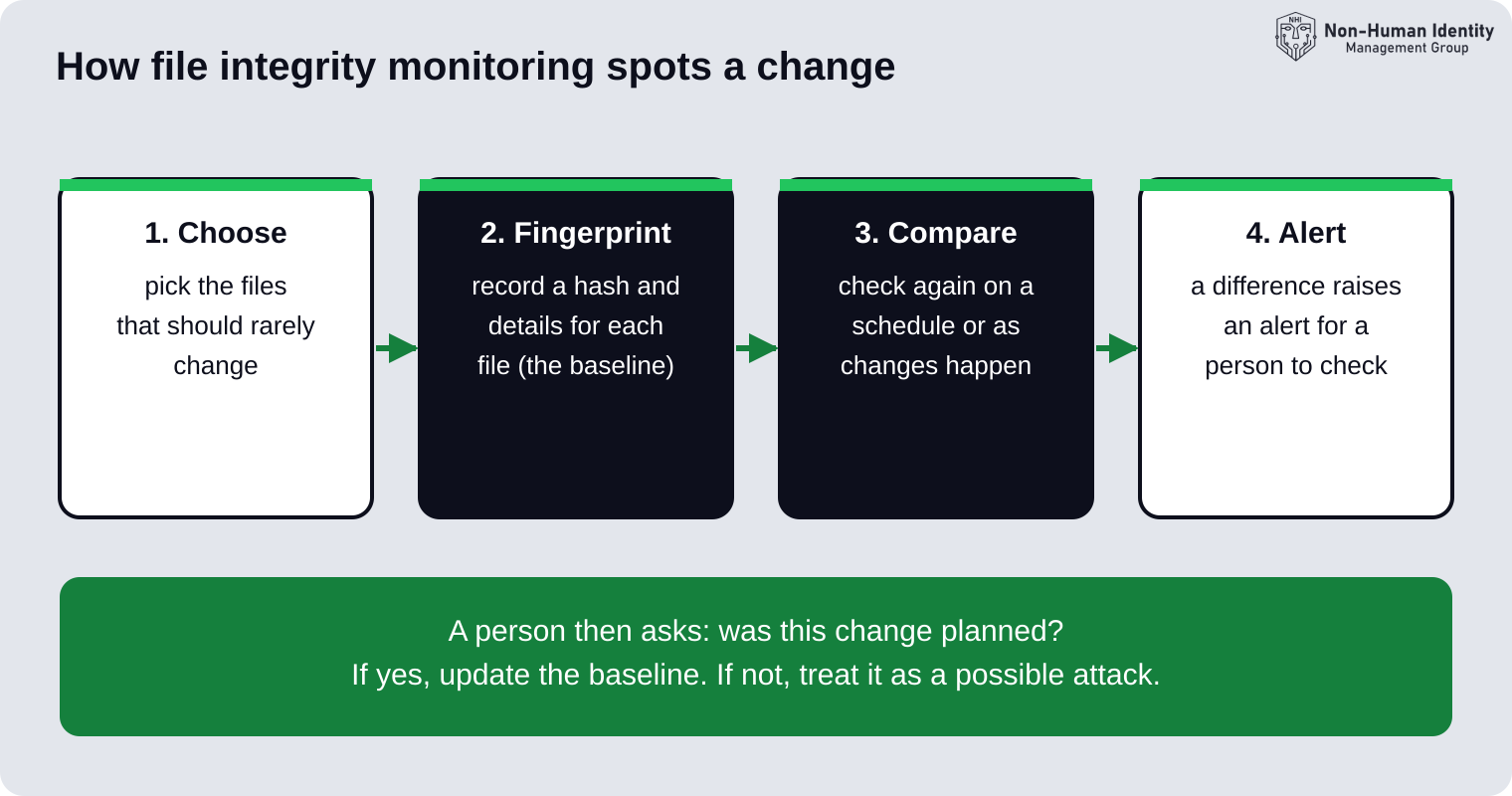
- Choose what to watch. Pick files that should rarely change, such as system programs, startup settings and website code.[1]
- Take the baseline. The tool records a hash and other details for each file. This is the starting snapshot.[2]
- Check again. The tool compares files with the baseline. Some tools check on a schedule, others as changes happen.[2]
- Raise an alert. If a file is added, removed or different, the tool raises an alert.[2]
- A person decides. Someone matches the alert to a planned change. If it was planned, they update the baseline. If not, they look into it.
Some tools also watch Windows settings stored in the registry, which is a central list of settings. Microsoft's tool, for example, checks Windows and Linux system files and registry keys for changes that might point to an attack.[1] Free tools exist too. AIDE is a free Linux tool that tracks file details such as permissions, owner, size and hashes.[3]
What to leave out matters as much. Microsoft advises against watching files that change often, such as log files. They create noise that makes real attacks harder to spot.[1]
The idea is not new. A widely used US government security checklist includes tools that check software and information for unauthorised changes.[4]
A worked example
Hana Falk runs a fictional online shop selling hand-made candles. Freya Rosen looks after the shop's website and server one day a week.
Last month, Freya switched on file integrity monitoring in the security tool the host already provided. She chose to watch the shop's website code and the server's startup settings. She left out the folders holding logs and customer uploads, because those change all day.
On Tuesday morning, an alert arrives. The checkout page changed at two in the night. Freya opens her change notes. The last planned update was a week ago, and nothing was booked for Monday night.
She remembers the photo of the shed. Something has moved, and nobody said they would move it. She compares the new file with the backup copy. A few extra lines have been added that send form details to an unknown web address.
Freya puts the clean copy back and changes the passwords for the website's admin and the account named in the alert. She tells Hana, who calls the payment provider for advice. Freya then follows the host's steps for a hacked site and checks for other changed files.
The alert did not stop the change. It did give them a chance to act within hours, not weeks.
Myths and mistakes
| What people think | What is true |
|---|---|
| Watch every file to be safe. | Busy files like logs flood you with alerts. Watch files that should rarely change. |
| An alert means you have been hacked. | Most alerts are planned updates. Check them against your change notes first. |
| FIM blocks attacks. | It tells you something changed. A person still has to act. |
| Set it up once and forget it. | After each planned update, the baseline needs refreshing, or the same alert keeps coming back. |
| Antivirus already does this. | Antivirus looks for known bad files. FIM spots any change to files you chose, bad or not. |
What can I do this week?
- Ask your web host or IT supplier if file change alerts are switched on, and who receives them.
- List the five to ten files or folders that matter most, such as website code and payment pages.
- Start a simple change log, so every planned update is written down with a date.
- Agree who checks an unexpected alert, and how fast.
Checklist
- We know if file integrity monitoring is switched on for our servers and website.
- We watch files that should rarely change, not busy log folders.
- Alerts go to a named person, not a mailbox nobody reads.
- Planned changes are written down before they happen.
- We refresh the baseline after each planned update.
- We know what to do if a change matches no plan.
- We keep clean copies of key files so we can put them back.
Common questions
Is file integrity monitoring the same as antivirus?
No. Antivirus looks for files that match known bad software. File integrity monitoring watches files you chose and tells you about any change, good or bad. The two work well together, because an attacker may change a file in a way antivirus does not flag.
Do I need special software?
Not always. Many security tools and web hosts include file change alerts, though you may need to switch them on. Free tools such as AIDE exist for Linux servers. Ask your supplier what you already have before buying anything new.
Which files should I watch first?
Start with files that should rarely change and would hurt you if altered. Good first picks are website code, payment pages, system programs and startup settings. Leave out logs, caches and upload folders, because they change all the time and create noise.
What should I do when an alert arrives?
Check it against your list of planned changes. If it matches, refresh the baseline so the alert does not repeat. If it matches nothing, treat it as a possible attack: compare with a clean copy and ask for help.
Does it work in the cloud?
Yes, in many cases. Cloud providers offer FIM for the servers you run on their platforms, and some can check without installing an extra program. For services where the provider runs everything, the provider is usually responsible for its own files.
Where next?
Ready for the detail? Read the practitioner guide: D3-FIM File Integrity Monitoring. It goes further into how the technique maps to known attack methods, where it is built into tools and how to test that it works.
Also useful:
- File Integrity Monitoring Guide
- Linux File Integrity Monitoring Guide
- Hacked Website Recovery for Beginners
Related NHI Mgmt Group resources: Configuration Drift and Baseline Enforcement Guide · SIEM for Beginners · Website Defacement for Beginners
Key terms
- File integrity monitoring
- A tool that alerts you when chosen files are added, removed or changed.
- Hash
- A short code worked out from a file's contents that changes if the file changes.
- Baseline
- The saved, known-good state that later checks are compared against.
- Web shell
- A hidden file on a website that lets an attacker control it from a distance.
- Change management
- The habit of planning, approving and recording changes before they are made.
- False positive
- An alert about something that turns out to be harmless.
Sources and further reading
- Overview of file integrity monitoring in Microsoft Defender for Cloud. Microsoft Learn, updated 17 June 2026. https://learn.microsoft.com/en-us/azure/defender-for-cloud/file-integrity-monitoring-overview, accessed 28 Nov 2026.
- File integrity monitoring. Wazuh documentation. https://documentation.wazuh.com/current/user-manual/capabilities/file-integrity/index.html, accessed 28 Nov 2026.
- AIDE: Advanced Intrusion Detection Environment, README. AIDE project, GitHub. https://github.com/aide/aide, accessed 28 Nov 2026.
- NIST SP 800-53 Rev. 5, Security and Privacy Controls for Information Systems and Organizations, control SI-7 Software, Firmware, and Information Integrity. NIST, 2020. https://csrc.nist.gov/pubs/sp/800/53/r5/upd1/final, accessed 28 Nov 2026.