Website defacement is when an attacker changes how your website looks, usually to show their own message.
This guide is for small business owners, charity and club volunteers and anyone who looks after a website. You do not need to write code to be affected: if your site runs on common website software, it can be a target.
In short
- A defaced site shows content you did not put there, such as a slogan, an image or a boast.
- It is a sign that someone got into your website, often through out-of-date software or a weak password.
- Putting the old page back is not enough, because the way in may still be open.
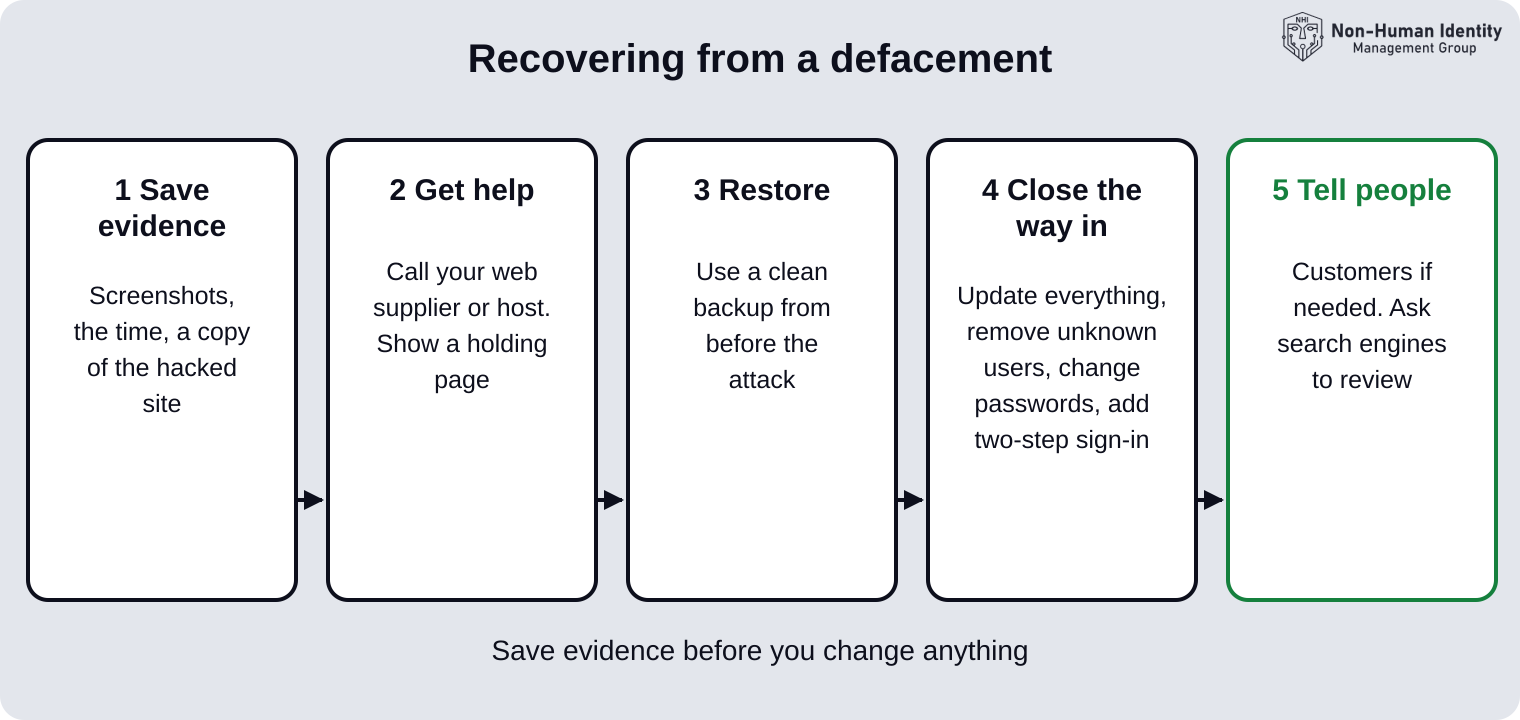
- Save evidence, restore from a clean backup, close the way in and then tell the people who need to know.
What you will learn
- Spot the signs of a defaced website.
- Explain why attackers deface sites.
- Check that your backups would let you recover.
- Ask your web supplier the right questions after an attack.
- Vandalised website (defacement)
- a website whose look or words were changed by an attacker.
- Website builder software (content management system)
- software, such as WordPress, used to edit a website without coding.
- Add-on (plugin)
- an extra piece of software that adds a feature to a website.
What is website defacement?
Think of graffiti sprayed on a shop window overnight. Everyone walking past sees it. The message is not yours, but it is on your shop front.
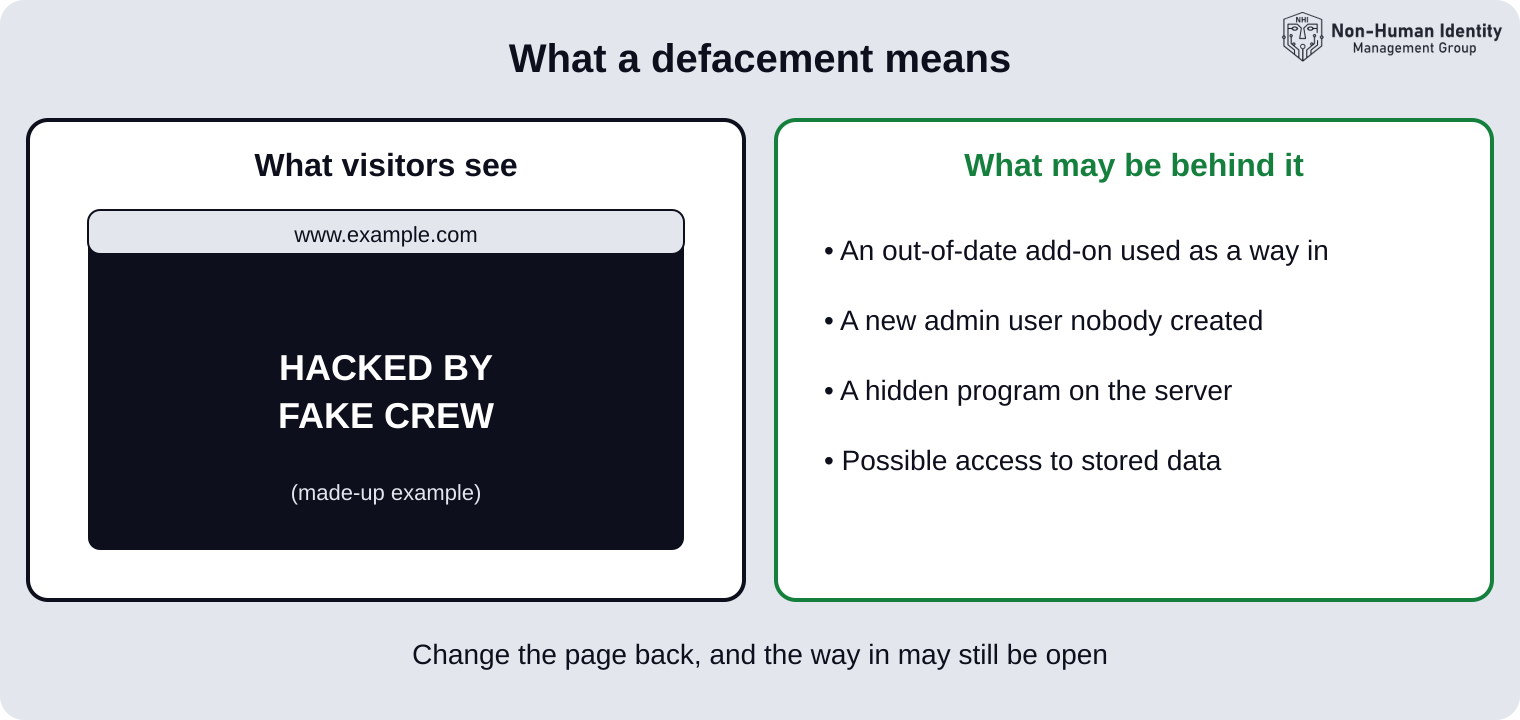
Website defacement is the online version. An attacker gets into your website and changes what visitors see. They may replace the home page, add an image or post a message. Attackers do this to spread a message, to scare people or to claim credit for a break-in, which may or may not be true.[1]
Some attackers are hacktivists, who attack to push a cause. Others just want to show off. Many pick targets because their software is easy to break into, not because of who they are.
Where the comparison stops working: graffiti stays on the outside of the glass. A defacement means someone got inside your website, and they may have done more than change the front page.
Why does it matter?
A defaced site damages trust quickly, because customers see it first. Search engines may also warn people about content placed on your site without your permission.[3]
If you run a small business
What could happen: customers see a strange message on your home page and wonder if their details are safe.
Check this: who would you call first if your site was changed tonight?
If you update a website as a volunteer
What could happen: your shared admin password is guessed, and the club site is changed.
Check this: make sure each editor has their own login with two-step sign-in.
If you are new to IT work
What could happen: you fix the page by hand, and the same attacker changes it again the next day.
Check this: look for unknown admin users and new files, not just the changed page.
Next: Web Shells for Beginners
What does it look like?
Here is a made-up scenario card showing the signs a site owner might notice.
Example only. All values are made up.
Site: www.example.com (a small brewery)
07:10  Home page shows black screen and "HACKED BY FAKE-CREW-0000"   (1)
07:15  Customer message: "Is your site OK?"                          (2)
07:20  Admin users: owner, editor, support-EXAMPLE (new)             (3)
07:25  Website add-ons: 2 updates waiting since last year            (4)
07:30  Search listing title: "Hacked by FAKE-CREW-0000"              (5)
- The visible change. In a real screen, this line would contain the attacker's message or image.
- Customers often notice before the owner does.
- An admin user nobody created is a strong sign of a break-in.
- Old add-ons are a common way in.[2]
- Search engines may pick up the changed page and show it in results.
Why this is risky: the owner's first reaction is often to log in and change the page back. That removes evidence and leaves the new admin user and the old add-ons in place.
The safer way: take screenshots, call your web supplier and treat it as a break-in. Fix how they got in, not only what they changed.
How does it work?
Most defacements follow the same broad pattern.
- Finding a way in. Attackers look for sites with known weak spots in out-of-date software or add-ons, or with passwords they can guess.[2]
- Getting in. They use that weak spot to log in as an admin or to place a small hidden program on the server.
- Changing the site. They change page files, website content or settings so visitors see their message.[1]
- Staying in. Some add a new admin user or a hidden program, called a web shell, so they can come back later.
- Being seen. Visitors, customers and search engines see the change, often before the owner does.
Recovery has a clear order. Save evidence before you change anything. Then restore from a clean backup, close the way in and check the site is clean before telling search engines it is fixed.[3]
A worked example
Talia Wojcik owns Linden Brewery, a fictional small brewery with a taproom and an online shop. At seven on a Saturday morning, her phone buzzes. A regular customer has sent a picture of the brewery's home page. It is black, with a slogan and a group name she has never heard of.
Talia's first thought is to log in and put the page back. Then she remembers the graffiti on a shop window. Someone has been inside, so it is not just about the window.
She takes screenshots and notes the time. Then she calls Tomas Mbeki, the freelance developer who built the site. Tomas switches the site to a simple holding page that says it will be back soon. He saves a copy of the hacked site as evidence.
He finds a new admin user called "support" and an old shop add-on that had a known weak spot. He also checks whether the online shop's customer records were reached. The host's logs show no sign of that in the records available to him.
Tomas restores a backup from two weeks before. The brewery had kept it with the hosting company and on a separate drive.[4] He updates the website software and every add-on, removes the unknown user and changes every password. He also turns on two-step sign-in for each editor.
By the afternoon the site is back. Talia posts a short note explaining what happened. She reports the attack through the official route, and asks Tomas to check for updates every month.[5]
Myths and mistakes
| What people think | What is true |
|---|---|
| Changing the page back fixes it. | The way in may still be open. Find and close it, or the attacker can return. |
| Nobody would bother with my small site. | Many attacks target known weak spots in common software, whoever owns the site.[2] |
| A defacement is only cosmetic. | It shows someone got in. They may also have reached data or left a hidden way back. |
| Our host keeps a backup, so we are covered. | Check how far back it goes and that you can restore it. Keep a copy somewhere separate too.[4] |
| Once the site is back, search results will be fine. | Search engines may need you to fix the whole site and then request a review.[3] |
What can I do this week?
- Ask your web supplier when your website software and add-ons were last updated.
- Remove add-ons, themes and admin users you no longer use.
- Turn on two-step sign-in for every admin login.
- Check that you have a recent backup stored away from the website, and that someone has tested restoring it.
- Write down who to call, and what to save, if your site is changed.
Checklist
- Website software, themes and add-ons are kept up to date.
- Unused add-ons, themes and admin users are removed.
- Every editor has their own login, a strong password and two-step sign-in.
- We keep backups from more than one point in time, with one copy stored separately.
- We have tested restoring a backup.
- We know who to call and what evidence to save.
- We are signed up to the search engine's site owner tools, so we get warnings.
- We have a short holding message ready for customers.
Common questions
Should I take my site offline straight away?
Often yes, or swap it for a simple holding page. That stops visitors seeing the message and limits further harm. Save screenshots and a copy of the site first if you can, because they help work out how the attacker got in.
Does a defacement mean customer data was stolen?
Not always, but you cannot assume it was not. A defacement shows someone could change your site. Ask your developer or host to check what else was reached. If personal data may have been taken, read Data Breach Notification for Beginners.
Should I report it?
We suggest you do. In the UK, the NCSC asks organisations to report significant attacks, and live attacks can be reported to the police fraud reporting line.[5] Other countries have their own official routes. Reports help others spot the same attackers.
Why would anyone deface a bakery or club website?
Usually because it was easy, not because of who you are. Some attackers search for any site with a known weak spot. Others want to spread a message to as many people as possible, and any website with visitors will do.
How is this different from a malicious redirect?
A defacement is meant to be seen, so it changes what your own page shows. A malicious redirect quietly sends some visitors to another site, and the owner may never see it. Both mean someone got into the website.
Where next?
Ready for the detail? Read the practitioner guide: Website Defacement Playbook. It goes further into roles, triage, containment, evidence handling, clean-up and who to notify.
Also useful:
- Website Security for Beginners
- Malicious Website Redirects for Beginners
- Incident Response for Beginners
- The 3-2-1 Backup Rule for Beginners
- Hacktivism Guide
Related NHI Mgmt Group resources: Web Shell Response Playbook · WordPress Security for Beginners · Small Business Cyber Security for Beginners
Key terms
- Website defacement
- An unauthorised change to how a website looks, often to show a message.
- Website compromise
- When an attacker has enough access to change a website's content or code.
- Hacktivist
- Someone who attacks computer systems to push a political or social cause.
- Content management system
- Software used to build and edit a website without writing code.
- Plugin
- An add-on that gives a website an extra feature.
- Web shell
- A hidden program on a web server that lets an attacker run commands.
- Backup and recovery
- Keeping separate copies of your data and website so you can restore them.
Sources and further reading
- Defacement, technique T1491. MITRE ATT&CK, The MITRE Corporation. https://attack.mitre.org/techniques/T1491/, accessed 28 Nov 2026.
- Hardening WordPress. WordPress Advanced Administration Handbook, WordPress.org. https://developer.wordpress.org/advanced-administration/security/hardening/, accessed 28 Nov 2026.
- Security Issues report. Search Console Help, Google. https://support.google.com/webmasters/answer/9044101, accessed 28 Nov 2026.
- Backing up your data. Small Organisations Guide to Cyber Security, National Cyber Security Centre (NCSC). https://www.ncsc.gov.uk/collection/small-organisations-guide-to-cyber-security/backing-up-your-data, accessed 28 Nov 2026.
- Response and recovery: small business guide. National Cyber Security Centre (NCSC). https://www.ncsc.gov.uk/collection/small-business-guidance--response-and-recovery, accessed 28 Nov 2026.